

Updated 28 September 2026
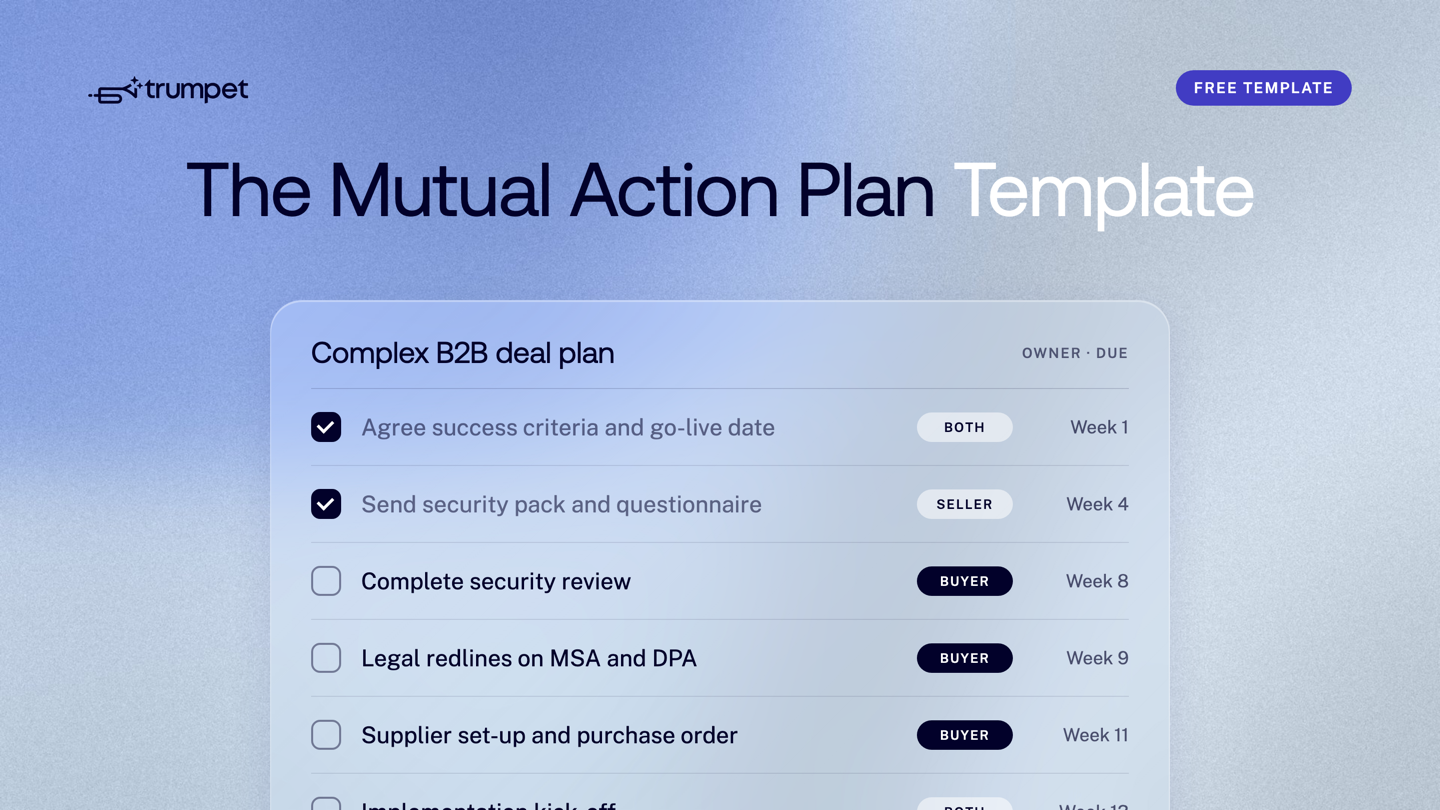
A Mutual Action Plan Template for a complex B2B deal lists every phase from discovery to implementation kick-off, with each step, an owner on the buyer or seller side, and a due date. The phases that stall big deals are security review, legal and procurement, so the Template below starts them early and runs them alongside the commercial work. Copy it, change the dates to fit your go-live and share it with your buyer in week one.
Why complex deals need a different plan
A simple deal has one buyer and one decision. A complex B2B deal has a buying group: a champion, a decision maker, an economic buyer, and then IT, security, legal and procurement, who often join late and each have their own process.
Most of the delay sits in that second group. A security questionnaire can take weeks. Legal redlines go back and forth. Procurement needs supplier set-up before it can raise a purchase order. If none of this is on the plan, your close date is a guess.
A Mutual Action Plan fixes that by putting every step in one shared place, with a named owner and a date both sides agreed. New to the idea? Start with what a Mutual Action Plan is and how it improves B2B close rates.
The Mutual Action Plan Template for complex B2B deals
This Template assumes a 13-week deal from first meeting to implementation kick-off. Work backwards from the buyer's go-live date and stretch or squeeze the weeks to fit. "Both" means each side has a named person on the step.
| Phase | Step | Owner | Due |
|---|---|---|---|
| 1. Discovery and alignment | Agree goals, success criteria and target go-live date | Both | Week 1 |
| 1. Discovery and alignment | Confirm the buying group: decision maker, economic buyer, IT, security, legal, procurement | Buyer | Week 1 |
| 1. Discovery and alignment | Share a written recap and the draft plan | Seller | Week 2 |
| 2. Solution validation | Tailored demo for the wider team | Seller | Week 3 |
| 2. Solution validation | Trial or technical validation, with agreed test cases | Buyer | Weeks 3 to 5 |
| 2. Solution validation | Confirm the solution meets the success criteria | Buyer | Week 5 |
| 3. Business case and pricing | Send proposal and pricing | Seller | Week 5 |
| 3. Business case and pricing | Build the internal business case with the champion | Both | Week 6 |
| 3. Business case and pricing | Budget approval from the economic buyer | Buyer | Week 7 |
| 4. Security review | Send the security pack: certifications, DPA, sub-processor list, hosting details | Seller | Week 4 |
| 4. Security review | Return the security questionnaire | Seller | Week 6 |
| 4. Security review | Security and IT sign-off, including SSO and data residency checks | Buyer | Week 8 |
| 5. Legal | Share MSA, order form and DPA | Seller | Week 8 |
| 5. Legal | Legal redlines returned | Buyer | Week 9 |
| 5. Legal | Agree final terms | Both | Week 10 |
| 6. Procurement | Supplier set-up: vendor forms, bank and tax details | Seller | Week 9 |
| 6. Procurement | Raise the purchase order | Buyer | Week 11 |
| 7. Signature and kick-off | Contract signed | Buyer | Week 12 |
| 7. Signature and kick-off | Name the implementation team on both sides and hand over from AE to CSM | Both | Week 12 |
| 7. Signature and kick-off | Implementation kick-off call | Both | Week 13 |
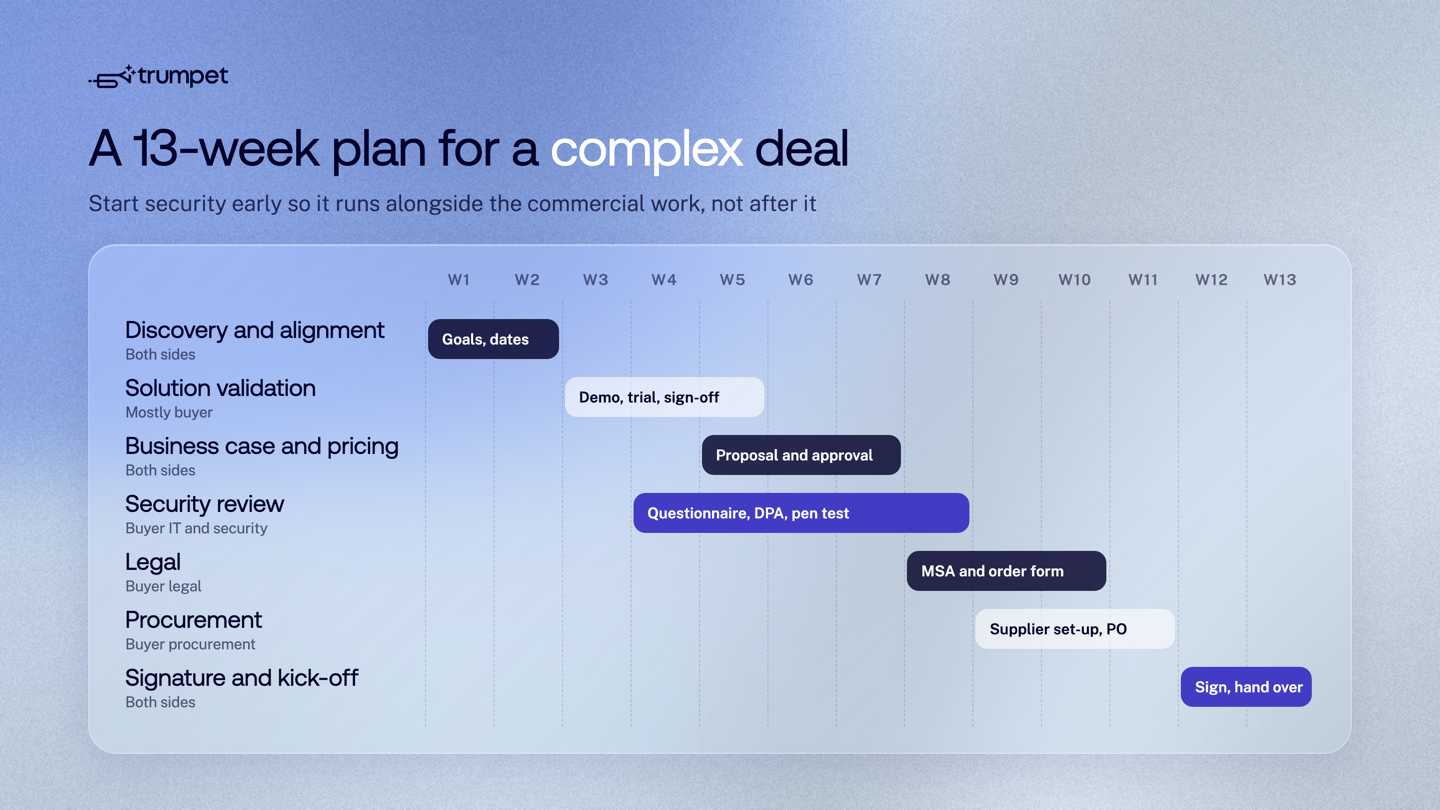
The key detail is the overlap. Security review starts in week 4, while the buyer is still validating the solution. Legal and procurement overlap too. Run these one after another and the same deal takes months longer.
How to fill in each phase
Discovery and alignment
Agree what success looks like and when the buyer needs to be live. That date anchors every other step. Ask your champion to name the people in IT, security, legal and procurement now, not in week 10. If you're not sure who's in the buying group, our guide to managing stakeholders in multi-stakeholder sales covers how to map it.
Solution validation
Keep the trial tied to the success criteria from week 1. Agree the test cases up front, so "does it work?" has a clear yes or no. End the phase with a written sign-off from the buyer.
Business case and pricing
Send the proposal, then help your champion build the internal case for the economic buyer. Put budget approval on the plan as a buyer-owned step with a date. If it slips, you'll see it early.
Security review
This is the phase most likely to blow up a close date. Start it as soon as the buyer is serious, usually during validation. Have a security pack ready to send on day one:
- Certifications and audit reports, such as SOC 2 Type II and ISO 27001
- Your DPA and sub-processor list
- Hosting location and data residency
- SSO and user provisioning options
- Data retention and deletion terms
A public trust centre helps here. Trumpet's own security documents sit in the Trust Center, and our enterprise-grade setup page explains how SOC 2 Type II, ISO 27001, GDPR, SSO and SCIM are handled.
Legal
Send your MSA, order form and DPA as early as you can. Ask who reviews contracts on the buyer side and how long redlines usually take, then put that on the plan. Agreeing final terms is a "Both" step, because it needs a person from each side.
Procurement
Procurement often runs its own process, with vendor forms, supplier registration and approval chains. Ask your champion how it works in week 1. Supplier set-up is usually a seller task, and the purchase order is a buyer task that can't happen until you're registered.
Signature and implementation kick-off
Signature isn't the end of the plan. Name the implementation team on both sides before the contract is signed, book the kick-off call and hand over from the account executive to the customer success manager. The same plan then becomes the onboarding plan. For more on this stage, read how to build a better customer onboarding process.
Getting buyers to use the plan
A Template only works if the buyer actually opens it and ticks off steps. How to co-create the plan, keep stakeholders engaged and stop it going stale is a topic of its own, so we cover it in how to build collaborative and engaging Mutual Action Plans, along with why plans fail and how to fix them. To agree the first steps before a meeting ends, see how to structure a winning demo.
Lunio's sales team keep a Mutual Action Plan in every Pod. As Sophie Ellis, an account executive at Lunio, put it: "This allows us to assign buyers to their next steps and identify what needs to be done." Read how Lunio uses buyer signals for the full story.
Running this Template in trumpet
You can run this Template in a spreadsheet, but spreadsheets go out of date and get lost in email. In trumpet, the Mutual Action Plan sits inside the Pod, the branded Digital Sales Room your buyer opens from one link with no login.
- Owners, dates and reminders. Assign each step to a buyer or seller, set a due date and let automated reminders do the chasing.
- Step types and groupings. Split meetings, to-dos and milestones, and group steps by phase, as in the table above.
- List or calendar view. A progress tracker shows where the deal stands at a glance.
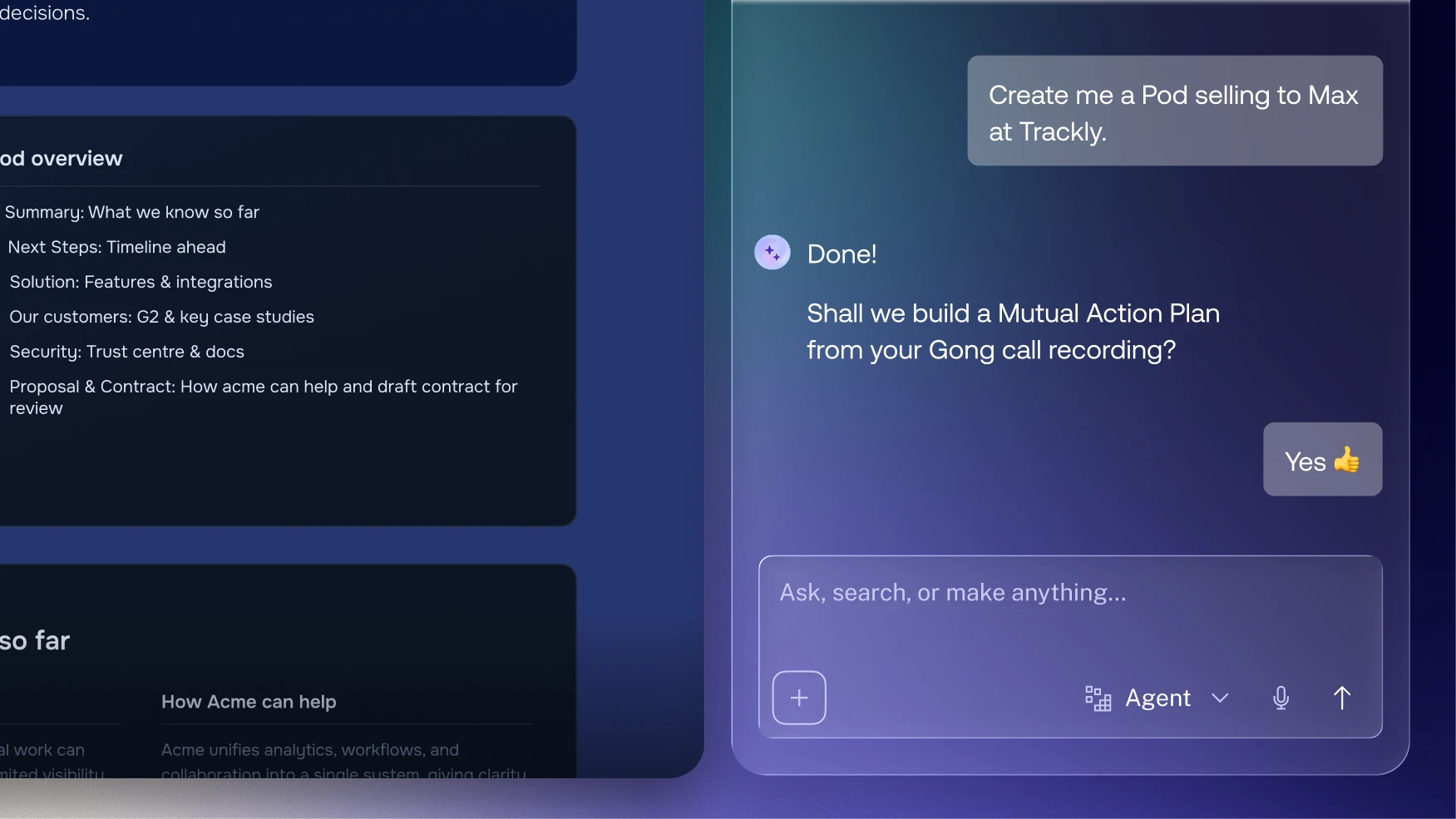
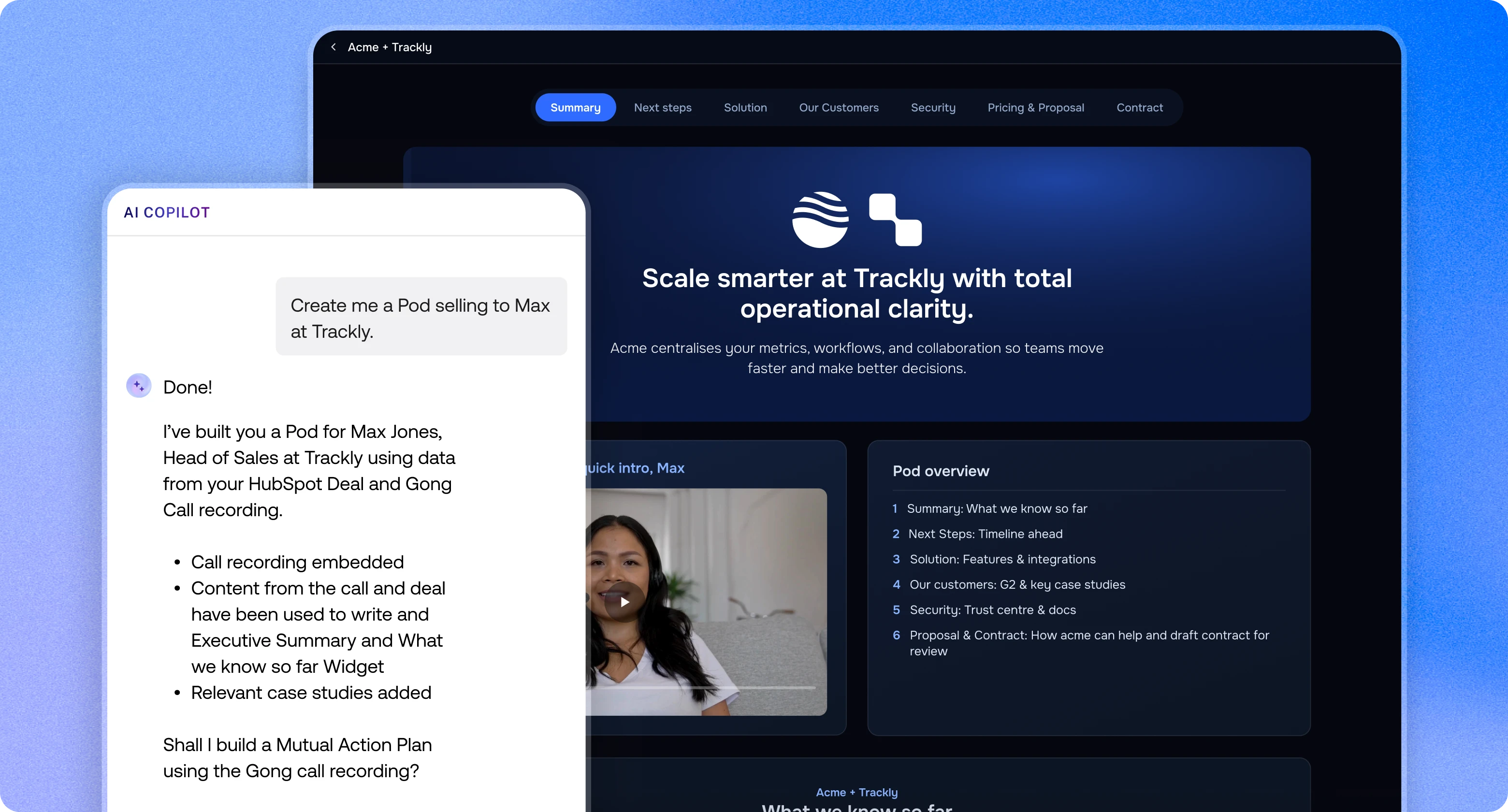
- Built from the call. Copilot can turn a Gong recording into a plan with steps, owners and dates filled in, on the Elite plan.
- Signals when buyers move. Get an alert in Slack, Microsoft Teams or your CRM when a buyer ticks off a step.
- Every plan in one dashboard. The MAP Dashboard shows plans across every Pod and flags overdue or at-risk ones. See how to track Mutual Action Plan progress with buyer engagement signals.
- Reuse it. Save the plan as a Template so every rep starts from the same structure.
Ownership then passes from sales to customer success, so the same plan runs the deal and the onboarding. For a wider look at the category, read key things to know about Mutual Action Plan software, or see a live Mutual Action Plan Pod. Trumpet's Free plan includes 10 Pods and unlimited users. See pricing for the paid plans.
Frequently asked questions
What should a Mutual Action Plan Template for a complex B2B deal include?
It should include every phase from discovery to implementation kick-off, with each step, an owner on the buyer or seller side and a due date. For complex deals, that means explicit phases for security review, legal and procurement, not just the sales steps.
When should security review start?
Start it as soon as the buyer is serious, usually during solution validation. In the Template above, the security pack goes out in week 4 so the review finishes before legal starts.
Who owns the steps in a Mutual Action Plan?
Each step has one named owner, either on the buyer side or the seller side, and some steps need a person from each. Buyer-owned steps, such as budget approval and the purchase order, are the ones most worth tracking, because you can't do them yourself.
How long should a complex B2B Mutual Action Plan run?
It should run from the first meeting to implementation kick-off, which is 13 weeks in this Template. Set the length by working backwards from the buyer's go-live date.
Does the plan end when the contract is signed?
No, the plan carries on into implementation. In trumpet, the same Mutual Action Plan becomes the onboarding plan, and ownership passes from the account executive to customer success.
Can I use this Template for free?
Yes, you can copy the table above into any tool. To run it inside a Digital Sales Room, trumpet's Free plan includes 10 Pods and unlimited users.


See what your buyers are doing between meetings
Build a Pod, share it with the buying committee and watch the signals roll in. Free to start.