

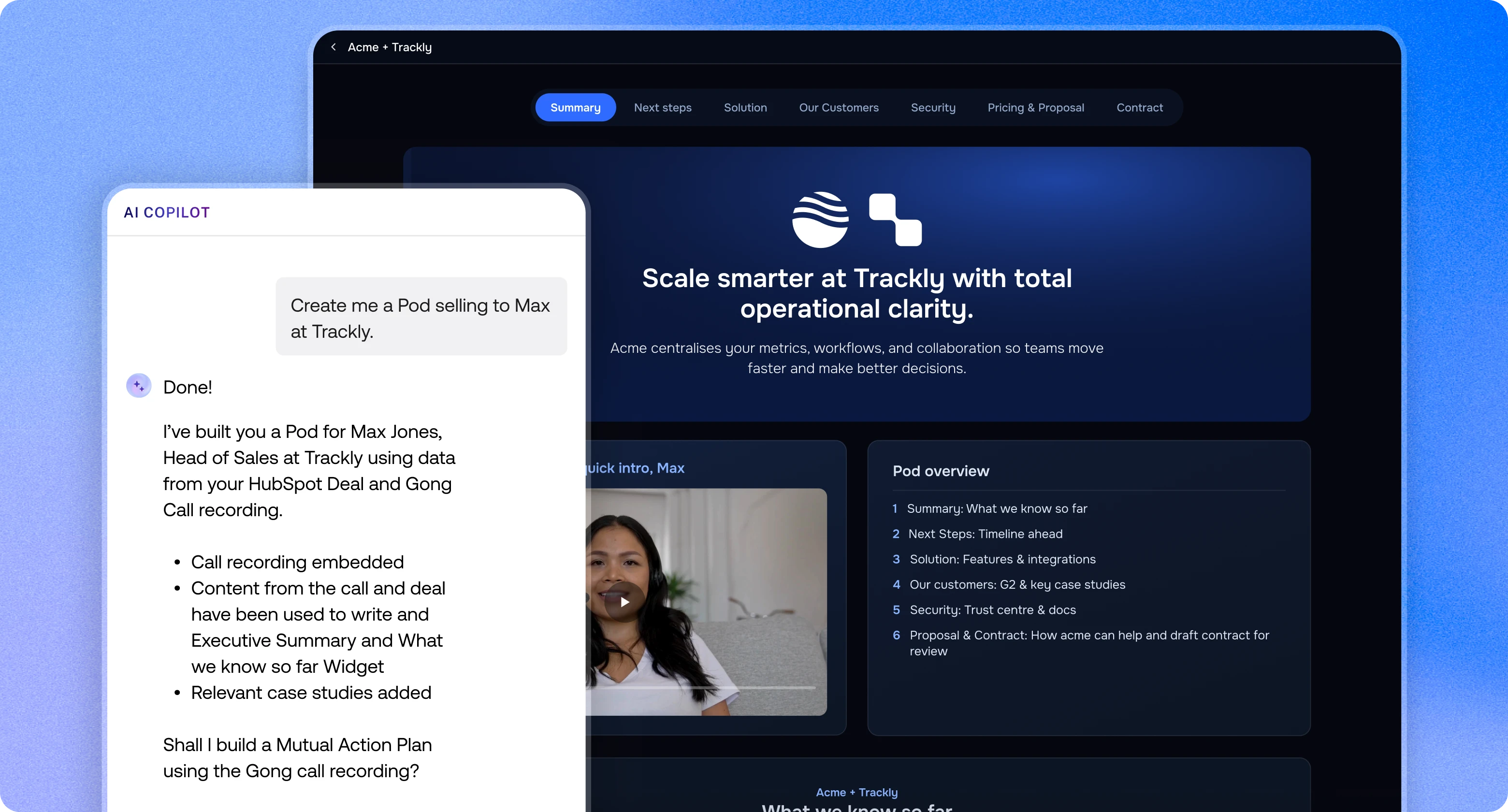
See trumpet in action
Explore tours of every part of the platform,
at your own pace.



vs

trumpet vs Seismic
Seismic manages content for marketing and enablement. trumpet gives sellers and buyers a branded deal room, AI that helps buyers in the room and a full view of the buying committee.

#1 Digital Sales Room on G2,
five quarters in a row


HubSpot
Trumpet provides one shared space for onboarding and success plans. It makes collaboration feel natural, not fragmented. If you're in Customer Success and still managing plans in static docs, or struggling to get that sales-to-CS handover right, I'd take a look at trumpet.

Daphne Costa Lopes
Director of Customer Success @ HubSpot

Stripe
Trumpet is simple to use and looks really professional. It makes it so much easier to share content with prospects without everything getting lost over email, and I can see what stakeholders are actively engaging with. The initial setup was also very easy.

Aoife Coburn
Enterprise Account Executive @ Stripe

Gong
Trumpet helped the team streamline their outreach and personalise interactions. We're accelerating our deal cycles, and we've been much tighter on looking at the stakeholder map. Thanks to trumpet, we have been enabled to give our customers a really good buying experience and have the right folks in seat to help close the deal.

Lesley Ronaldson
EMEA Vice President @ Gong

Figma
Hands down, one of the best sales tools I've utilised in the past few years as a seller. Trumpet is game-changing. The UI is night and day compared with any similar tool on the market. It's easy to use, modern, hyper-personalised and customisable.

Annie Pattinson
Mid-Market Account Executive @ Figma

Personio
I’ve been using Digital Sales Rooms for 2 years, and I’ve seen the impact firsthand. With trumpet: one central space for the buying cycle, clear visibility into engagement, and shorter cycles without losing personalisation.

Koen Stam
Director of International @ Personio

Brevo
I use trumpet to save time and avoid long email back-and-forth. I really like trumpet’s personalised, collaborative space. It keeps everything in one place and cuts down on lengthy exchanges.

Manon Dordhain
EMEA Sales Team Lead @ Brevo

Remote
I like that trumpet is very customisable, allowing me to create different modules tailored to each client's needs. I use trumpet to keep everything in one place, share access with multiple stakeholders, and create timelines and action plans. It helps me increase productivity by avoiding multiple emails and meetings.

Ilgin Doganay
Senior Account Executive @ Remote

ThoughtSpot
Trumpet has become a critical part of how our Enterprise teams sell. What I love is how trumpet aligns tightly with MEDDICC. It gives our champions a single workspace to sell internally and visibility into who’s engaging across the buying committee.

James Smith
Senior VP EMEA @ ThoughtSpot


TestGorilla
Trumpet has been an invaluable tool in our sales process, offering excellent visibility into how customers engage throughout the deal lifecycle. The insights provided have been instrumental in refining our approach, increasing engagement, and ultimately boosting our win rates.

Natalie Spencer
Director of GTM Operations @ TestGorilla

Employment Hero
I couldn't imagine selling without it. It makes my follow-ups seamless, my prospects love having everything in one place, and the insights help me manage my pipeline and deals effectively.

Caragh Hehir
Account Executive @ Employment Hero

Zoopla
The Pods have really allowed us to build out customer journeys for our clients and onboard our customers via one simple link. We have been able to promote additional products and services and, more importantly, track all interactions in one place.

James Dolan
Solutions Manager @ Zoopla
How HubSpot wins 2x more deals with trumpet
Read the case study

The short answer
Which is right for your team?
Choose trumpet if…
You want AI agents working your deals
You want a dedicated deal room, not an add-on
You're upper mid-market or enterprise
Buyers should be able to ask AI in the room
You need an org chart of the buying committee
Buyers should chat, huddle and sign in the room
You want widgets built from a prompt
Seismic may suit you if…
Your company is a large enterprise with global sales and marketing teams
Your main need is governing and distributing large volumes of sales content
You produce proposals and presentations from approved templates, often in a regulated industry
You want rep training and coaching alongside your content library
A standard deal room, added on to those tools, is enough for your buyers
What matters to your team?
Filter by the area you're evaluating. trumpet leads on 50 of 76 capabilities below.
Capability
trumpet
Seismic
Agentic Workflows
Agents act on CRM, Gong and Pod activity, with approvals
Yes
No
AI
Copilot
Build Pods from a prompt and ask about your deals
Yes
Partly
Seismic's Aura Chat and Deal Agent answer deal questions, but it can't build rooms from a prompt
AI
AI documents
Business cases, proposals and QBRs from calls and CRM data
Yes
No
AI
AI content writer
Write, edit and rewrite Pod content from prompts, or ask it anything
Yes
Yes
AI
Ask AI for buyers
Buyers ask questions and get answers from your content
Yes
No
AI
AutoBrand
Brand a Pod to the buyer from their website
Yes
No
AI
AI content search
Find content in your library by asking in plain language
Yes
Yes
AI
AI org charts
Maps the buying committee, with roles and reporting lines
Yes
Partly
Seismic's Deal Agent flags missing stakeholders, but there's no org chart or buying committee map
AI
Coach Casey
Deal health scores and next-step recommendations
Yes
Yes
AI
AI engagement scores
A score for every buyer, based on their engagement
Yes
Partly
Seismic markets AI-powered engagement scoring for rooms but doesn't document a score for each viewer
AI
Vibe-coded widgets
Describe a widget and Canvas builds it, on-brand
Yes
No
AI
MCP client
Copilot uses live context from your other tools
Yes
No
AI
MCP server
Use trumpet from ChatGPT, Claude and other assistants
Yes
Yes
AI
Full brand kit
Your colours, fonts, backgrounds and logo
Yes
Partly
Seismic gives marketing control of room branding but documents no per-buyer brand kit
Personalisation
Website-style layouts
Pods that look just like your own website
Yes
Partly
Seismic's room builder added flexible layouts, widgets and navigation in 2025 and 2026
Personalisation
Buyer branding
Buyer logo, colours and imagery from their website
Yes
No
Personalisation
White label and custom domain
Your own domain, with no trumpet branding
Yes
Yes
Seismic sells a custom domain for its sharing links as a paid add-on on every package
Personalisation
Engagement alerts
Slack, Teams and email alerts on buyer activity
Yes
Partly
Seismic sends email and in-app alerts but doesn't document buyer engagement alerts in Slack or Teams
Insights
Per-viewer insights
Engagement for each viewer, down to each widget
Yes
Yes
Insights
Engagement scores
Rank every stakeholder by how engaged they are
Yes
Partly
Seismic markets AI-powered engagement scoring for rooms but doesn't document a score for each viewer
Insights
Hidden stakeholders
See who your buyer forwarded the Pod to
Yes
Partly
Seismic's Deal Agent flags missing stakeholders from CRM and meeting data
Insights
Management dashboard
One view of your team's Pods, engagement and activity
Yes
Partly
Seismic offers role-based dashboards for sales managers, focused on content usage rather than a team's sales rooms
Insights
Global analytics
Analytics rolled up across every Pod and every team
Yes
Partly
Seismic reports content usage across teams and reps, but doesn't document analytics rolled up across all sales rooms
Insights
Built from Pod viewers
Everyone who views the Pod is added to the org chart
Yes
No
Org charts
Contacts from your CRM
Bring deal contacts in from HubSpot or Salesforce
Yes
No
Org charts
Stakeholders from LinkedIn
Add AI-recommended stakeholders, sourced from LinkedIn, in two clicks
Yes
No
Org charts
AI-organised chart
AI suggests roles, reporting lines and buying influence
Yes
No
Org charts
Buying roles
Tag stakeholders as Champion, Blocker and more
Yes
No
Org charts
Recommended stakeholders
AI suggests people missing from the deal
Yes
Yes
Seismic's Deal Agent flags missing buying-group stakeholders from CRM, meeting and email data; there's no org chart to add them to
Org charts
Groups and steps
Organise the plan into groups of meetings, to-dos and milestones
Yes
Partly
Seismic organises plan steps by phase; subtasks aren't documented
Mutual Action Plans
Task owners
Assign tasks to named people on both sides
Yes
Yes
Mutual Action Plans
Task reminders
Automatic reminders before tasks are due
Yes
Partly
Seismic highlights overdue actions but doesn't document automatic reminders
Mutual Action Plans
Rich tasks
Add context, buttons and files to any task
Yes
No
Mutual Action Plans
Due dates
Set a due date on every task
Yes
Yes
Mutual Action Plans
Calendar view
See the whole plan on a calendar
Yes
No
Mutual Action Plans
Bulk updates
Edit, reassign, complete or delete several steps at once
Yes
No
Mutual Action Plans
Search and filter
Find steps by status, type, assignee or date
Yes
No
Mutual Action Plans
Modular Templates
Templates built from 70+ pre-built widgets, fully on-brand
Yes
Yes
Templates
Dynamic fields
Buyer name, company and role filled in from your CRM
Yes
Partly
Seismic's LiveDocs fills documents and decks from CRM data, but this isn't documented inside rooms
Templates
Synced widgets
Update a widget once and it changes in every live Pod
Yes
No
Templates
Template analytics
Win rate, revenue impact, engagement and usage for every Template
Yes
Partly
Seismic has deep content analytics but doesn't document analytics on room templates
Templates
Natural language search
Search the content library by meaning, not just file names
Yes
Yes
Content
Content analytics
Engagement on every asset, rolled up across all Pods
Yes
Yes
Content
Synced content
Update a file in the library and it updates in every Pod
Yes
Partly
Seismic serves the latest approved version but doesn't document updating content in sent rooms
Content
Replace content everywhere
Replace a file once and it updates in every Pod and Template
Yes
No
Content
Tags and filters
Organise the library with tags and filters
Yes
Yes
Content
Approved content library
Submission and approval workflows, roles and folder permissions
Yes
Yes
Content
AI content tagging
New content is tagged automatically
Yes
Yes
Content
Enablement Pods
Use Pods to onboard and train your own reps
Yes
Partly
Seismic onboards and trains reps through Seismic Learning, a separate product from its Digital Sales Rooms
Content
Slash commands
Type / to add layouts like columns, tables and media
Yes
No
Widgets
Native e-signature
Buyers sign inside the Pod, with no extra tool
Yes
No
Widgets
Proposals and quotes
Build and share quotes inside the Pod
Yes
Partly
Seismic's LiveDocs generates proposal documents, but there's no native quote or pricing tool in the room
Widgets
Video recording
Record video and your screen inside trumpet
Yes
Partly
Seismic reps can record video intros in a room; screen recording isn't documented
Widgets
Surveys and forms
Collect buyer answers with native forms
Yes
Partly
Seismic rooms can host forms, with little detail published
Widgets
Voice notes
Record and send voice notes in the Pod
Yes
No
Widgets
Live chat
Chat with buyers inside the Pod
Yes
No
Collaboration
Threads with status
Track conversations as Open, In progress or Resolved
Yes
No
Collaboration
Huddles
Start a live video call from inside the Pod
Yes
No
Collaboration
On-page comments
Comment directly on Pod content
Yes
Yes
Collaboration
@mentions
Mention anyone in the Pod to notify them
Yes
Yes
Collaboration
Voice and video notes
Send quick voice or video messages to buyers
Yes
Partly
Seismic supports recorded video intros; voice notes aren't offered
Collaboration
Internal Pages
Private pages in every Pod that only your team can see
Yes
No
Collaboration
SOC 2 Type II
Independently audited security controls
Yes
Yes
Security
ISO 27001
Certified information security management
Yes
Yes
Security
SSO and SCIM
Single sign-on and automatic user provisioning
Yes
Yes
Security
GDPR
Compliant with EU data protection law
Yes
Yes
Security
AI controls
Switch each AI feature on or off, and exclude pages from Copilot
Yes
Yes
Security
Governance
Template locking, content approval and version history
Yes
Yes
Both offer approval workflows and version control; Seismic's governance centres on its content library
Security
Manager permissions
Limit managers to their own team's Pods and content
Yes
Partly
Seismic uses admin, marketer and seller roles, with no documented manager role over a team's rooms
Security
Workspaces
Separate workspaces for business units and departments
Yes
Partly
Seismic's separate team sites start on its Advanced package
Security
Email verification
Buyers verify their email before they can view the Pod
Yes
Partly
Seismic rooms offer a secure buyer login and password protection; per-visit email verification isn't documented
Security
Dedicated CSM
A named Customer Success manager on Elite
Yes
Yes
Support
White-glove onboarding
Hands-on setup, Template builds and training
Yes
Partly
Seismic's onboarding is a professional services engagement; G2 users report about four months to implement
Support
Templates built for you
Our CS team builds your Templates and assets
Yes
Partly
Seismic sells managed services
Support
Chat and email support
Help from the support team on every plan
Yes
Yes
Support
Training
Customer training, plus a weekly webinar
Yes
Yes
Support
HubSpot
Yes
Two-way sync
Yes
Integrations
Gong
Yes
Two-way sync
Yes
Integrations
Salesforce
Yes
Two-way sync
Yes
Integrations
Slack
Yes
Sends alerts
Yes
Integrations
Salesloft
Yes
Two-way sync
Yes
Integrations
Google Drive
Yes
Yes
Integrations
DocuSign
Yes
Sends for signature
No
Integrations
Brevo
Yes
Two-way sync
No
Integrations
Glean
Yes
No
Integrations
Microsoft Teams
Yes
Sends alerts
Yes
Integrations
Pipedrive
Yes
Two-way sync
No
Integrations
SharePoint
Yes
No
Integrations
SugarCRM
Yes
Two-way sync
No
Integrations
Sybill
Yes
No
Integrations
Zapier
Yes
Two-way sync
No
Integrations
Microsoft Dynamics
Yes
Two-way sync
Yes
Integrations
Close
Yes
Two-way sync
No
Integrations
Active Campaign
Yes
Two-way sync
No
Integrations
Momentum
Yes
No
Integrations
Pandadoc
Yes
No
Integrations
Microsoft Office 365
Yes
Yes
Integrations
Modjo
Yes
No
Integrations
Consensus
Yes
Copilot builds DemoBoards
Yes
Integrations
Outreach
Yes
Yes
Integrations
Navattic
Yes
Yes
Integrations
Notion
Yes
No
Integrations
Chili Piper
Yes
No
Integrations
Loom
Yes
No
Integrations
Calendly
Yes
No
Integrations
tl;dv
Yes
No
Integrations
TikTok
Yes
No
Integrations
TidyCal
Yes
No
Integrations
Symbe
Yes
No
Integrations
Stripe Pricing Table
Yes
No
Integrations
ScheduleHero
Yes
No
Integrations
Reprise
Yes
No
Integrations
PostHog
Yes
No
Integrations
Outlook Calendar
Yes
No
Integrations
OnceHub
Yes
No
Integrations
Minoa
Yes
No
Integrations
Mentimeter
Yes
No
Integrations
Marketo
Yes
Yes
Integrations
Claap
Yes
No
Integrations
Chorus
Yes
No
Integrations
Wistia
Yes
No
Integrations
Walnut
Yes
No
Integrations
Trustpilot
Yes
No
Integrations
Senja
Yes
No
Integrations
Sendspark
Yes
No
Integrations
Google Calendar
Yes
No
Integrations
Giphy
Yes
No
Integrations
Convert Calculator
Yes
No
Integrations
Arcade
Yes
No
Integrations
Airtable
Yes
No
Integrations
Cal
Yes
No
Integrations
Dubb
Yes
No
Integrations
Figma
Yes
No
Integrations
Monday.com
Yes
No
Integrations
Seenit
Yes
No
Integrations
Tolstoy
Yes
No
Integrations
Vimeo
Yes
Yes
Integrations
Whimsical
Yes
No
Integrations
Youtube
Yes
Yes
Integrations
Zoom
Yes
Yes
Integrations
Pitch
Yes
No
Integrations
Typeform
Yes
No
Integrations
Miro
Yes
No
Integrations
Vidyard
Yes
No
Integrations
Canva
Yes
No
Integrations
Storylane
Yes
Yes
Integrations
Jiminny
Yes
No
Integrations
Google Workspace
Yes
Yes
Integrations
Based on publicly available information and customer feedback, October 2026. Spotted something out of date? Let us know.
Why teams switch from Seismic
The sales room is the product
Pods are built for buyers first, with content management, analytics and AI built around them.
See every stakeholder
Engagement on everyone in the room, AI org charts that find hidden stakeholders and Slack alerts when they engage.
Faster time to value
Your CS team builds your templates with you. G2 reviewers report around four months to implement Seismic.
Built to scale with you
It's the same platform Gong, Personio and 15,000+ revenue teams use.
Agentic Workflows and Copilot
Keep deals moving. Put agents to work.
Agents act on CRM, Gong and Pod activity, with approval steps
Copilot builds Pods and turns calls into Mutual Action Plans
Coach Casey flags deal health and stall risk
Personalisation at scale
Every buyer gets an experience built just for them.
AI auto-brands Pods from your prospect's URL
Dynamic fields inside repeatable Templates
Adapt tone and content for every stakeholder in seconds
Built for ops and enablement
Your brand protected. Your team unblocked.
Lock Templates and Pods to keep content consistent
Update once in your CMS and it refreshes in every live Pod
Push brand or compliance changes in one click
Enterprise-ready from day one
Built to deploy fast and scale without friction.
SSO, SCIM and multi-level CMS permissions
Multi-team workspaces and custom domains
SOC 2 Type II, ISO 27001 and GDPR compliant
White-glove onboarding and CS
A CS team that's actually in your corner.
Dedicated Customer Success manager on Elite
Onboarding with template and asset creation included
Chat, email and training support on every plan
A buyer experience for real deals
Give buyers a deal room, not a static page.
Persona-specific Pods for every stakeholder
Mutual Action Plans from demo to signature
In-Pod huddles, voice notes and video
Deal management
See every stakeholder. Catch every signal.
Engagement analytics on everyone in the room
AI org charts that enrich your CRM
Slack alerts the moment a buyer engages
Collaboration across the whole deal
Turn one-way content into a two-way deal room.
Buyers comment, upload and sign inside the Pod
Internal chat, notes and approvals alongside buyer content
No logins or new tools for buyers
trumpet vs Seismic: FAQs
What's the difference between trumpet and Seismic?

Seismic is a content management and enablement suite with a Digital Sales Room as one feature. Trumpet is built around the deal room: auto-branded Pods, AI buyers can use in the room, an org chart of the buying committee and quotes and e-signature in the room.
What's the best alternative to Seismic?
Trumpet, for teams whose priority is the buyer-facing deal room and fast set-up. Trumpet's Customer Success team builds your Templates with you rather than running a services project.
Does trumpet have AI agents?
Yes. With Agentic Workflows, agents act on your deals when something happens in your CRM, in Gong or in a Pod: building a Pod when a deal is created, turning a call into a Mutual Action Plan or suggesting org chart updates, with approval steps and a full history. Copilot builds and edits Pods from a prompt and answers questions about your deals using live context from your connected tools.
Does trumpet have a Content Library?
Yes. Trumpet includes a Content Library with tags, AI search and analytics, and connects to Google Drive and SharePoint.
Is a custom domain included with trumpet?
Yes. A custom domain is included on trumpet's Elite plan.
Does Seismic own Highspot?
Yes. Seismic has owned Highspot since August 2026 and runs both platforms side by side.
Ready to see it in action?
See why teams choose trumpet over Seismic
Get a tailored walkthrough with your own content, or start building a Pod today.