Video and Screen Recorder Software
Human connection, at GTM scale.
Bring warmth and clarity to your sales and success motion with async video messages that engage, explain, and convert; without a single meeting



HubSpot
Trumpet provides one shared space for onboarding and success plans. It makes collaboration feel natural, not fragmented. If you're in Customer Success and still managing plans in static docs, or struggling to get that sales-to-CS handover right, I'd take a look at trumpet.

Daphne Costa Lopes
Director of Customer Success @ HubSpot

Stripe
Trumpet is simple to use and looks really professional. It makes it so much easier to share content with prospects without everything getting lost over email, and I can see what stakeholders are actively engaging with. The initial setup was also very easy.

Aoife Coburn
Enterprise Account Executive @ Stripe

Gong
Trumpet helped the team streamline their outreach and personalise interactions. We're accelerating our deal cycles, and we've been much tighter on looking at the stakeholder map. Thanks to trumpet, we have been enabled to give our customers a really good buying experience and have the right folks in seat to help close the deal.
.jpeg)
Lesley Ronaldson
EMEA Vice President @ Gong

Figma
Hands down, one of the best sales tools I've utilised in the past few years as a seller. Trumpet is game-changing. The UI is night and day compared with any similar tool on the market. It's easy to use, modern, hyper-personalised and customisable.

Annie Pattinson
Mid-Market Account Executive @ Figma

Personio
I’ve been using Digital Sales Rooms for 2 years, and I’ve seen the impact firsthand. With trumpet: one central space for the buying cycle, clear visibility into engagement, and shorter cycles without losing personalisation.

Koen Stam
Director of International @ Personio

Brevo
I use trumpet to save time and avoid long email back-and-forth. I really like trumpet’s personalised, collaborative space. It keeps everything in one place and cuts down on lengthy exchanges.

Manon Dordhain
EMEA Sales Team Lead @ Brevo

Remote
I like that trumpet is very customisable, allowing me to create different modules tailored to each client's needs. I use trumpet to keep everything in one place, share access with multiple stakeholders, and create timelines and action plans. It helps me increase productivity by avoiding multiple emails and meetings.

Ilgin Doganay
Senior Account Executive @ Remote

ThoughtSpot
Trumpet has become a critical part of how our Enterprise teams sell. What I love is how trumpet aligns tightly with MEDDICC. It gives our champions a single workspace to sell internally and visibility into who’s engaging across the buying committee.

James Smith
Senior VP EMEA @ ThoughtSpot


TestGorilla
Trumpet has been an invaluable tool in our sales process, offering excellent visibility into how customers engage throughout the deal lifecycle. The insights provided have been instrumental in refining our approach, increasing engagement, and ultimately boosting our win rates.

Natalie Spencer
Director of GTM Operations @ TestGorilla

Employment Hero
I couldn't imagine selling without it. It makes my follow-ups seamless, my prospects love having everything in one place, and the insights help me manage my pipeline and deals effectively.

Caragh Hehir
Account Executive @ Employment Hero

Zoopla
The Pods have really allowed us to build out customer journeys for our clients and onboard our customers via one simple link. We have been able to promote additional products and services and, more importantly, track all interactions in one place.

James Dolan
Solutions Manager @ Zoopla
Take a tour of trumpet
Explore tours of every part of the platform, at your own pace. No call needed.
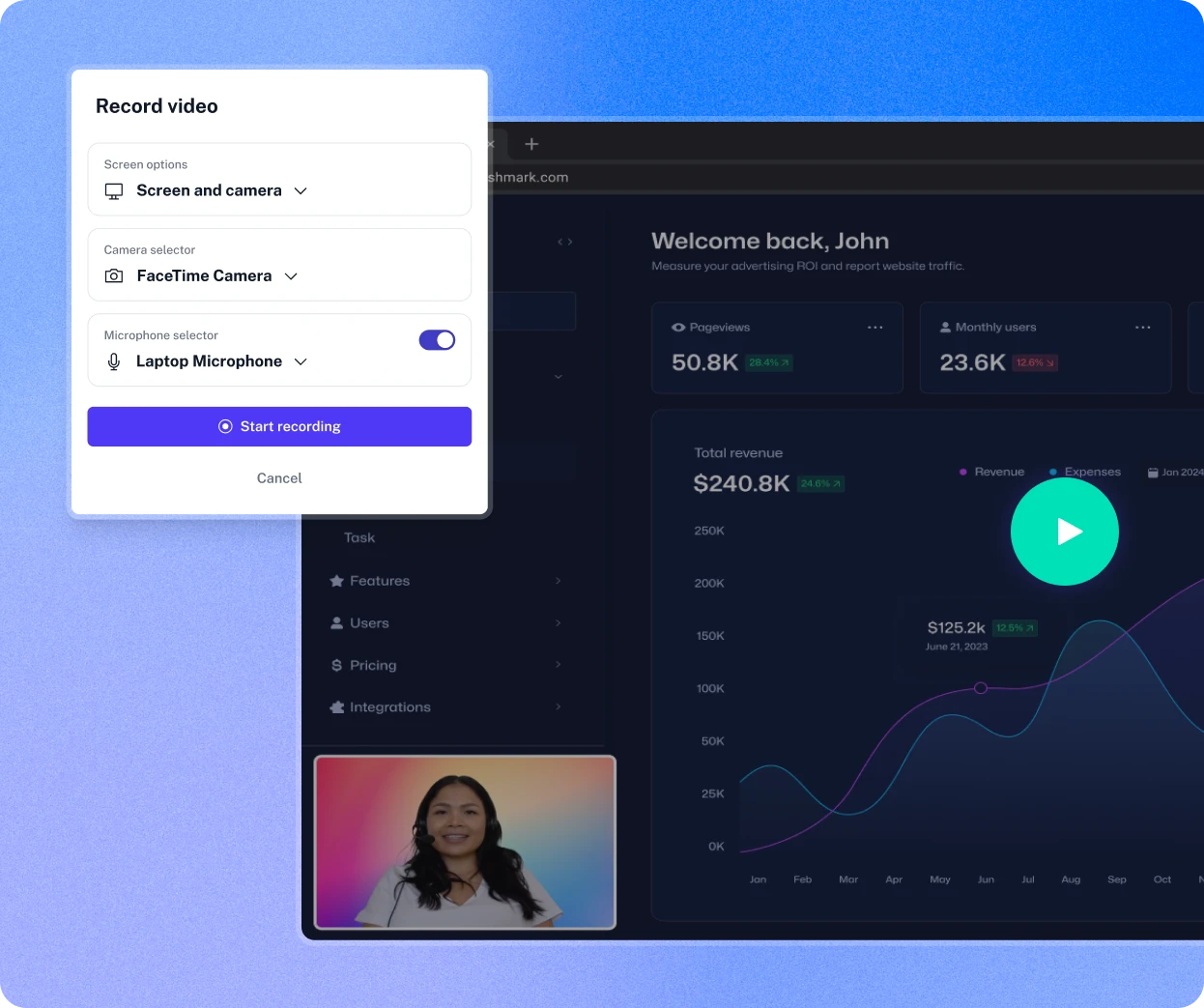
Record however fits the message, then brand it as your own
Screen, camera or both, recorded or uploaded, every video looks like it was built for your brand from the first frame.

Screen, camera or both, no length limit
Choose screen, camera or both, and record unlimited videos of any length.
✓ Flexible recording modes
Bring your own video too
Upload existing videos into the same library, so recordings and uploads live in one place.
✓ Video upload
On-brand from the first frame
Custom backgrounds, frames and colours, plus a branded player, keep every video consistent.
✓ Custom branding
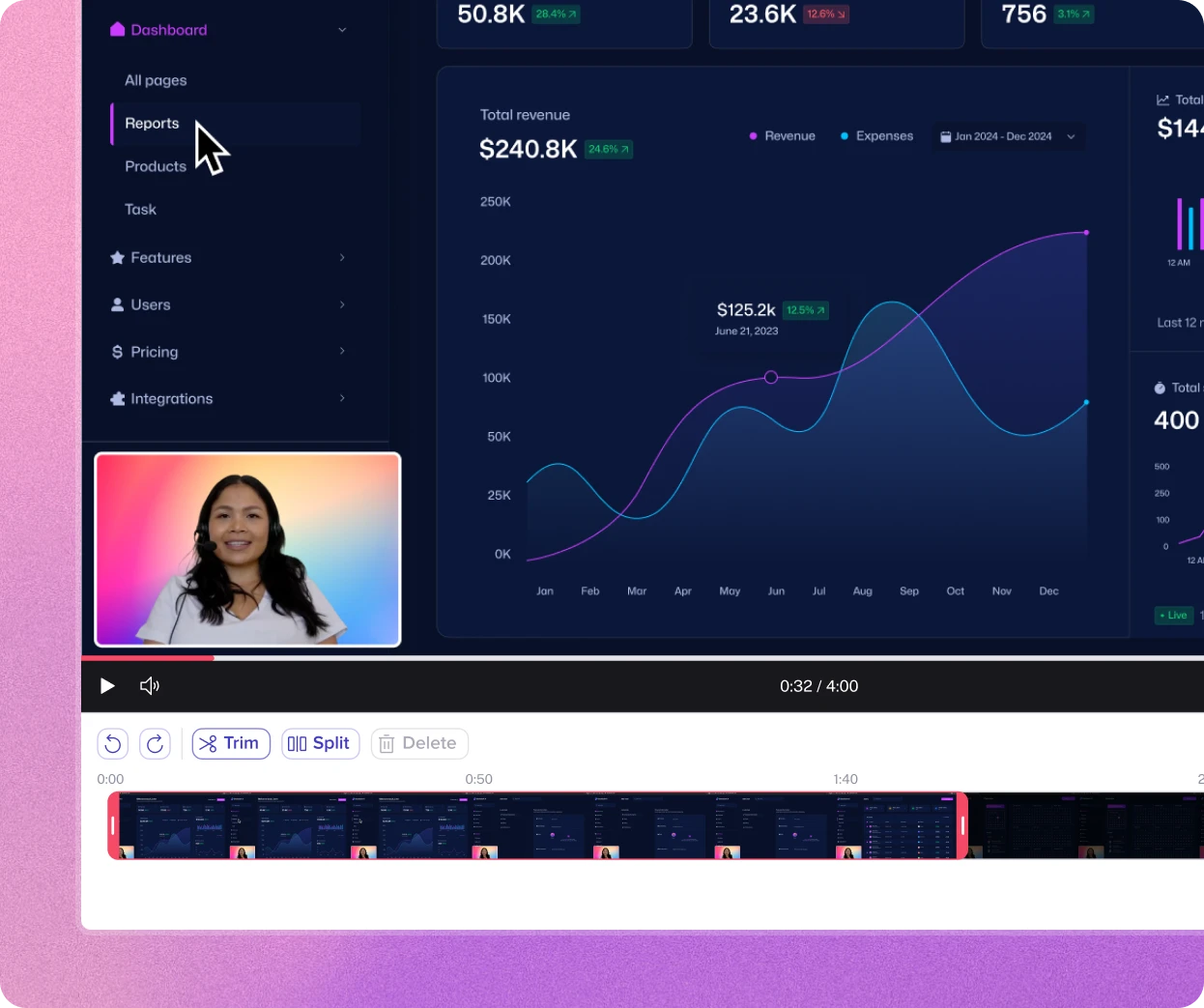
Edit it without starting over
Trim, rename or version a video after recording it, without losing the original or re-recording from scratch.

Trim without losing the original
Create a new version by trimming, the original stays untouched in your Content Library.
✓ Non-destructive trimming
Rename, re-record or replace in place
Update a video's name, thumbnail or preview clip, or swap it out entirely, without rebuilding the widget.
✓ Editable in place
One recording, tailored for every audience
Version the same video into an exec summary, procurement clip or onboarding walkthrough.
✓ Multiple versions
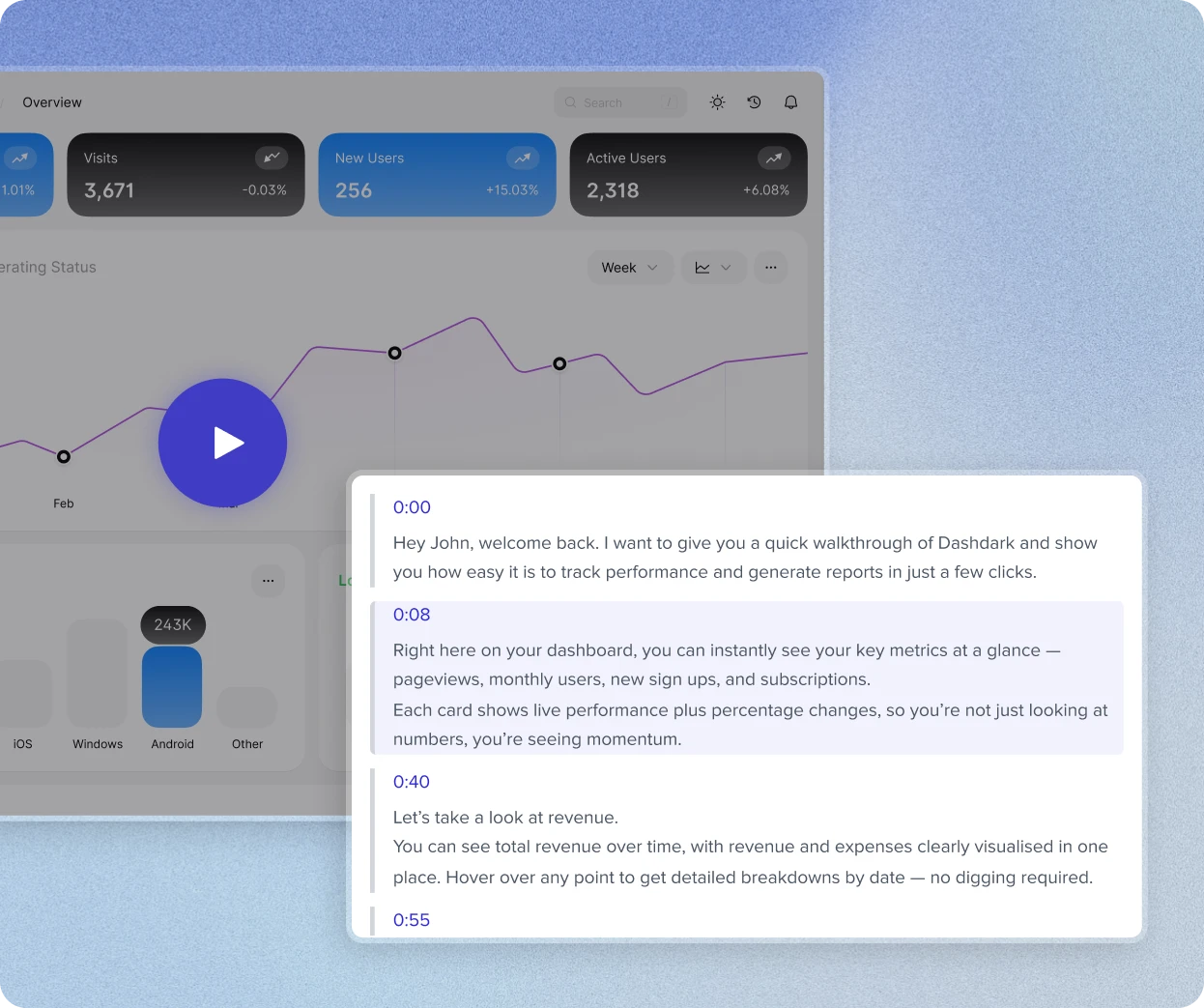
Let stakeholders find their own answers, and respond right on the video
Transcripts and timestamped comments cut down repeat calls, while download controls keep sensitive content contained.
Searchable by what's said, not just watched
Every video is transcribed, with clickable timestamps so stakeholders jump straight to what matters.
✓ Video transcription
Comment right where it happened
Drop timestamped comments directly on the video, instead of a separate email or message.
✓ Timestamped annotations
Control who can take it further
Disable downloads on sensitive pricing, contracts or roadmap videos, while keeping them easy to access.
✓ Download controls
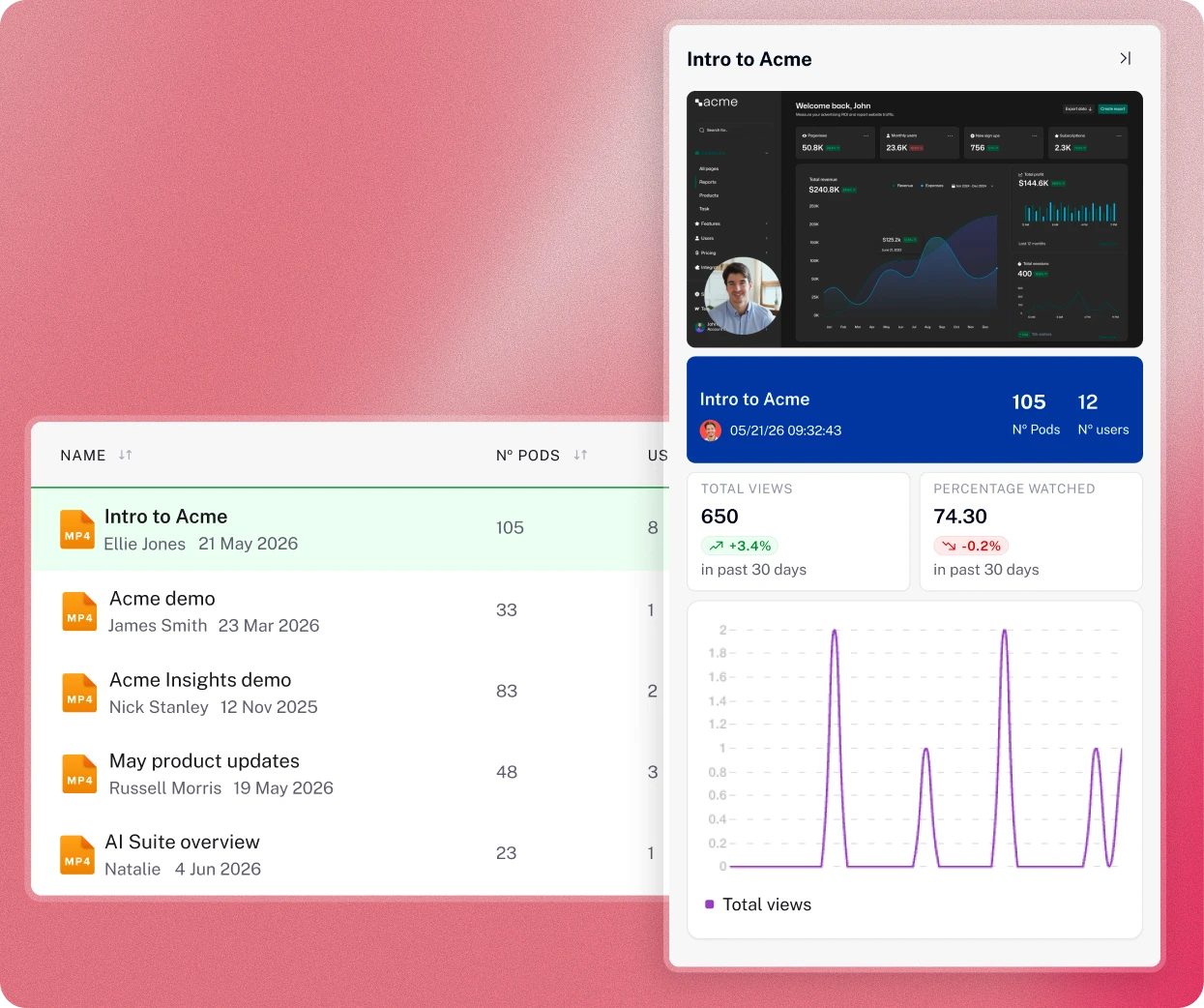
Know exactly who's watching, and for how long
Real-time alerts and daily analytics turn every view into a signal for when, and who, to follow up with.
Alerted the moment they press play
Get instant alerts in Slack, Teams or your dashboard the second a prospect starts watching.
✓ Real-time alerts
See views, completion and time spent
Track total views, unique views, completion rate and time spent, updated daily.
✓ Video analytics
Buying signals, not just view counts
Spot engagement patterns early to prioritise accounts and time your follow-up perfectly.
✓ Buying signals
Meet Copilot. Your next step, done for you.
Copilot turns your call recordings, CRM data, sales room collateral and stakeholder engagement into a Pod with personalised content built for that buyer.
- Builds a tailored Pod from a single prompt
- Pulls the right content from your CMS or library
- Turns buyer signals into a recommended next move
Put agents to work on every deal.
When something changes in your tech stack, a call ends or a buyer goes quiet, agents build the Pod, draft the plan and reveal the right content for you.
- Triggered by your CRM, calls and buyer activity
- Builds, updates and reveals without the manual work
- You choose what runs and what needs approval
Vibe code anything your deal needs.
Describe what you want and Canvas in Copilot builds a fully interactive, branded Widget inside your Pod in seconds, from ROI calculators to dynamic competitor comparisons.
- Builds an interactive Widget from a single prompt
- Branded automatically to match your Pod
- Tracked alongside everything else in the deal
Drive trumpet from wherever your AI lives.
Connect trumpet via MCP so Claude, ChatGPT, Gemini, Gong and more can access your Pods, engagement data and deal signals, without switching tabs.
- Build Pods right from your AI assistant
- Surface buyer engagement and spot deal risk
- Take action without ever leaving the tools you use

Video Recording FAQs
Can I get started with trumpet Video for free?

Is there a limit on the number or duration of videos I can record?
How does video and screen recording benefit Account Executives?
How does video and screen recording benefit Customer Success?
What recording styles are available with this tool?
Can videos recorded in trumpet be downloaded?
How does video and screen recording work in trumpet?
Can I see who's watched my video, and for how long?
We have a dramatic impact across your key metrics
“Our win rate increased by 67%”

Koen Stam
Director of International
%201.svg)
“We got higher conversion rates”
.svg)
Lesley Ronaldson
VP, EMEA

READY TO SEE IT IN ACTION?
Put AI to work in your revenue team
Book a demo and see how trumpet AI helps reps build faster, guide deals smarter, and close more.

Book a demo and see how trumpet AI helps reps build faster, guide deals smarter, and close more.