- Digital Sales Rooms cost from $0 to around $160 per user per month at list price, and most offer a free plan
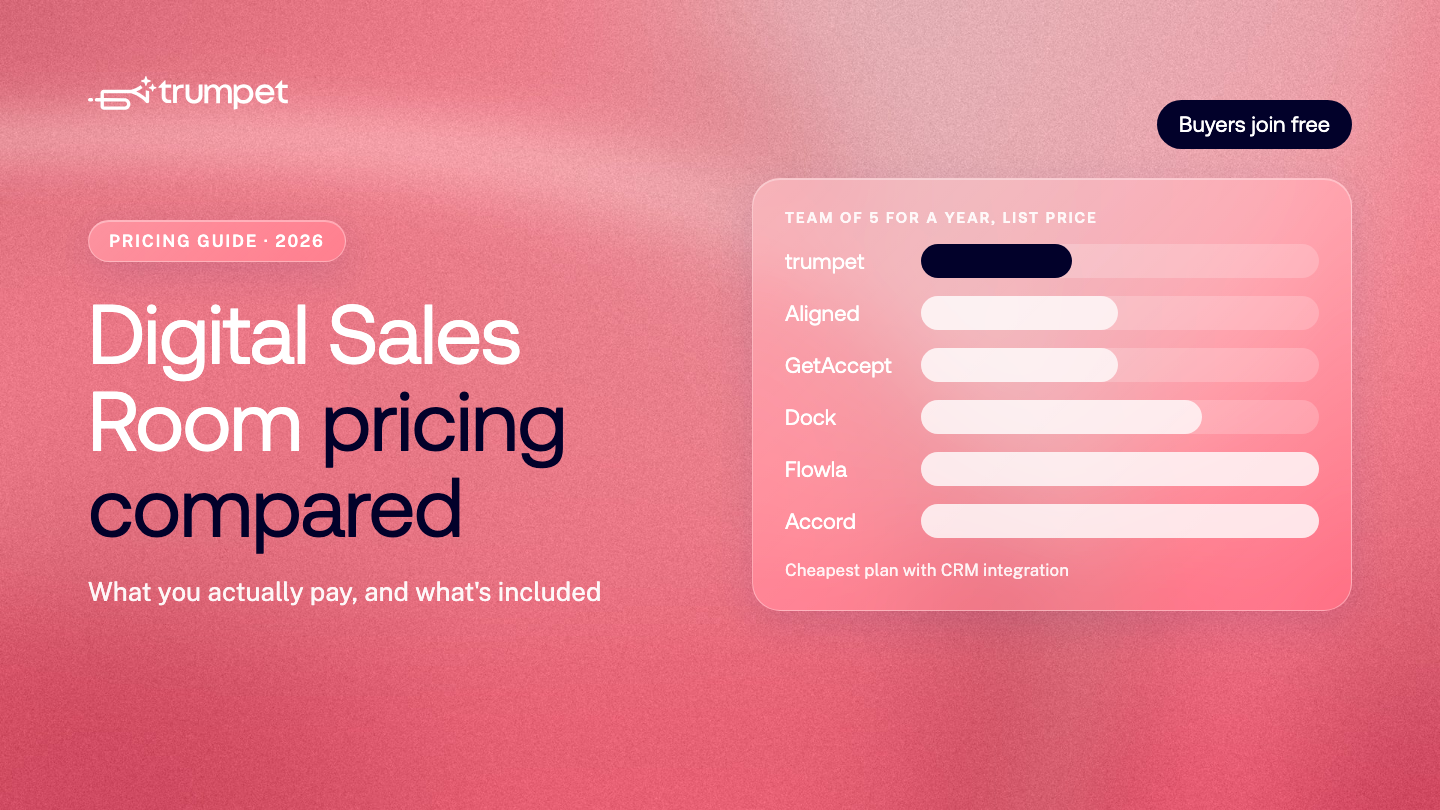
- For a team of 5, the cheapest plan with CRM integration costs from $2,250 to about $5,940 a year at list price
- Trumpet's free plan includes Scale plan features, such as CRM integration and e-signature, for up to 10 Pods and unlimited users
- Of the tools compared, only trumpet publishes the price of its top plan. Other Enterprise plans are quote only
- Buyers and customers join for free with every tool compared here. You only pay for your own team
- Ask about platform fees, minimum seats, contract length, AI credits and add-on integrations before you sign
- Prices were taken from each company's pricing page on 27 October 2026 and change often
Prices last checked: 27 October 2026
Digital Sales Room software costs anywhere from $0 to around $160 per user per month at list price, and most tools offer a free plan. The bigger difference is what each plan includes. CRM integration, SSO, e-signature and AI features often sit on higher tiers, and some tools add platform fees, seat bundles or annual contracts. For a team of 5, list prices for a plan with CRM integration range from $2,250 to about $5,940 a year.
This guide compares the published pricing of seven Digital Sales Rooms, explains the pricing models you'll come across, and lists the questions to ask before you sign.
All prices are list prices in US dollars, taken from each company's own pricing page on 27 October 2026. Prices change often, so check the source before you buy. Discounts, local currencies and negotiated contracts aren't included.
How much does a Digital Sales Room cost?
| Tool | Free plan | Paid plans (list price) | Pricing model |
|---|---|---|---|
| trumpet | Yes: 10 Pods with Scale plan features, unlimited users | Pro $45, Scale $100, Elite (Enterprise) $160 per user per month, or $450, $1,000 and $1,600 per user per year | Per user. Pro is limited to 5 users |
| Dock | Yes: 10 workspaces | Standard $350 a month (5 seats), Premium $1,000 a month billed annually (10 seats), Enterprise custom | Seat bundle, plus $50 a month per extra seat |
| Aligned | Yes: 4 active rooms per seat | Basic $35 or $29, Pro $60 or $49 per seat per month (monthly or annual), Enterprise custom | Per seat |
| GetAccept | Free trial only | eSign $25, Professional $49 per user per month, Enterprise custom | Per user, 12-month agreements |
| Flowla | Yes: 20 rooms | Team $99 per seat per month, Enterprise custom | Per seat, plus AI credits |
| Accord | Not listed | Starter from $99, Growth from $119 per user per month, Enterprise custom | Per user, plus a platform fee (amount not published) |
| Highspot, Seismic | No | Not published | Quote only. These are sales enablement suites with buyer-facing rooms |
What does a team of 5 pay per year?
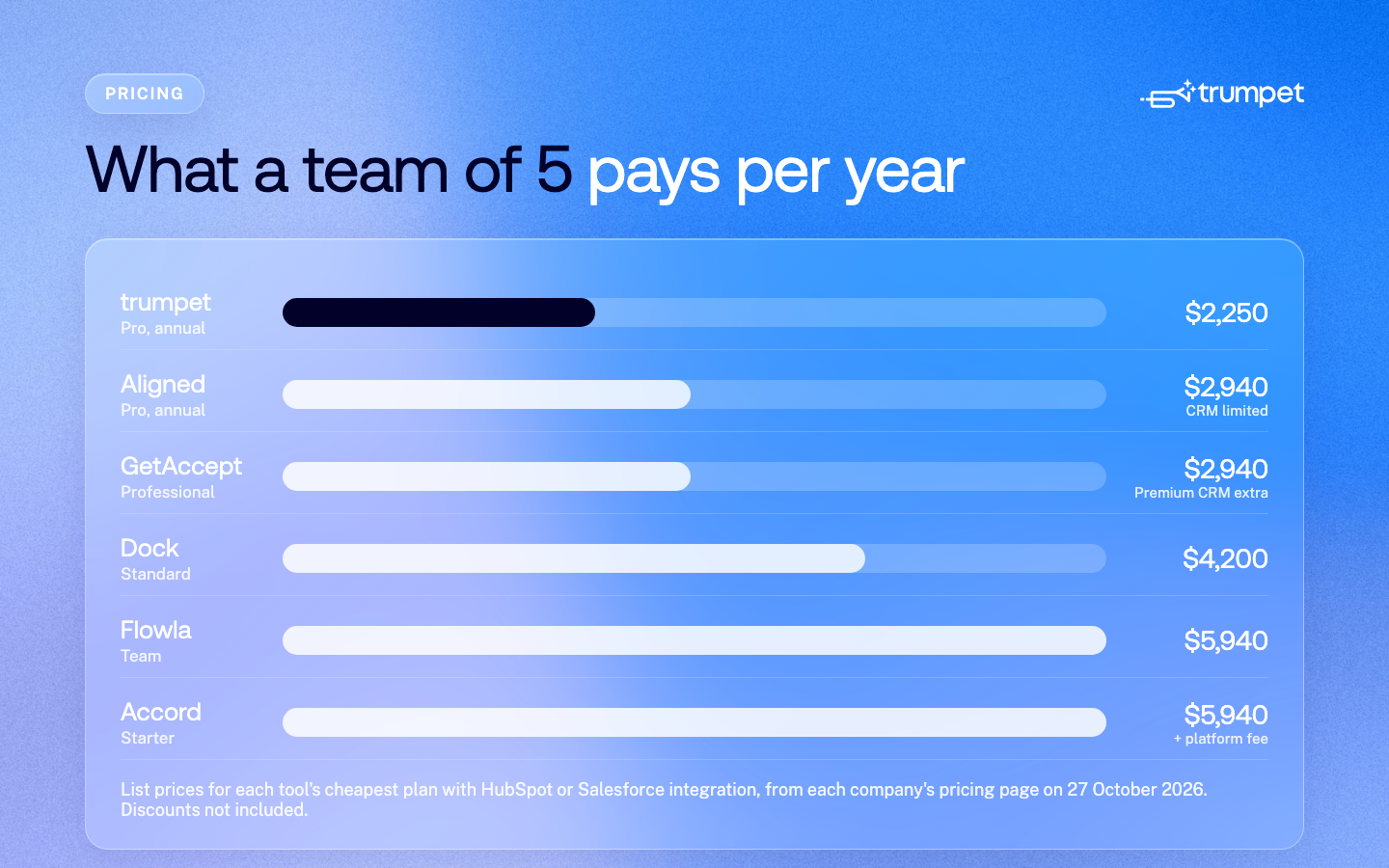
Per-user prices are hard to compare when some tools bundle seats or cap user numbers. Here's the list price for a team of 5 for a year, on each tool's cheapest plan that includes HubSpot or Salesforce integration:
| Tool | Plan | 5 users for a year | Notes |
|---|---|---|---|
| trumpet | Pro, annual | $2,250 | HubSpot and Salesforce included. Pro covers up to 5 users |
| Aligned | Pro, annual | $2,940 | HubSpot and Salesforce are listed as "limited" below Enterprise |
| GetAccept | Professional | $2,940 | 12-month agreement. Premium CRM integrations are add-ons |
| Dock | Standard | $4,200 | $350 a month, which includes 5 seats |
| Flowla | Team | $5,940 | Rolling monthly, no minimum seats. Includes 500 AI credits per seat a month |
| Accord | Starter | $5,940 plus platform fee | "Starting at" price. The platform fee isn't published |
The cheapest list price isn't always the cheapest choice. Check what each plan includes against what your team needs: a lower tier can mean paying separately for e-signature, losing two-way CRM sync, or upgrading again within a year.
Bigger teams: Trumpet Pro covers up to 5 users. Larger teams move to Scale at $1,000 per user per year, which adds e-signature, proposals and Gong.
What do enterprise plans cost?
Most Digital Sales Rooms keep SSO, SCIM and custom domains on an Enterprise plan that's priced by quote, so you can't see the cost until you've spoken to sales. Of the tools in this guide, trumpet is the only one that publishes the price of its top plan.
| Tool | Top plan | Published price |
|---|---|---|
| trumpet | Elite | $160 per user per month, or $1,600 per user per year |
| Dock | Enterprise | Quote only |
| Aligned | Enterprise | Quote only |
| GetAccept | Enterprise | Quote only |
| Flowla | Enterprise | Quote only |
| Accord | Enterprise | Quote only |
| Highspot, Seismic | Not published | Quote only |
Trumpet Elite includes Copilot, SSO and SCIM, Workspaces and custom domains. With a published price, security, RevOps and procurement teams can budget for the full rollout before the first sales call.
Which Digital Sales Rooms have a free plan?
- Trumpet: 10 Pods per account with Scale plan features, including HubSpot and Salesforce, e-signature and Mutual Action Plans, for unlimited users. Existing Pods stay live if you hit the limit
- Dock: 10 workspaces, one playbook and one order form
- Aligned: up to 4 active rooms per seat, with Mutual Action Plans
- Flowla: up to 20 rooms and 500 one-time AI credits
- GetAccept: a free trial, but no free plan
A free plan is a good way to test whether your buyers actually use a Digital Sales Room before you roll it out.
Which features usually cost extra?
These are the features most often held back for higher tiers, and where each tool includes them:
| Tool | HubSpot and Salesforce | Mutual Action Plans | E-signature | SSO (Okta, Azure) | Custom domain |
|---|---|---|---|---|---|
| trumpet | All plans (Free up to 10 Pods) | All plans, including Free | Scale, and Free up to 10 Pods | Elite, with SCIM | Elite |
| Dock | Standard | Not listed | Not listed | Enterprise, with SCIM | Enterprise |
| Aligned | Limited until Enterprise | All plans | Via PandaDoc on Pro | Enterprise | Enterprise |
| GetAccept | Professional, premium as add-ons | Professional | All plans | Enterprise | Not listed |
| Flowla | All plans | All plans | Not listed | Enterprise | Not listed |
"Not listed" means the pricing page doesn't say. It doesn't mean the feature is missing, so ask the vendor. Dock also offers Google and Microsoft sign-in on all plans.
Do buyers need a paid seat?
No, not with any tool here. Digital Sales Rooms charge for your internal team, and buyers and customers join for free. Dock says external collaborators have free access, Aligned includes unlimited buyer stakeholders on every plan with no login needed, and in trumpet buyers open a Pod from a link. That matters for enterprise deals, where a buying group can include 13 internal stakeholders and 9 external influencers (Forrester, 2026).
What hidden costs should you ask about?
- Platform fees. Some tools charge a fee on top of seats, and don't always publish the amount.
- Minimum seats or bundles. Check whether you pay for seats you don't use, or whether a plan caps your team size.
- Contract length. Some plans are annual only, or require a 12-month agreement.
- AI usage. Credit-based AI can mean extra charges if your team uses it heavily.
- Add-on integrations. Confirm that two-way CRM sync is included, not sold separately.
- Onboarding. Hands-on setup, Templates and a named customer success manager are often enterprise-only.
- Security reviews. If procurement needs SSO, SCIM or a custom domain, budget for the tier that includes them.
How to choose the right plan for your team
- Testing the idea: start on a free plan and run a few live deals through it.
- A small team of up to 5: look for a low-cost tier with CRM integration. Trumpet Pro, for example, includes HubSpot and Salesforce for up to 5 users.
- A growing sales and customer success team: prioritise CRM sync, analytics, e-signature and Templates, so every rep works the same way.
- Enterprise: SSO, SCIM, Workspaces, custom domains and support with rollout usually decide the tier. Ask for security documentation early.
For what to look for beyond price, see what is a Digital Sales Room and our comparison of the best Digital Sales Rooms in 2026.
FAQs
How much does Digital Sales Room software cost?
Most Digital Sales Rooms have a free plan, and paid plans range from about $25 to $160 per user per month at list price. Enterprise plans are usually quote-only.
What's the cheapest Digital Sales Room with a HubSpot integration?
Trumpet's free plan includes HubSpot and Salesforce integration, with Scale plan features for up to 10 Pods. On paid plans, trumpet Pro includes HubSpot and Salesforce integration at $45 per user per month for up to 5 users. Flowla includes CRM integration on its free plan, and Aligned's free and paid plans include a limited version.
Do buyers have to pay to use a Digital Sales Room?
No. Buyers and customers join for free. You only pay for your own team's seats.
Is there a free Digital Sales Room?
Yes. Trumpet, Dock, Aligned and Flowla all have free plans, with limits on the number of rooms. Trumpet's free plan includes Scale plan features for up to 10 Pods.
Why do some Digital Sales Rooms not publish their prices?
Enterprise plans and sales enablement suites such as Highspot and Seismic are usually priced by quote, based on team size, features and contract length.
Which Digital Sales Rooms publish their enterprise pricing?
Of the tools in this guide, only trumpet publishes the price of its top plan. Trumpet Elite, which includes SSO, SCIM and custom domains, is $160 per user per month. Dock, Aligned, GetAccept, Flowla and Accord price their Enterprise plans by quote.
How much does trumpet cost?
Trumpet has a free plan with Scale plan features for up to 10 Pods and unlimited users. Paid plans are Pro at $45, Scale at $100 and Elite at $160 per user per month, or $450, $1,000 and $1,600 per user per year. See the pricing page for full details.
Sources
All pricing pages were checked on 27 October 2026.
.png)

See what your buyers are doing between meetings
Build a Pod, share it with the buying committee and watch the signals roll in. Free to start.

.png)
.png)
.png)

.png)
.png)


![How to Get Started with Buyer Enablement [With Examples]](https://cdn.prod.website-files.com/65cf4fecbed2754c2236665d/65cf4fecbed2754c22366bdb_65a5af83e742f76e34ce06f3_Customer%2520Onboarding%2520_%2520Everything%2520you%2520need%2520(2).png)




.png)

.png)