

Key takeaways
- AI Semantic Search helps teams find any asset using natural language
- Secure link sharing makes sending individual files fast and trackable
- Deep dive analytics show which content actually moves deals forward
- Company approved content protects consistency across the organisation
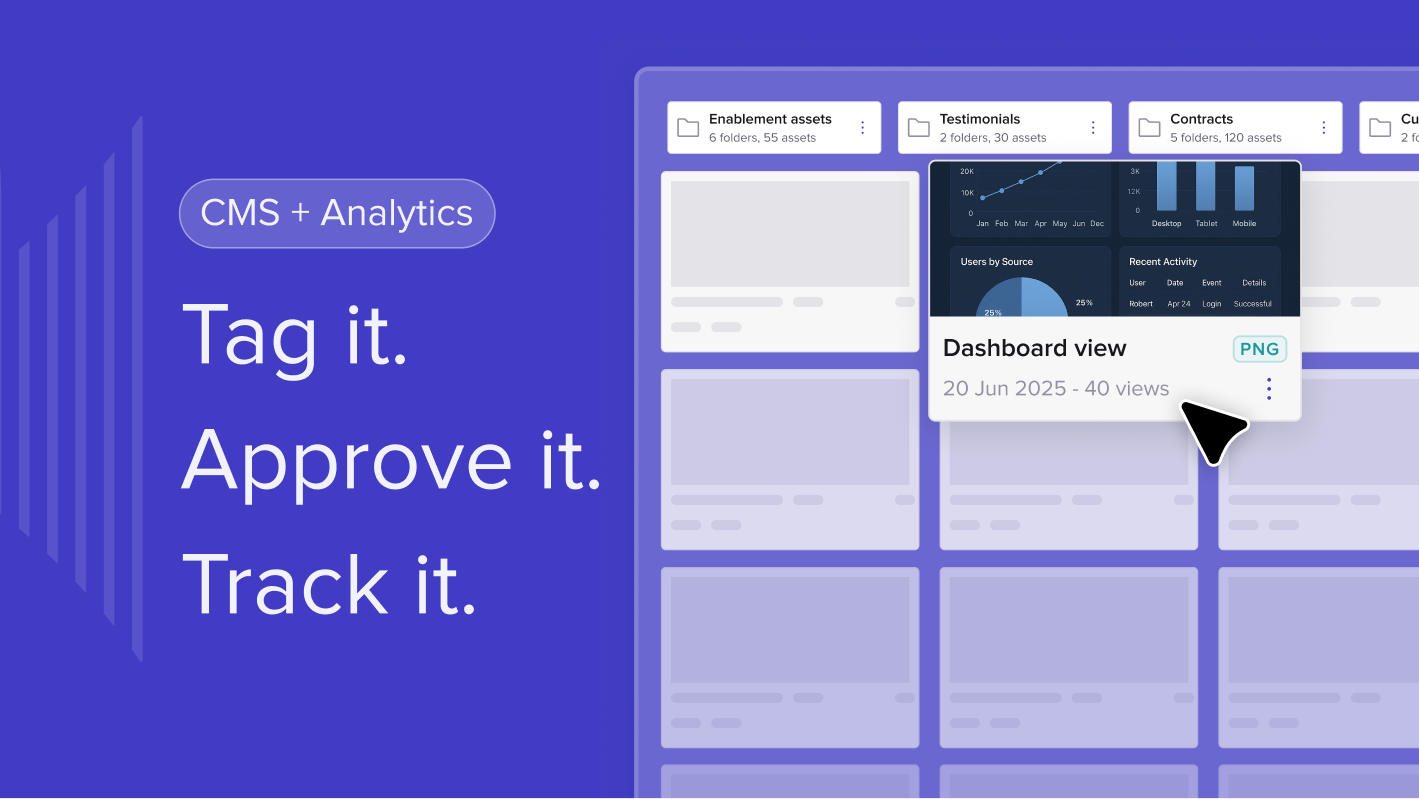
- Tags, filtering and My Library views remove clutter from growing libraries
- A clean, refreshed interface makes the CMS faster and easier to use
Introducing the new trumpet CMS makes your content faster to find, easier to manage and ready to scale
The new trumpet CMS is here, built to solve one of the biggest challenges for revenue teams today.
Content sprawl.
Scattered PDFs. Outdated decks. Folder chaos. Six versions of the same proposal. Teams wasting hours looking for the right file. Leaders guessing which assets actually drive deals forward.
Rebuilt from the ground up, the updated CMS brings AI powered search, instant link sharing, deep dive analytics, cleaner navigation and smarter organisation into one intuitive workspace. Whether your team is ten people or ten thousand, your content finally becomes something that speeds you up rather than something that holds you back.
This is your new home for everything your organisation creates, sends, shares and tracks.
AI Search: Find any file instantly
AI Search makes every asset in our CMS instantly discoverable.
Instead of scrolling through folders or guessing file names, you can type natural language queries such as:
• Find me enablement content
• Find me case studies with data
• Show me onboarding docs for retail
• Find the latest pricing sheet
The search engine scans across all file types including PDFs, Docs, Sheets and presentations, and even reads metadata in images. It understands intent, not just keywords, and combines semantic and keyword matching to surface the most relevant results in real time.
No more hunting. No more pinging colleagues. No more outdated versions resurfacing.
Just the right content, instantly.
Share direct content links in seconds
Sometimes you do not need an entire Pod. You just need to send one asset quickly.
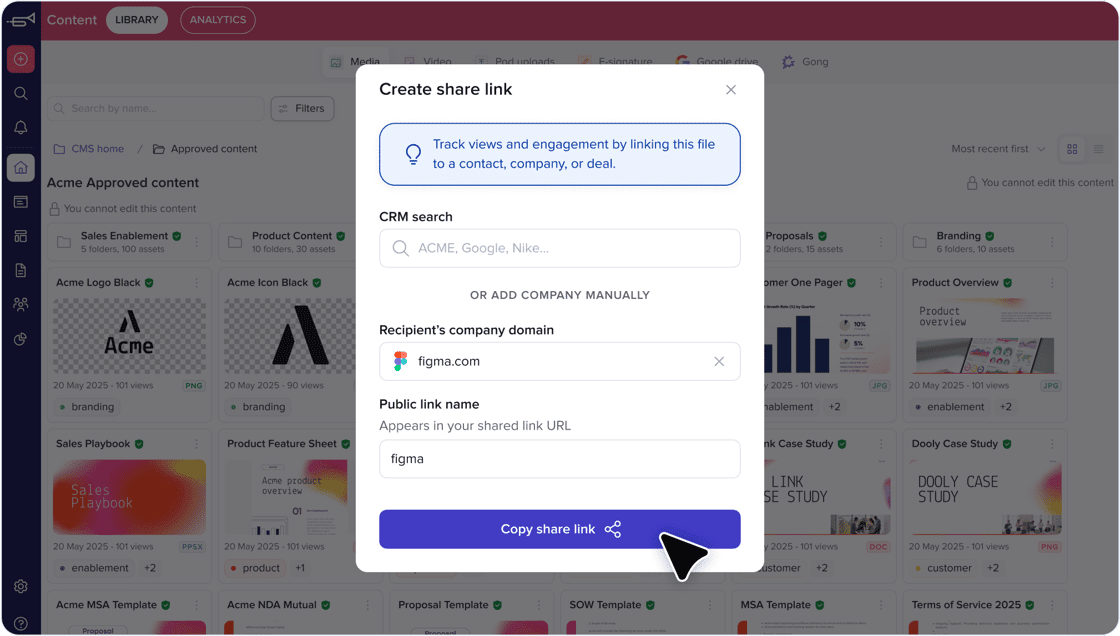
Link sharing lets you copy a secure, trackable link to any file in your CMS and share it with teammates or external stakeholders in seconds. If you want to send one piece of content without building a full workspace, this is the fastest way to do it.
Every link includes analytics too, so you still understand who has viewed it and how it was used.
Deep dive PDF analytics: See what really performs
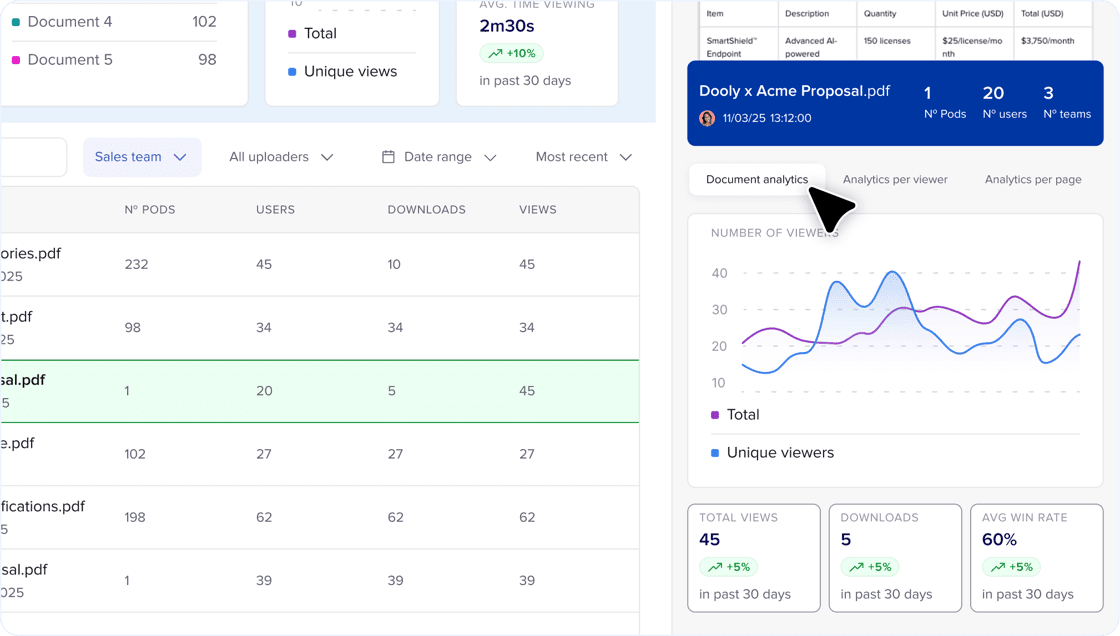
The new analytics experience gives you complete visibility into how your documents perform across deals and customer conversations.
You can view:
• Total views
• Unique viewers
• Time spent
• Downloads
• Pod breakdowns
• Page by page engagement
This helps you understand not just whether content was opened but whether it worked.
You can identify which assets move deals forward and which need rewriting, reorganising or replacing.
Company approved content: Protect consistency
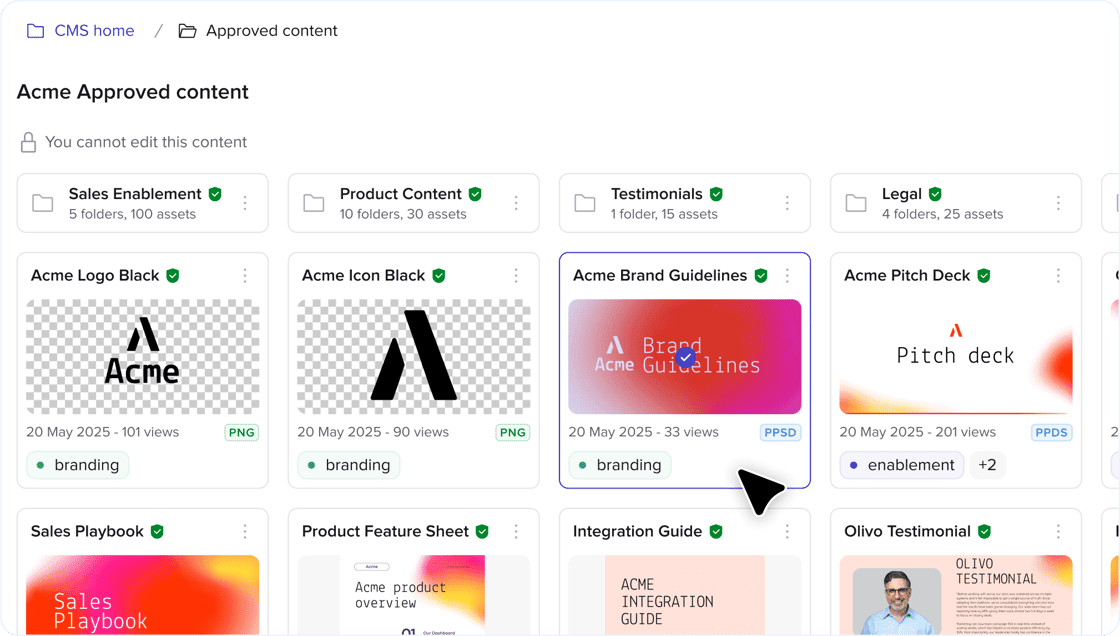
The updated permissions system puts control back where it belongs.
You can now:
• Mark folders and files as company approved
• Restrict access to sensitive material
• Prevent outdated decks from being used
• Ensure global teams always work with the latest version
This is essential for regulated industries, scaling sales teams and any company that cares about brand consistency.
Tag and filter content easily
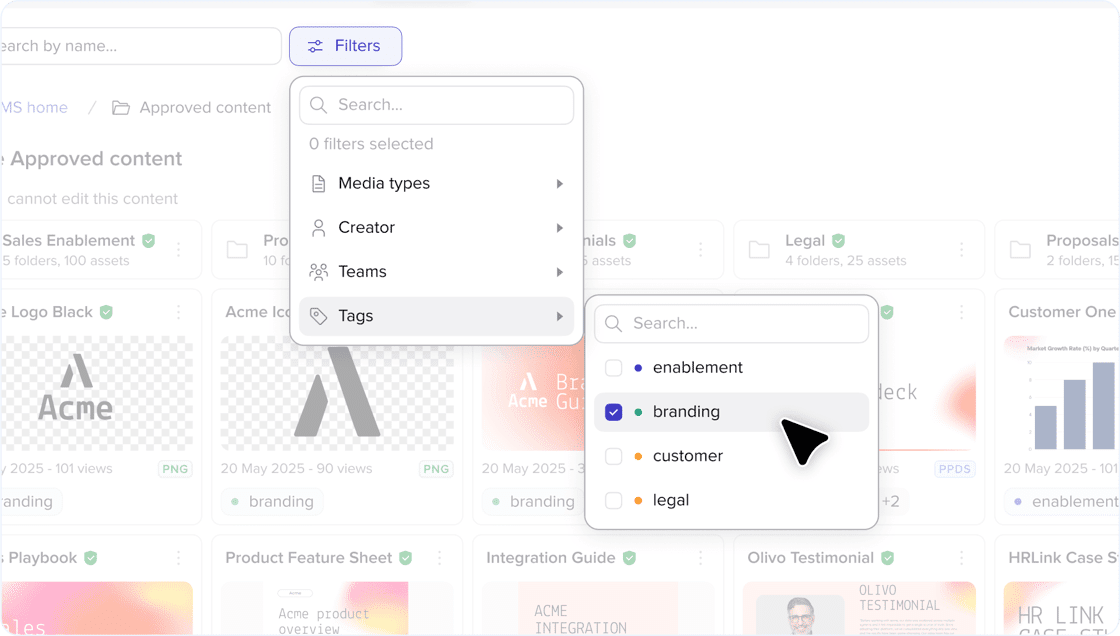
Tags allow teams to organise content however they prefer.
You can tag assets by:
• Topic
• Persona
• Region
• Vertical
• Deal stage
• Product line
• Format
Then filter your entire library in seconds. It removes friction, whether you are sending a quick follow up, prepping onboarding materials or building out a Pod for a complex deal, tags make it easy to surface exactly what you need without digging through folders.
Your Library, your way
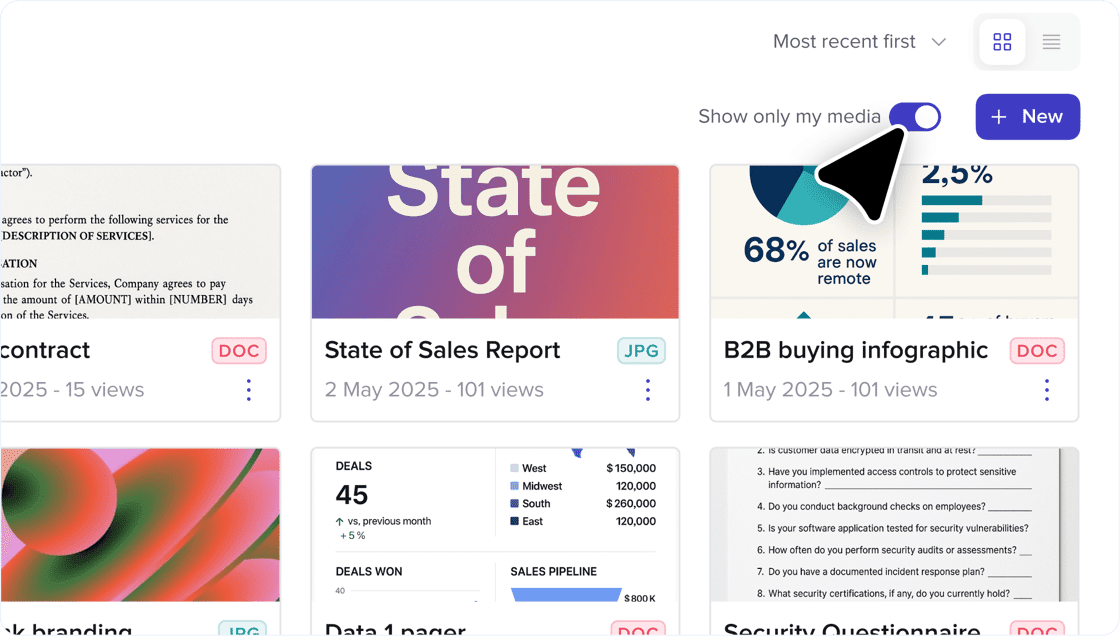
The My Library view gives every rep a clear, organised space to work in. Personal drafts, deal specific content and work in progress live in one place, while the company wide library sits neatly alongside it.
If you are tailoring content for a complex deal or creating a quick custom variant, nothing gets mixed up with the approved, official assets. When you need to grab the latest deck or security document, it is only one click away.
You can switch between your personal files and the shared library instantly, keeping your workflow tidy and making sure nothing important gets lost in the noise.
A cleaner, faster interface designed for scale
The entire CMS has been redesigned for clarity and speed. It’s modern and the new visual design shows a clearer separation between Library and Analytics, thumbnail previews and a more structured folder layout make it far easier to browse and find content.
Updates include:
• A full UI refresh
• Clear separation between Library and Analytics
• Folder previews with visual thumbnails
• Improved subfolder structure
• A modern, streamlined layout
It feels familiar but noticeably faster, especially for teams with large or growing content libraries.
Why this matters
The updated CMS gives revenue teams a centralised, reliable and intuitive home for all content. Large organisations eliminate version sprawl and protect brand standards. Multi team workspaces reduce friction by giving Sales, CS, Marketing and SDRs one shared library to work from. Individual users finally gain confidence that every file they use is correct, approved and ready for customers.
The result is a faster workflow, cleaner handovers, more effective collaboration and a better buyer experience across the entire journey.
Final thoughts
The new trumpet CMS brings clarity, speed and intelligence to your content library. With AI Search and a powerful Analytics dashboard, revenue teams finally get a system that is built for the way they work today. One that scales with your team, surfaces insights instantly and removes the friction that slows deals down.
Your content moves faster. Your team moves faster.
Clarity is your advantage.
Find out more about trumpet AI here.
FAQs
What makes AI Semantic Search different from normal search?
AI Semantic Search understands the meaning behind your query, not just keywords, so you can type natural language requests such as “find me case studies with data” and instantly get the right result.
Does link sharing still provide engagement data?
Yes. Every shared link includes analytics so you can track views, downloads and time spent, even without building a full Pod.
How does the CMS prevent outdated content being used?
Admins can mark folders and files as company approved or restrict them to specific users. This ensures only the correct, up to date version is available for reps to use.
Summary
The new trumpet CMS makes finding, sharing and tracking content faster and smarter with AI powered search, deep dive analytics and a clean, intuitive interface built for scale.
Excerpt
Trumpet’s new CMS introduces AI Search, smarter organisation, stronger governance and deeper analytics, giving every revenue team the ability to find the right content instantly and use it with confidence.
.png)

See what your buyers are doing between meetings
Build a Pod, share it with the buying committee and watch the signals roll in. Free to start.
.png)
.png)
.png)

.png)
.png)


![How to Get Started with Buyer Enablement [With Examples]](https://cdn.prod.website-files.com/65cf4fecbed2754c2236665d/65cf4fecbed2754c22366bdb_65a5af83e742f76e34ce06f3_Customer%2520Onboarding%2520_%2520Everything%2520you%2520need%2520(2).png)



.png)

.png)