


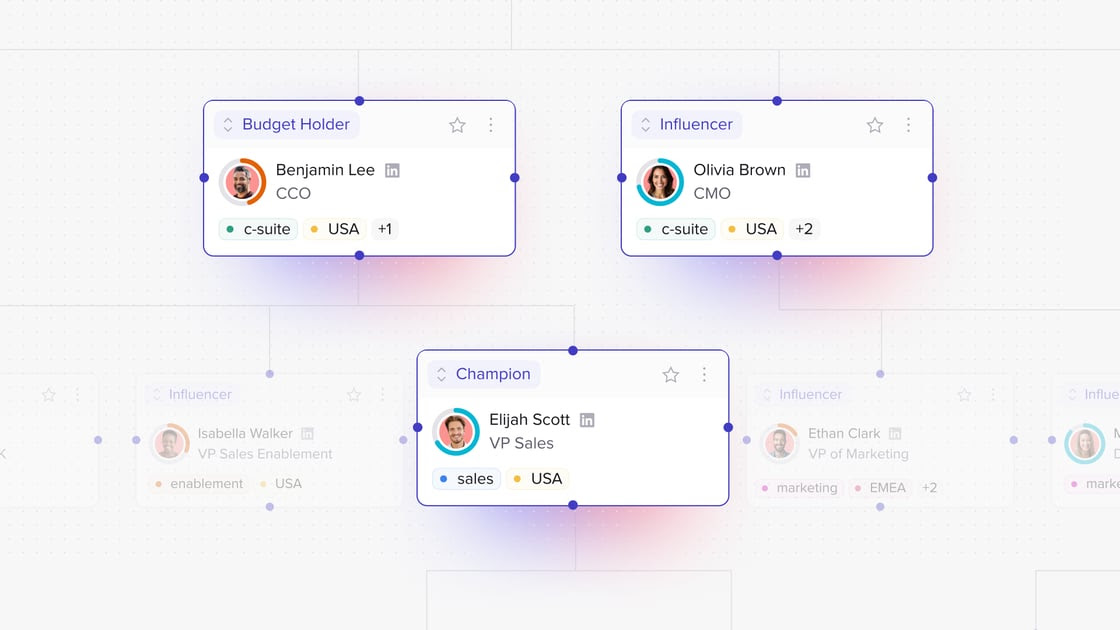




Key takeaways
- AI builds your Org Chart automatically - no more dragging boxes
- Track Pod engagement on a per-person level
- Customise buyer roles based on how real deals get done
- Find any stakeholder fast and jump to full engagement insight
- Add key notes directly to the chart to maintain context
- Group, connect, tag and star contacts for smarter follow-up
Mapping deals shouldn’t slow you down. Now it doesn’t.
We’ve reimagined your Org Chart with a powerful new set of features that make it faster, smarter, and more actionable — plus a fresh new look.
Whether you're a rep juggling stakeholders across a complex deal or a CS lead managing a handoff, this update is built to give you clarity and control.
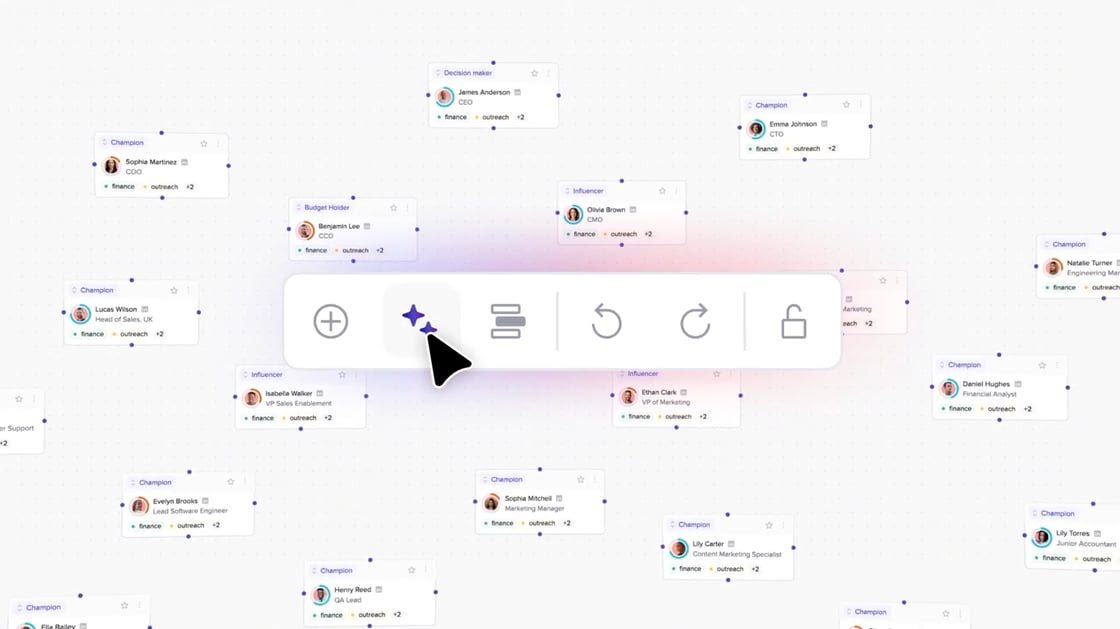
What’s new:
- Org charts that structure themselves → built by AI
- Engagement scores at the individual stakeholder level
- Custom roles tailored to your real buying groups
- Smarter search and one-click jump to Insights
- Notes added directly in the chart view
Org charts that build themselves
No more dragging and formatting. Org Chart 2.0 uses AI to automatically structure charts based on stakeholder data and roles pulled from your Pods.
For reps, it’s the fastest way to map deals - minus the manual faff.
.jpg)
See who’s actually engaged
Track Pod engagement at the individual level, right inside your Org Chart.
You’ll be able to:
- Identify who’s just skimming vs. who’s genuinely engaged
- View time spent and click paths
- Spot your true champion faster
- Prioritise follow-up based on behaviour, not guesswork
.jpg)
Custom roles for real buying groups
Not every deal follows the same structure. Now your Org Chart can reflect that.
Create custom buyer roles tailored to how your prospects actually buy. From “legal gatekeeper” to “IT evaluator,” roles are fully customisable by brand and Pod.
Tag, star, connect: smarter contact management
Managing complex deals means managing complexity. These upgrades help simplify that.
- Stakeholder tagging - group contacts by team, region or priority
- Horizontal connections - map influence across teams, not just hierarchies
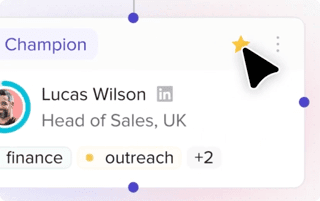
- Favourites - star your champions and decision-makers for easy access
- Undo/redo - move fast without fear of mistakes
.png)
.png)
Smarter search and faster insights
Instantly find any stakeholder by name, role, or tag. Then, jump directly from the chart into their full Pod viewer profile, including what they looked at, how long they stayed, and when they last visited.
No more clicking around or chasing down tabs. All your insights, one click away.
.jpg)
Notes that stick with the deal
Now you can add personal notes directly inside the chart view, no switching tabs or losing context in handoffs.
Use notes to capture:
- Talking points from your last call
- Objections or blockers
- Handoff details for CS or RevOps
- Buying signals or preferences
- Rapport-building nuggets
These notes stay visible and central - helping your team collaborate, hand off deals seamlessly, and avoid lost context when accounts change hands.
Why it matters
Org Chart 2.0 isn’t just a design upgrade. It’s a rethink of how sales teams track, engage, and close complex buying groups. From first call to closed won, this new view helps you prioritise the people that actually move the needle.
Final thoughts
If you’re using trumpet to drive multi-threaded deals, Org Chart 2.0 makes your job easier and your outcomes stronger.
It’s live now in every Pod. Jump in and take a look.






![How to Get Started with Buyer Enablement [With Examples]](https://cdn.prod.website-files.com/65cf4fecbed2754c2236665d/65cf4fecbed2754c22366bdb_65a5af83e742f76e34ce06f3_Customer%2520Onboarding%2520_%2520Everything%2520you%2520need%2520(2).png)
.png)


.png)


.png)


.png)

.png)

.png)
.png)





