


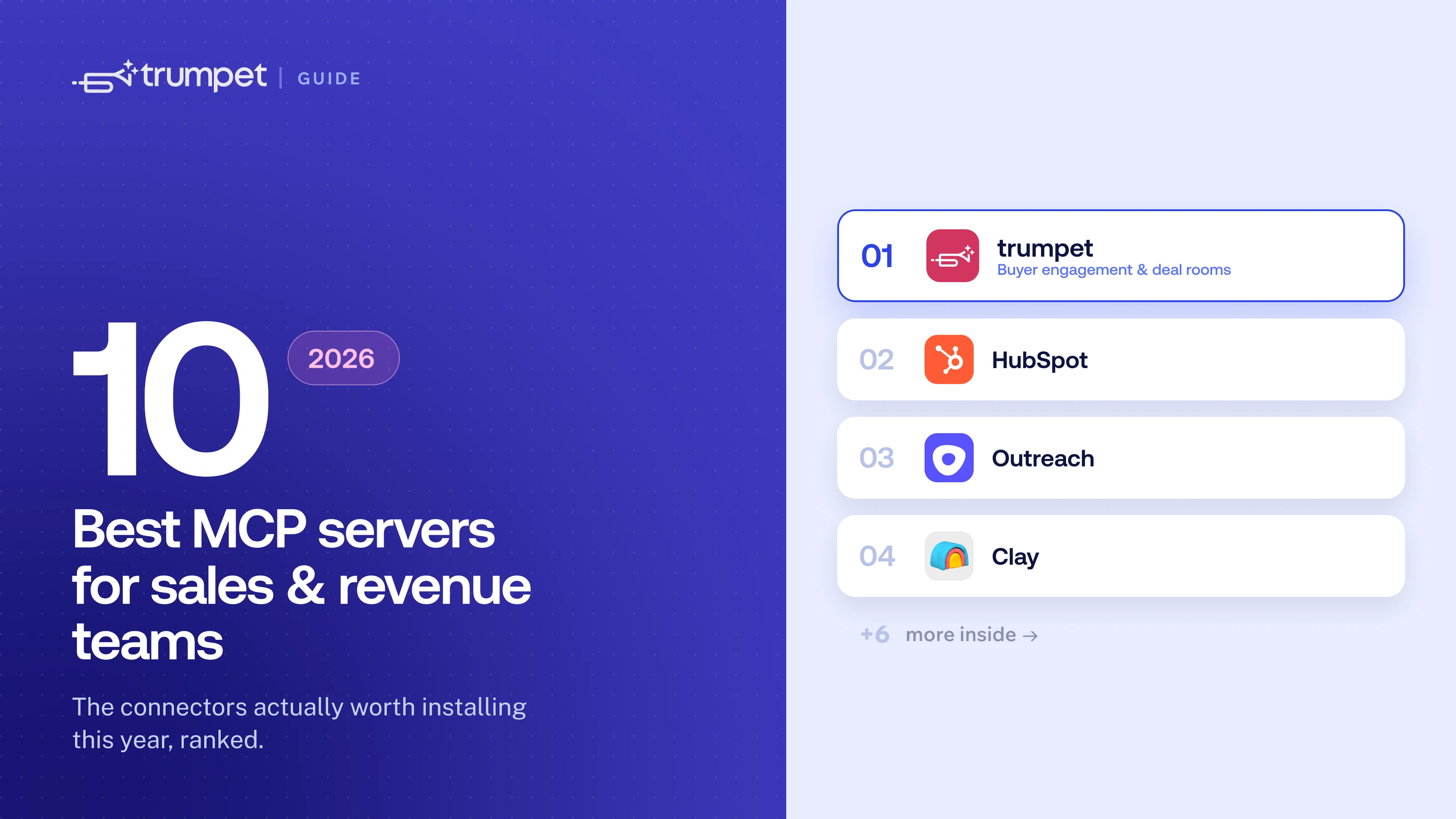





- Most MCP lists skip the most important category for sales teams: deal intelligence — what's actually happening with buyers, not just what's logged in the CRM
- trumpet's MCP is the only one built for digital sales rooms, giving AEs and CS teams live buyer engagement data inside Claude or ChatGPT
- The strongest stacks combine CRM + deal intelligence + prospecting data — three MCPs covering the record, the relationship, and the research
- HubSpot leads for CRM with read/write access; Apollo leads for combined prospecting database and sequence enrollment
- Clay and Crustdata are the enrichment specialists — best when you need deep data feeding a separate engagement tool
Over 10,000 MCP servers exist today. Most of them aren't built for sales teams, and most comparison articles just list features copied from vendor docs. This one doesn't.
Here are the 10 MCP servers actually worth adding to your AI sales stack in 2026, broken down by category, with a straight take on what each one does well and where it falls short.
What makes a sales MCP server worth using?
Before the list: four things actually matter. How much it exposes — reading data is useful, but writing, updating, and creating is more powerful. Whether it pulls live data or cached snapshots. Whether setup requires engineering or a rep can do it in five minutes. And whether it works with Claude, ChatGPT, or both.
Most sales MCPs pass the first two tests. The third is where a lot of them fall down.
One more thing worth knowing: every MCP server you add consumes part of your AI's context window with tool definitions. Connect too many and your assistant starts performing worse, not better. Two or three well-chosen servers outperform a long list of narrow ones every time.
Deal intelligence MCPs: the category most lists miss
CRM data tells you what's been logged. Deal intelligence data tells you what's actually happening with your buyers — who's engaged, who's gone quiet, where a deal is stalling. These are different things, and most MCP lists treat them as the same.
1. trumpet
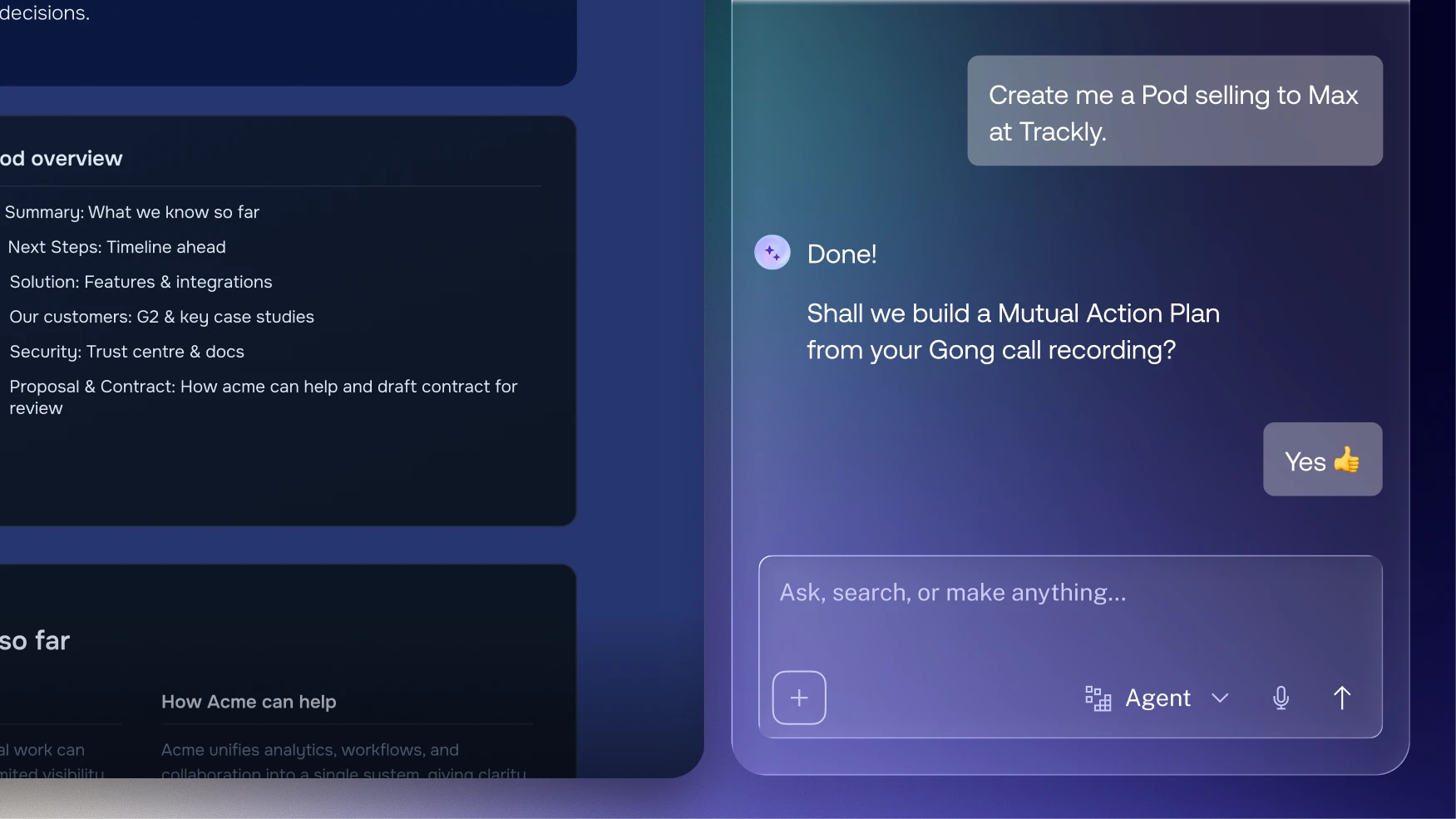
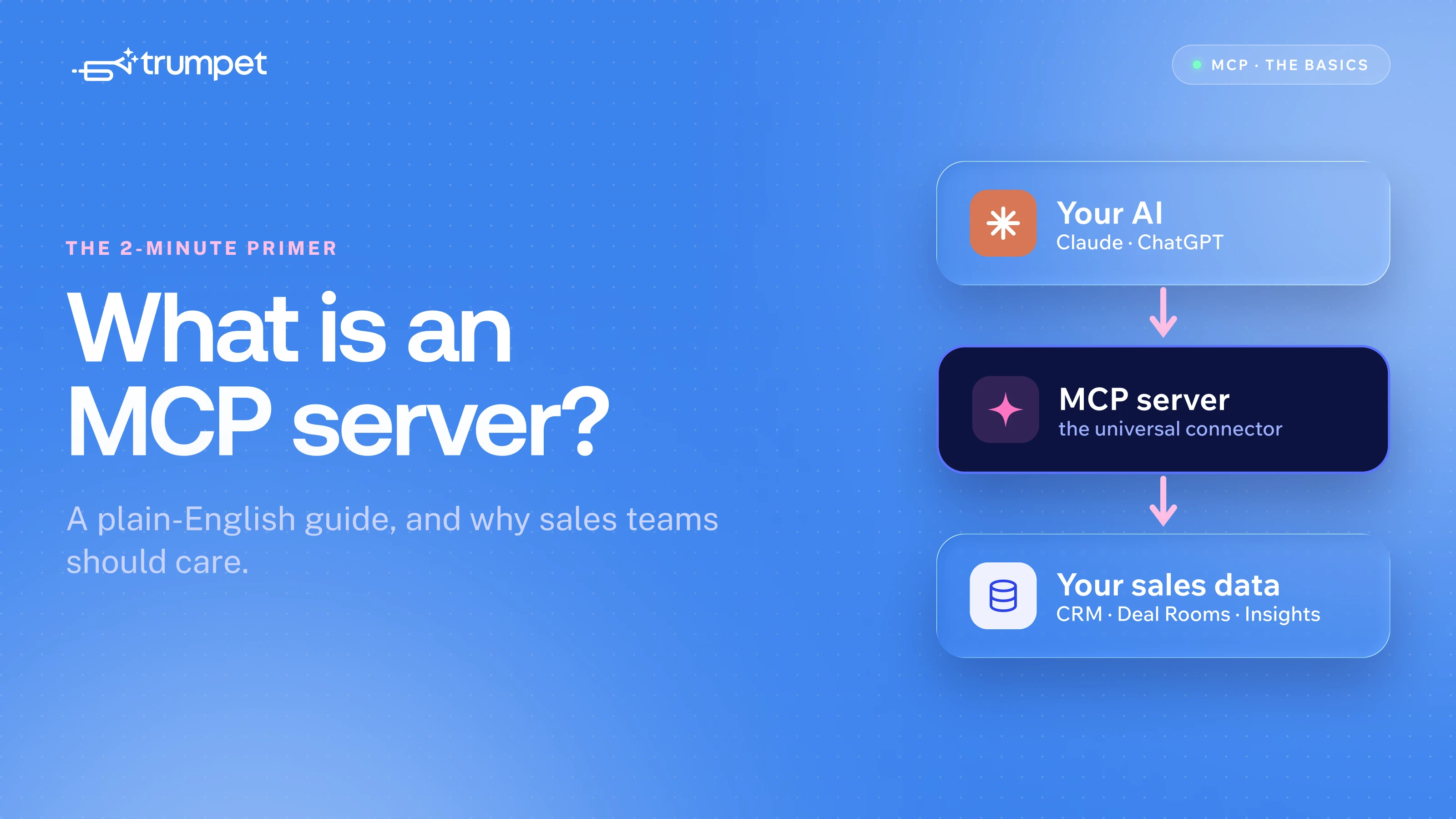
trumpet's MCP is the built specifically for digital sales rooms. It connects Claude and ChatGPT directly to your trumpet workspace — your Pods, buyer engagement signals, stakeholder activity, and CRM-linked deal context.
The distinction from a CRM MCP matters. When a buying committee member stops opening your deal room, that signal exists in trumpet before anyone logs anything in Salesforce. Getting that into your AI's context — before a deal stalls — is the point.
Prompts that change how reps work:
- "Show me active pods with the lowest engagement this week."
- "Which of my onboarding pods have gone quiet in the last 7 days?"
- "Get me the full details on the Acme Corp pod — stakeholders, content viewed, last activity."
- "Which of my deals hasn't had any buyer activity in the last 14 days?"
For AEs, pre-call prep that used to mean five open tabs now takes one prompt. For CS teams, at-risk accounts surface before the engagement drop goes unnoticed. For managers, deal health checks happen inside the AI tool they're already using.
Best for: AEs, CS managers, and sales leaders who want live buyer engagement data inside their AI tool. The only MCP built specifically for digital sales rooms.
CRM MCPs: the record layer
CRM MCPs give your AI access to what's been logged — contacts, deal stages, activity history. They're the foundation of any AI sales stack, but they're not the whole picture.
2. HubSpot
HubSpot's MCP server reached general availability in 2026 with genuine read and write access to CRM objects: contacts, companies, deals, tickets, invoices, quotes, and their associations. For teams running on HubSpot, this is the obvious starting point.
You can ask Claude to pull a full account briefing before a call, update deal stages, create contacts, and query pipeline without opening HubSpot once. For sales ops, having an AI that can read and update the CRM in plain language reduces admin time noticeably.
Best for: HubSpot-native teams who want their AI to read and update CRM records. The most accessible entry point in the CRM category.
3. Salesforce
Salesforce supports MCP through multiple routes — the DX MCP Server for developer and RevOps workflows, and Agentforce 3 for enterprise agent deployment. For frontline reps, the most practical use is querying pipeline and account data through Claude or ChatGPT without building SOQL queries manually.
Setup is more involved than HubSpot's. Expect 15–30 minutes for initial configuration and admin permissions. The power is there for complex enterprise environments; it just takes more to unlock it.
Best for: Enterprise teams running Salesforce who want AI-assisted pipeline reviews. More capable but more complex than HubSpot.
4. Microsoft Dynamics 365 Sales
Microsoft launched an official Dynamics 365 Sales MCP server that gives AI agents access to sales-specific tools — retrieving deal data, generating insights, drafting emails, and querying pipeline. For teams already in the Microsoft ecosystem (Teams, Copilot, Azure), this integrates cleanly without adding new authentication layers.
It's the right choice if your CRM is Dynamics and you want native MCP access rather than a third-party connector.
Best for: Teams running Microsoft Dynamics 365 who want AI-assisted pipeline queries without leaving the Microsoft stack.
Prospecting and data MCPs: the sourcing layer
These MCPs give your AI access to external company and contact databases — useful for net-new prospecting, enriching existing records, and building targeted lists from natural language descriptions.
5. Apollo
Apollo launched its MCP server in February 2026, giving Claude and ChatGPT access to Apollo's database of 230M+ contacts. You can search for people and companies, enrich records, create contacts, and enroll prospects into existing sequences — all without leaving the conversation.
The sequence enrollment is where Apollo separates from pure data tools. Once you've found and enriched a lead, you can add them to live outreach in the same prompt. For email-focused outbound teams, that end-to-end workflow in one server is genuinely useful.
Worth noting: data quality feedback from teams that have tested Apollo's MCP in production is mixed. Some report strong results; others use Apollo for sequence execution and source data from a separate provider. It's worth testing against your specific ICP before committing.
Best for: Teams that want database search, enrichment, and sequence enrollment in one connector — particularly for email-focused outbound.
6. ZoomInfo
ZoomInfo's MCP server exposes its B2B database of 320M+ contacts for search and enrichment — verified emails, direct dials, intent signals, org chart data, and technographics. For raw data access through an AI assistant, it's one of the strongest options available.
It's strictly data and intelligence, though. No sequence building, no enrollment. Once you have the data, you take it elsewhere to act on it. And access requires a ZoomInfo subscription, so there's no low-cost way to evaluate it.
Best for: Existing ZoomInfo customers who want to query their enterprise B2B data through Claude or ChatGPT instead of the ZoomInfo UI.
7. Crustdata
Crustdata's MCP server connects Claude to a database of 60M+ companies and 1B+ people profiles, with unusually deep filtering — 95+ company filters and 60+ people filters, supporting nested boolean logic. You describe your ideal customer in plain language and Claude translates it into the right filter combination.
What makes Crustdata stand out in this category is signal access. The MCP also exposes recent social posts from target accounts, and a Watcher API that surfaces job changes and funding events. For teams that want intent signals baked into their prospecting workflow, rather than pulled from a separate tool, that's useful.
Best for: Teams that need flexible lead discovery with signal context — job changes, funding events, and recent company activity — in one server.
Enrichment MCPs: the research layer
8. Clay
Clay's MCP server is an enrichment specialist. It lets Claude run Clay's waterfall enrichment across 150+ data providers and search for people and companies — pulling verified contact data, company information, and research context. For enrichment depth, it's excellent.
Where it stops is execution. Clay is not a sequencer. You can draft outreach, but building and enrolling into live sequences only happens if you route output through a separate email tool. It finds and enriches; it doesn't run outbound.
That's not a criticism — it's by design. Teams that want a dedicated enrichment layer feeding into a separate engagement tool often prefer Clay's depth to an all-in-one approach.
Best for: Technical teams that want AI-powered enrichment and research feeding into a separate engagement tool.
Sales engagement MCPs: the execution layer
These MCPs connect your AI to outreach and sequencing platforms. Useful for acting on data you've already enriched, and for pulling pipeline context into AI conversations.
9. Outreach
Outreach was one of the first engagement platforms to ship an MCP server, and it's built for teams already running outbound there. Claude can search prospects and accounts, answer pipeline questions, create records, and enroll prospects into existing sequences.
What it can't do is source net-new prospects or build sequence steps from scratch. It acts on what you already have rather than creating it. That's a genuine limitation for teams starting from scratch, but less of one for teams with an established Outreach stack.
Best for: Existing Outreach customers who want to enroll and manage prospects through their AI tool without switching tabs.
10. Salesloft
Salesloft's MCP server, launched in 2026, is read-focused — it reads live pipeline, deals, accounts, calls, and transcripts. For pulling deal context and call intelligence into an AI conversation before a review or a meeting, it's useful. You can ask Claude to summarise deal health across your pipeline, surface at-risk accounts, or pull notes from recent calls.
Because it's read-only, it can't build or enroll. It's revenue intelligence rather than execution — a different job from the other tools on this list, but worth having if Salesloft is your platform.
Best for: Salesloft customers who want to query pipeline and call intelligence through their AI tool.
The stack most sales teams should build
There's no single MCP that does everything. The most effective setups combine tools by category:
- CRM layer: HubSpot or Salesforce — for records, logged activity, and deal history
- Deal intelligence layer: trumpet — for buyer engagement, live deal room signals, and what's actually happening with prospects
- Prospecting layer: Apollo, ZoomInfo, or Crustdata — for finding and enriching net-new accounts
Three servers, all connected to Claude or ChatGPT. Your AI pulls from whichever is relevant based on your question — because both tools support multiple simultaneous connections.
The pattern that separates good stacks from overcomplicated ones: one server per job. CRM for records. Deal intelligence for buyer signals. Data for prospecting. Adding a fourth or fifth server usually dilutes performance more than it adds capability.
Comparison at a glance
Here's how the 10 servers break down by category and use case:
- trumpet — Deal intelligence; buyer engagement, pod data, stakeholder signals; best for AEs and CS teams
- HubSpot — CRM; contacts, deals, pipeline, activity; best for HubSpot-native teams
- Salesforce — CRM; enterprise pipeline, accounts, Agentforce; best for enterprise Salesforce users
- Microsoft Dynamics 365 — CRM; deal data, insights, pipeline; best for Microsoft-stack teams
- Apollo — Prospecting + sequences; database search, enrichment, enrollment; best for email-led outbound
- ZoomInfo — Data; 320M+ contacts, intent, org charts; best for existing ZoomInfo customers
- Crustdata — Data + signals; deep filters, social posts, job change alerts; best for signal-led prospecting
- Clay — Enrichment; 150+ provider waterfall; best for enrichment-focused workflows
- Outreach — Engagement; sequence enrollment, pipeline queries; best for existing Outreach users
- Salesloft — Revenue intelligence; pipeline reads, call transcripts; best for Salesloft customers
Frequently asked questions
Do I need all 10 of these MCP servers?
No. Start with the MCP for the tool you spend the most time in. Add a deal intelligence MCP (trumpet) and a prospecting data MCP once you want your AI to work across more of your workflow. Three well-chosen servers outperform ten narrow ones.
Can I run multiple MCP connections at the same time?
Yes. Claude and ChatGPT both support multiple active connections simultaneously. Your AI calls whichever server is relevant based on your question.
What's the difference between a CRM MCP and a deal intelligence MCP?
A CRM MCP gives your AI what's been logged — contacts, deal stages, pipeline history. A deal intelligence MCP like trumpet's gives it what's actually happening with your buyers: who's viewed content, which stakeholders are active, where engagement is dropping. They're complementary, not competing.
Do MCP servers cost extra?
Most are included with your existing subscription to the underlying tool. Check with each provider — trumpet, HubSpot, Apollo, etc. — rather than assuming either way.
Which MCP servers work with both Claude and ChatGPT?
Most of the tools on this list support both. Apollo, HubSpot, ZoomInfo, Crustdata, and trumpet all work across Claude and ChatGPT. Salesloft currently focuses on Claude Desktop. Check each provider's docs for the latest compatibility.





![How to Get Started with Buyer Enablement [With Examples]](https://cdn.prod.website-files.com/65cf4fecbed2754c2236665d/65cf4fecbed2754c22366bdb_65a5af83e742f76e34ce06f3_Customer%2520Onboarding%2520_%2520Everything%2520you%2520need%2520(2).png)
.png)


.png)


.png)


.png)

.png)

.png)
.png)





