









Key takeaways
- Live in Claude, ChatGPT, Glean, Gong, and Gemini
- Build Pods, surface engagement, and diagnose deal risk from one prompt
- Pairs in your AI with HubSpot, Apollo, Gong, Gmail, Slack, Intercom, and more
- Five-minute install, no engineering required
Now available in Claude, ChatGPT, Glean, Gong, and Gemini.
Three years ago, prepping for a sales call or a renewal review meant five tabs and a coffee. CRM. Sales room. Inbox. Calendar. Spreadsheet.
Today, increasingly, it's one prompt.
I've been watching this happen across our customer base for the last six months. Sales reps, CS managers, revenue leaders - they're not just toggling between tools anymore. They're not building sales rooms in one tab, pulling engagement data in another, checking deal health in a third, and stitching it all together in a spreadsheet. The AI assistant has quietly become the single surface where all of that happens.
Not the place teams go for help with their work. The place the work happens. Analysing the signals. Diagnosing the risk. Joining the dots across every system they touch.
Which raises a question we couldn't ignore: if the work happens in the AI, where's trumpet?
What is the trumpet MCP server?
For three years, our customers have used trumpet to build deal rooms (what we call Pods) that capture every viewer click, every minute spent on a pricing page, every champion who returned a contract on a Sunday night. That signal is some of the richest buyer data on the market.
The trumpet MCP server brings your entire trumpet workspace into the AI you already use. As of today, it's generally available in the Claude, ChatGPT, Glean, Gong, and Gemini. Installable in five minutes, no engineering required.
You can ask your AI to find a Pod, build a new one from a Template, analyse the engagement and stakeholder signals inside, or check the health of every deal in your book. It joins all of that with anything else your AI has access to (your CRM, your inbox, your calendar) and gives you an answer.
What the trumpet MCP lets your AI do
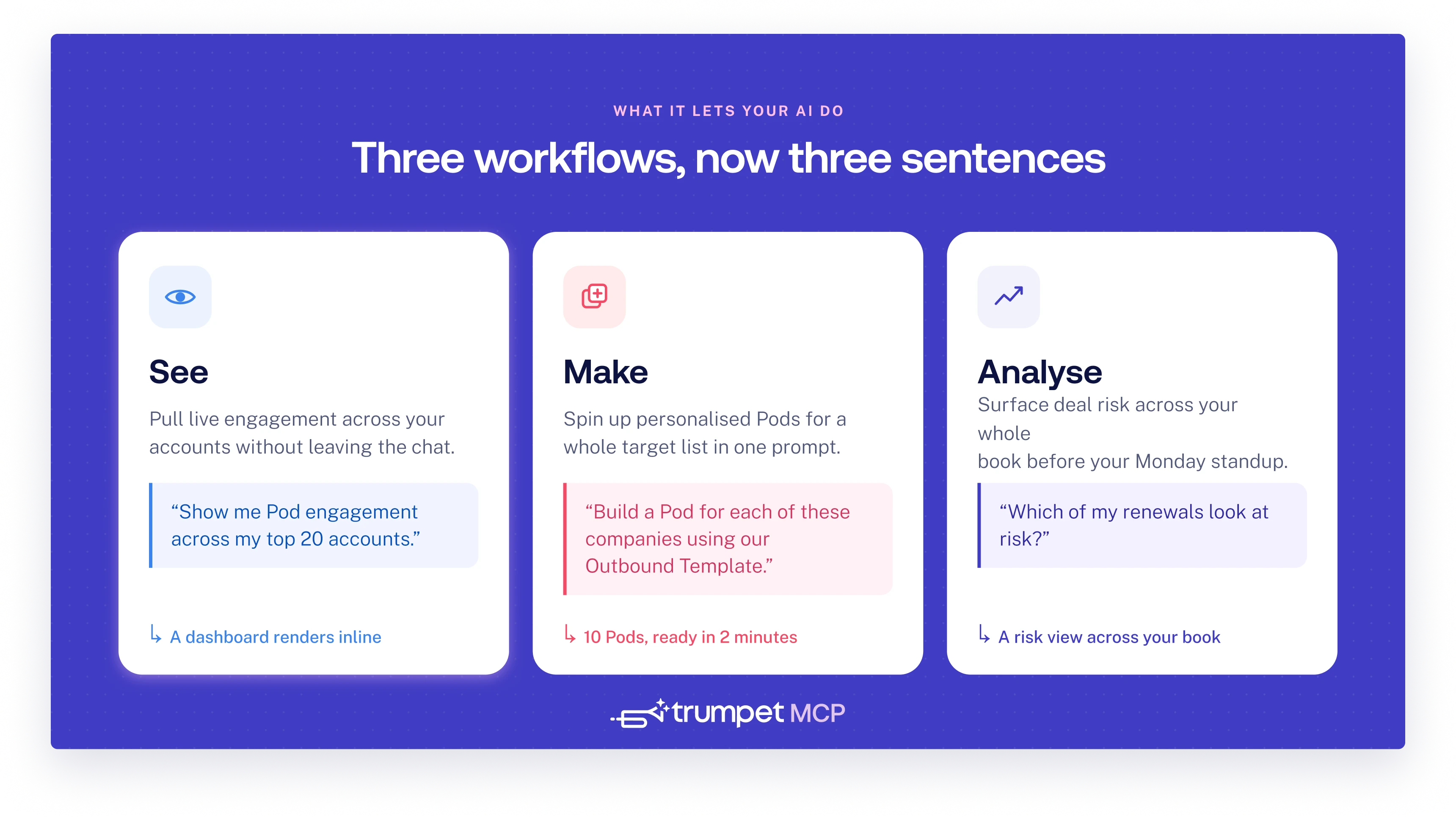
See: A revenue ops leader opens Claude on a Monday morning and asks for a dashboard of Pod engagement across her top 20 accounts. The dashboard renders inside the chat. Trend lines, top viewers, what content's heating up. No more flipping between trumpet and a spreadsheet. The answer is one prompt away.
Make: An SDR has a target list of 10 accounts to reach this week. She drops the list into Claude: "Build me a Pod for each of these companies using our Outbound Template. Pull the recipient details from HubSpot." Two minutes later, ten Pods are created, personalised, and ready to send. Half a day of admin compressed into one prompt.
Analyse: A CS manager starts the week by asking: "Which of my renewals look at risk?" Claude returns a risk view across her book: where engagement is flatlining, which champions have gone quiet, which Pods haven't been opened in 14 days. The hour she'd usually spend pulling together her at-risk list becomes a single question, and her risk picture is ready before her Monday standup.
Each of these used to be a workflow. Now they're a sentence.
What you can ask the trumpet MCP
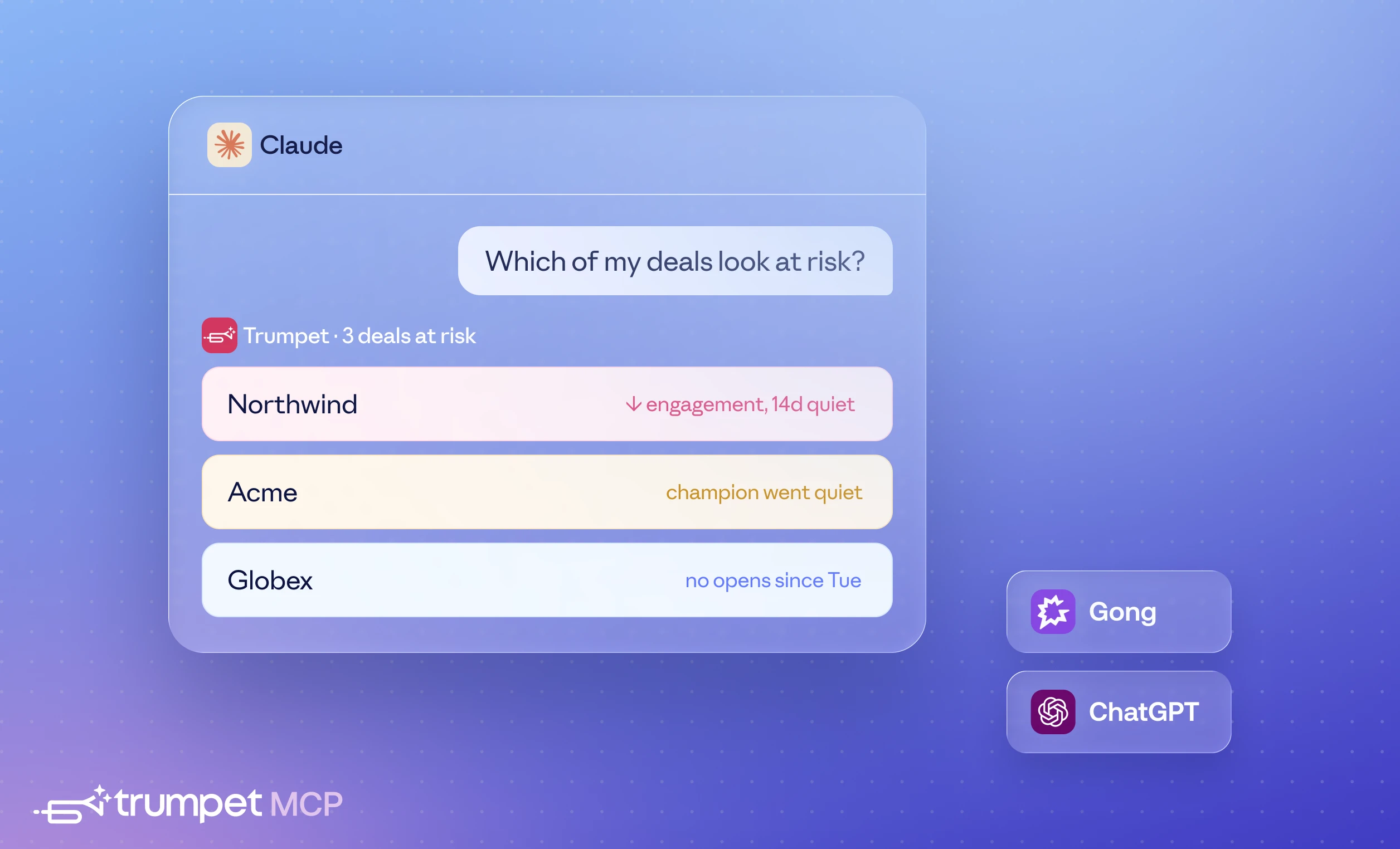
A snapshot of what the trumpet MCP can do today, grouped by what's happening under the hood.
Build sales collateral from a single prompt
- "Build me a Pod for [company] using our [Template name] and link it to [CRM deal]"
- "Pre-fill the recipient and deal value when you create it"
- "Spin up a Pod for every account on this target list using the Renewal Template"
Search across your workspace and team
- "Show me every Pod tied to [account name]"
- "Find Pods my team created in the last 30 days"
- "Pull the Pod linked to HubSpot deal ID 00Q12345"
- "Which of my Pods are still in draft? Which are closed-won?"
Pull engagement and deal-health data
- "What's the engagement score on the [account] Pod, and how does it compare to my book?"
- "Which of my open Pods look at risk this week?"
- "Which job titles have viewed this Pod? Are any decision-makers missing?"
- "Which content blocks are buyers spending the most time on?"
Layer in AI analysis (when Coach Casey is enabled)
- "Give me a narrative summary of what's happening in this Pod"
- "What should I do next on this deal?"
Most of these used to need a tab switch and a search bar. Now they need a sentence.
Pairing trumpet with your other MCP connectors

The biggest unlock isn't what trumpet does on its own. It's what happens when trumpet sits next to your other connectors. No more exporting from HubSpot, exporting from trumpet, and merging the two in a spreadsheet to see the full picture. Your AI does the joining for you.
A few cross-stack plays we're already seeing:
- trumpet + HubSpot: "Which of my deals closing this quarter have engagement scores below 50 or fewer than three active viewers?" Returns a ranked list of at-risk deals, built from data that's never lived in the same place before.
- trumpet + Apollo: "Find the buyer committee for everyone who viewed my Acme Pod this week, pull their contact info from Apollo, and queue them into our Outbound Cadence." Engaged viewers become a sequence, automatically.
- trumpet + Gong: "For my top 5 deals, compare the last Gong call with how the buyer's been engaging with the Pod. Flag any disconnects." Spot the gap between what buyers say and what they do.
- trumpet + Gmail: "Draft a follow-up to everyone who viewed the pricing section of my Acme Pod but hasn't replied to my last email." Engagement data shaping the next outbound, automatically.
- trumpet + Calendar: "Pre-brief every external meeting on my day: Pod engagement, latest CRM notes, drop-off signals." All without you asking.
- trumpet + Slack: "Which Pods is my team talking about most this week, and what's the engagement looking like on each?" Team-wide deal signals, surfaced before the forecast call.
- trumpet + Intercom: "For my renewals this quarter, pull recent Intercom conversations and flag accounts where ticket volume has spiked while Pod engagement has dropped." CS surfaces churn risk before the renewal call.
This is what we mean when we say AI assistants are becoming the new buyer surface. It isn't one tool inside Claude. It's every tool, talking to each other, through one prompt. Alongside the MCPs already shipped by Stripe, Linear, HubSpot, Slack, and others, the modern revenue stack is starting to feel less like a set of dashboards and more like a single conversation.
What Brevo told us
"As a customer marketing director, I create content for our sales team, but proving its impact on revenue has always been the hard part. Connecting trumpet's MCP to our CRM, Slack, and analytics stack through Claude changed that. I could see buyers spending 30 seconds on a 25-slide deck - that insight alone was an insight that without this workflow, I would never have surfaced. Now I can tie every piece of marketing to real deal outcomes and bring those numbers directly to our CEO. What would've taken a whole team to build, I now run myself."
– @Vincent Bucaille-Mézani, Customer Marketing Director at Brevo
How to set up the trumpet MCP
If you're a trumpet customer: the MCP server is available now in the Claude, ChatGPT, Glean, Gong, and available on request for Gemini. Search for "trumpet" in any directory and install in five minutes.
If you're not yet a customer: book a demo and we'll walk you through what it looks like with your stack.
Buyer signals used to live in dashboards. Now they live in your AI.
Show us what you build.












![How to Get Started with Buyer Enablement [With Examples]](https://cdn.prod.website-files.com/65cf4fecbed2754c2236665d/65cf4fecbed2754c22366bdb_65a5af83e742f76e34ce06f3_Customer%2520Onboarding%2520_%2520Everything%2520you%2520need%2520(2).png)
.png)


.png)


.png)


.png)

.png)

.png)
.png)





