

.png)
- Widgets now include built-in content guidance to remove guesswork
- New Widgets like The Three Whys and Executive Summary improve clarity for buyers
- Multiple layouts give more flexibility without adding complexity
- The updated library makes it easier to build and update Pods quickly
- Small changes to creation can have a big impact on deal progression
No more blank canvas when building your Pod
Building a Pod used to start the same way most content does. A blank page and a question of what to write.
Now, every Widget in trumpet comes with built-in guidance.
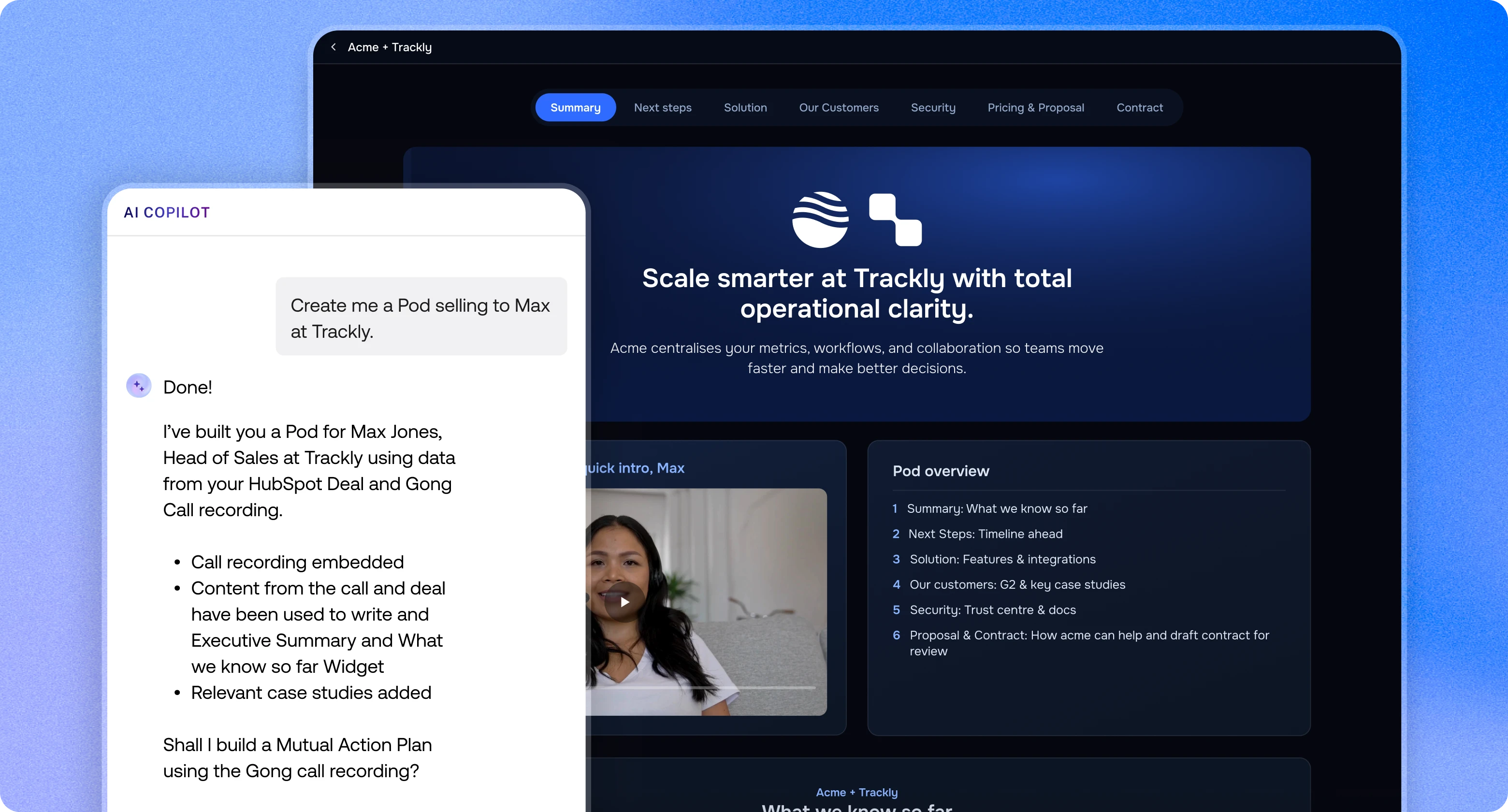
The new Content Inspiration section shows you exactly what to include and how to structure it. Instead of guessing, you get clear prompts that help you create content your buyer can actually use. This means faster creation, better structure, and more consistent messaging across every deal.
Watch the walkthrough
Watch Maddi, part of our Customer Success team at trumpet, walk through the updated Widget library and how to use it in your Pods.
In the walkthrough, Maddi shows how:
- The Widget library is now organised into clear categories
- Each Widget includes a visual preview so you know what it looks like before adding it
- Content Inspiration suggests proven layouts based on what works across our customer base
- Widgets are added with placeholders, so you can plug in your content straight away
- Layouts can be switched instantly depending on how you want your content to appear
The goal is to make it even easier to build, add structure, and update your Pods without starting from scratch.
Three new Widgets teams are already using
Some Widgets are already becoming go-to building blocks for teams.
The Three Whys
This Widget helps you frame your message around three key questions: why now, why anything, and why you.
It gives buyers the commercial logic quickly, which is often what drives internal conversations forward.
What Happens Next
Not every deal needs a full Mutual Action Plan.
This Widget gives you a simple way to outline next steps, so everyone knows what’s happening and who is responsible.
More flexibility with multiple layouts
Widgets now come with multiple layout options, meaning you can choose how your content looks and feels depending on the deal, the audience, or the stage of the process.
Build directly inside your Pod
Once your structure is in place, you can build everything out directly inside your Pod.
Just type “/” anywhere to start adding content.
From there, you can add:
- Buttons for next steps, booking links, or key actions
- Columns to structure your content clearly
- Content blocks like text, images, videos, quotes, and dividers
It makes it easy to turn a simple page into something interactive and easy for buyers to navigate.
Small updates that change how you build
These updates are simple, but they remove a lot of friction. You no longer need to think about structure from scratch and you do not need to guess what good looks like. You can build Pods that are easier for buyers to understand and share internally. That is where deals really move forward.
.png)

See what your buyers are doing between meetings
Build a Pod, share it with the buying committee and watch the signals roll in. Free to start.
.png)
.png)
.png)

.png)
.png)


![How to Get Started with Buyer Enablement [With Examples]](https://cdn.prod.website-files.com/65cf4fecbed2754c2236665d/65cf4fecbed2754c22366bdb_65a5af83e742f76e34ce06f3_Customer%2520Onboarding%2520_%2520Everything%2520you%2520need%2520(2).png)



.png)

.png)