

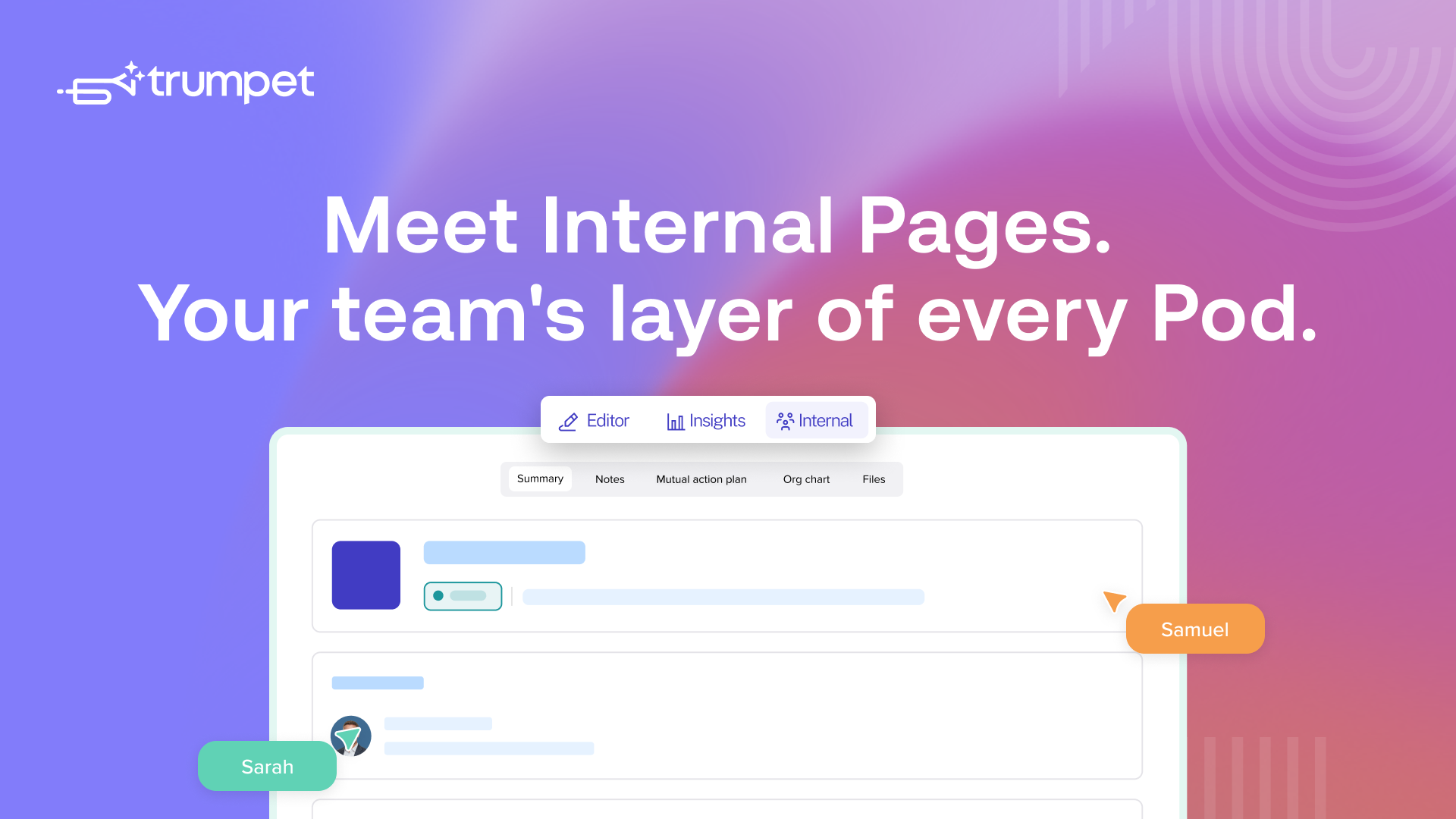
- Internal Pages give every Pod a private internal workspace, visible only to your team
- Summary, Internal MAP, Org Chart, Files, and Notes all live in one place
- Sales use it to align on active deals, CS use it for cleaner handovers and account context
- It replaces the patchwork of Slack threads, Docs, and CRM notes that internal deal context normally lives in
- More tabs and CRM sync are on the way
More big news from trumpet.
Meet Internal Pages.
Trumpet is the intelligent GTM layer for revenue teams, the shared space where sales, CS and buyers run every deal and account. Internal Pages add the missing piece: a private layer for the teams behind every Pod.
Internal Pages are a dedicated internal workspace inside every Pod, built for sellers and Customer Success teams to collaborate behind the scenes.
You can think of it as a Pod inside a Pod. The buyer-facing side stays clean and on-brand. The internal side gives your team a private space to plan, share context, and keep deal momentum without anyone outside your team ever seeing it.
It lives as its own tab inside the Pod, sitting alongside Editor and Insights, and is only visible to internal collaborators.
Why we built Internal Pages
Internal deal context is everywhere except where it should be. It is scattered across Slack threads, Google Docs, CRM notes, and somebody's personal Notion page. When a deal moves forward, or moves between teams, context can get lost.
Internal Pages is to:
- Give Sales to CS handovers a place to not lose context
- Stop reps having to repeat themselves to managers who are coaching them
- Prevent wider teams from having to duplicate their work because nobody has the full picture
The Pod itself is the source of truth for the buyer, but not for the team behind it. Internal Pages fix that by giving every Pod a private team layer. Now all the strategy, context, and collaboration sits with the Pod it belongs to, not floating around in twelve other tools.
What's inside Internal Pages
Internal Pages launch with five tabs, all designed to mirror the way deal and account teams actually work.
The main internal overview of the Pod. Owners, collaborators, stakeholders, deal status, key information, all in one place. Built from a template so every Pod starts the same way.
Internal Mutual Action Plan
Same structure as the customer-facing Mutual Action Plan, but private to your team. Use it to plan internal next steps, coordinate across functions, and keep your side of the deal moving without exposing any of it to the buyer.

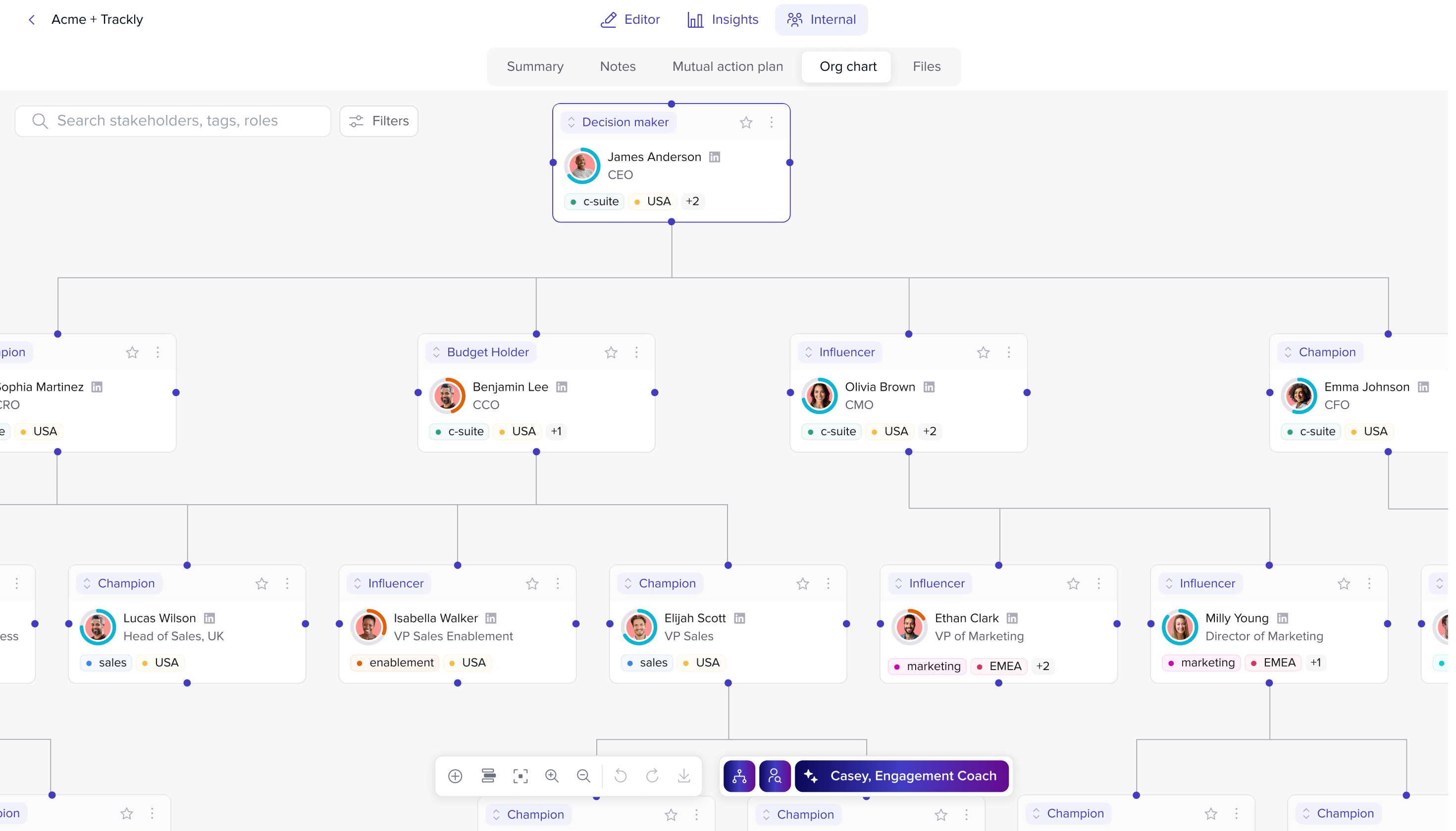
Org Chart
The same Org Chart you already use, surfaced inside Internal Pages so stakeholder context is one click away when you need it.
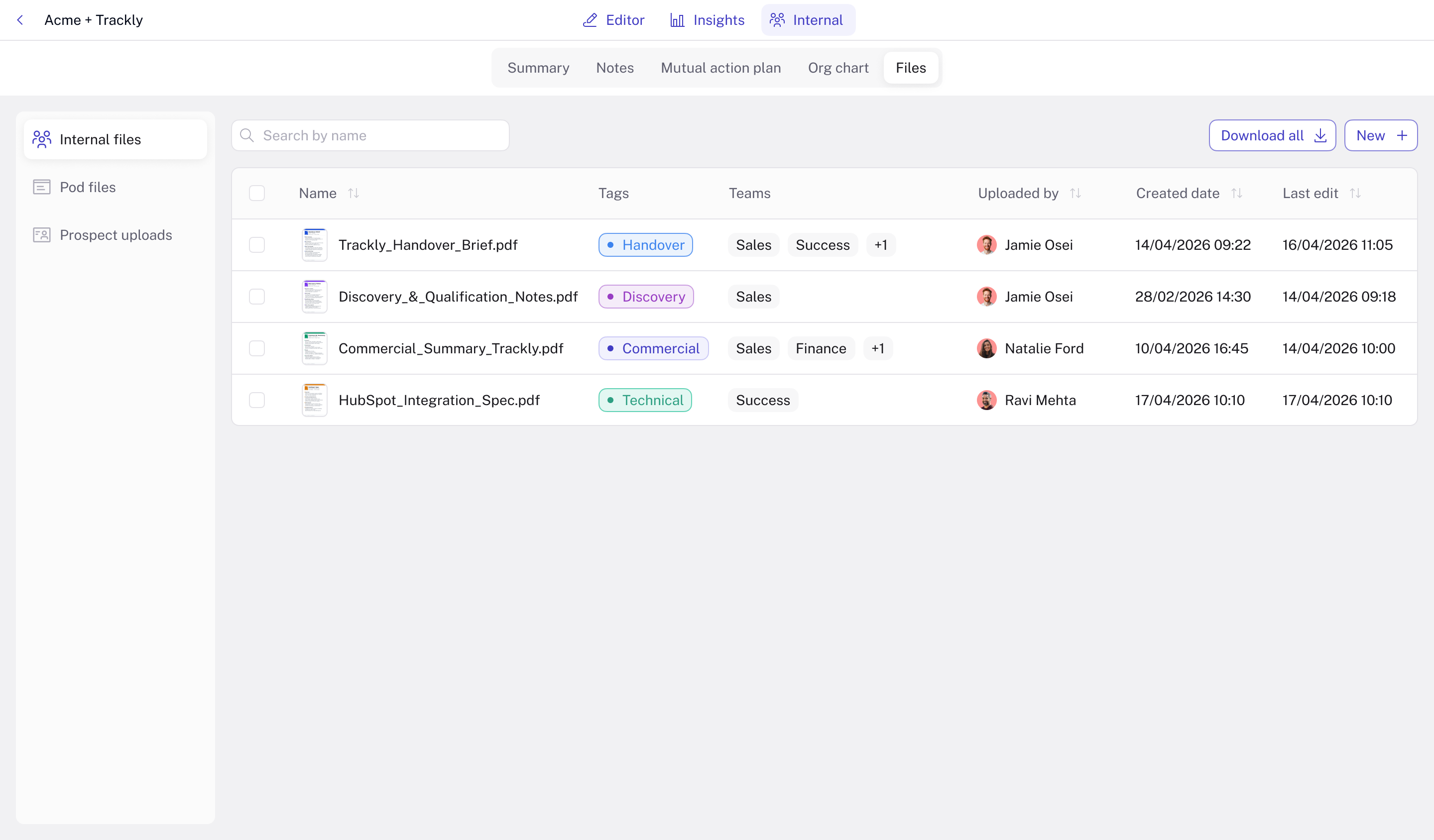
File Upload
A simple space for everything related to the deal. Internal strategy docs, prep material, notes, and Sales and CS collaboration files sit alongside any files prospects have uploaded through the MAP or file sharing Widget.
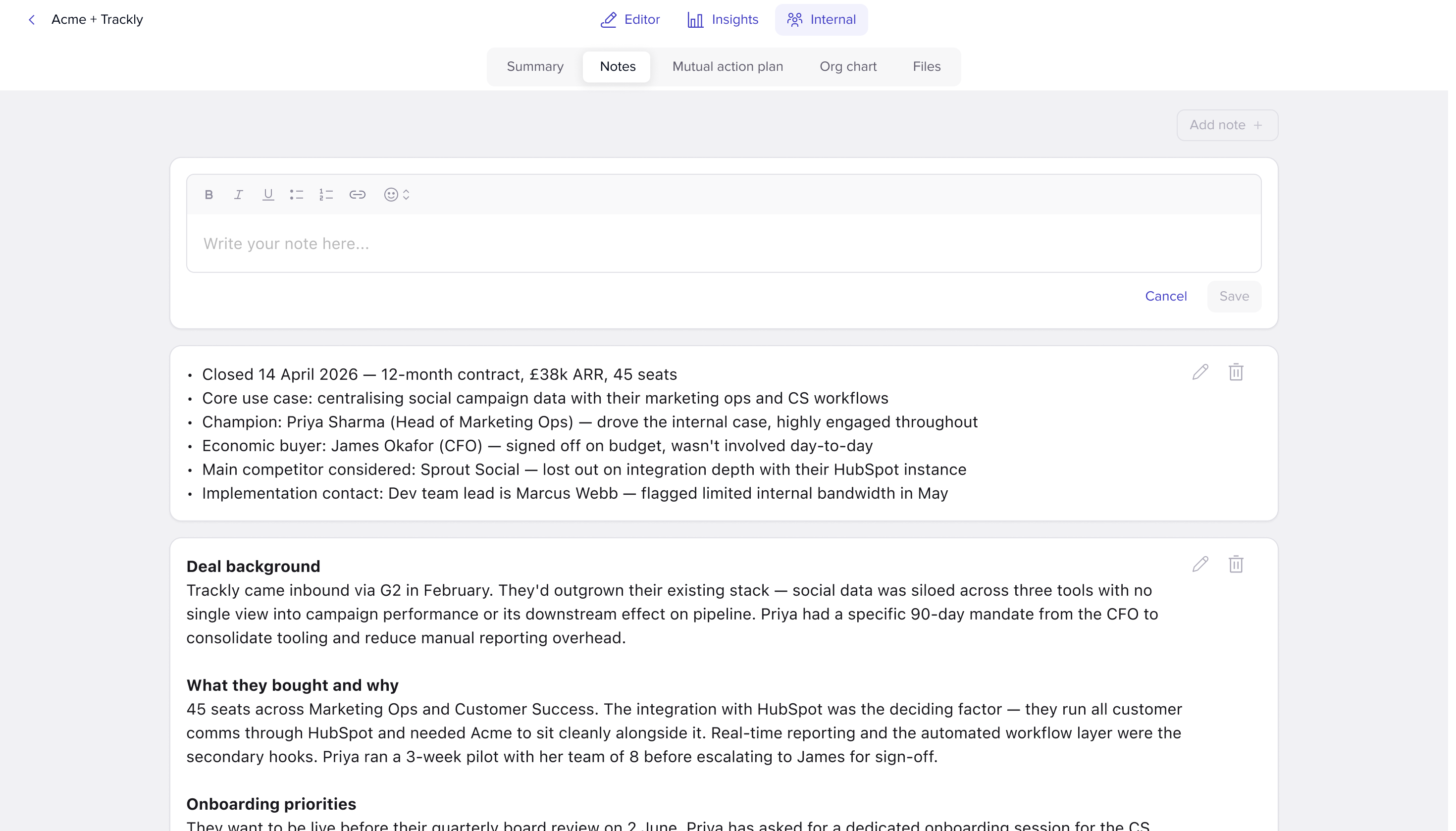
Notes
A rich text area for free-flow team notes. Most recent at the top, so context stays current without anyone having to dig.
A quick look at how teams use it
Sales
Use Internal Pages to keep deal strategy, notes, and stakeholder context in one place during an active deal. Managers can drop coaching notes straight into the Pod. Larger deal teams can collaborate on internal MAPs without anyone needing to ping ten people on Slack.
Customer Success
Use Internal Pages to review deal context before a kickoff call, capture stakeholders and risks as the account evolves, and bring Sales back in for expansion and renewal conversations without losing context.
Watch Anna a Customer Success Manager here at trumpet talk through how she uses Internal Pages.
Final thoughts
Now the same workspace your buyers experience externally can also become the place your teams collaborate internally. Strategy, notes, files, stakeholders, handovers, and next steps all stay connected to the account they belong to.
This is just the start. More Internal Pages, CRM sync, activity tracking, and deeper collaboration workflows are already on the roadmap.
One Pod. External for buyers. Internal for your team.
You can find out more about how Sales teams use Internal Pages here, and learn more about how Customer Success teams use Internal Pages here.
.png)

See what your buyers are doing between meetings
Build a Pod, share it with the buying committee and watch the signals roll in. Free to start.
.png)
.png)
.png)

.png)
.png)


![How to Get Started with Buyer Enablement [With Examples]](https://cdn.prod.website-files.com/65cf4fecbed2754c2236665d/65cf4fecbed2754c22366bdb_65a5af83e742f76e34ce06f3_Customer%2520Onboarding%2520_%2520Everything%2520you%2520need%2520(2).png)



.png)

.png)