


- Internal Pages give Sales a private team workspace inside every Pod
- Keep deal strategy, notes, files, and stakeholder context in one place
- Use the Internal MAP to plan internal next steps and spot where deals are actually stuck
- Managers can coach inside the deal, not around it
- Most useful on larger, more complex deals where context tends to scatter
Internal Pages are a private team workspace that lives inside each Pod, visible only to your internal collaborators. Summary, Internal MAP, Org Chart, Files, and Notes, all in one place, all tied to the deal they belong to.
See how Ali a Account Executiver here at trumpet uses Internal Pages.
Why Sales needed this
Deals are messier than they used to be, there are more stakeholders, longer cycles, more people who need looping in, and more places that information ends up living. Most reps are running their internal strategy through some combination of Slack DMs, Notion pages, half-finished docs, and the back of their CRM notes.
That is fine until the deal gets big, or the deal gets stuck, or somebody new joins the deal team, then a deal can get messy.
Internal Pages give Sales one place to plan, collaborate, and keep deal context, sitting right next to the Pod the buyer sees.
Keeping deal strategy in one place
This is the simplest use case and the most common one.
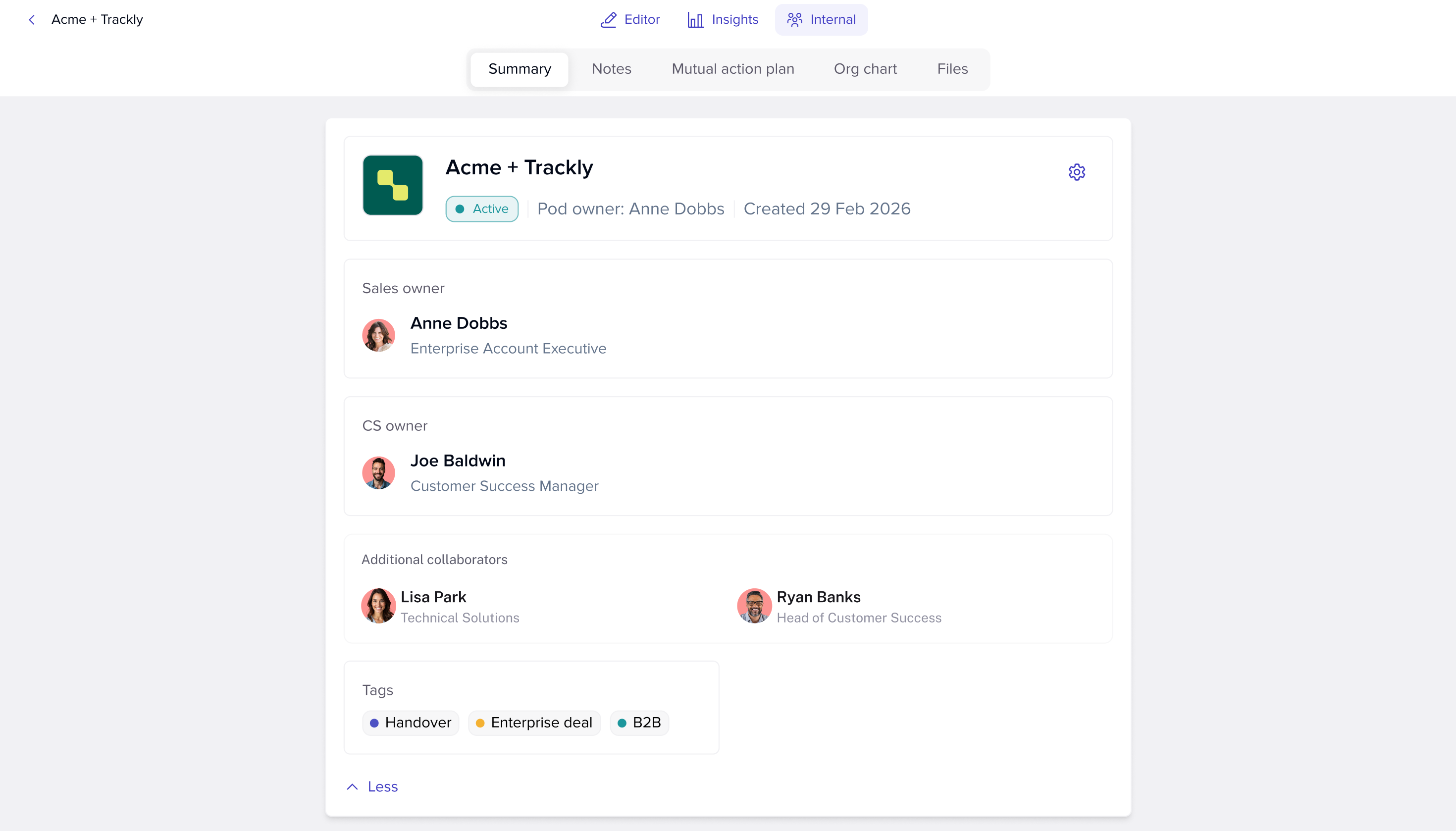
Instead of a strategy doc in Google Drive, a stakeholder map in Miro, and a list of next steps in your head, everything lives in the Internal Page of the Pod.
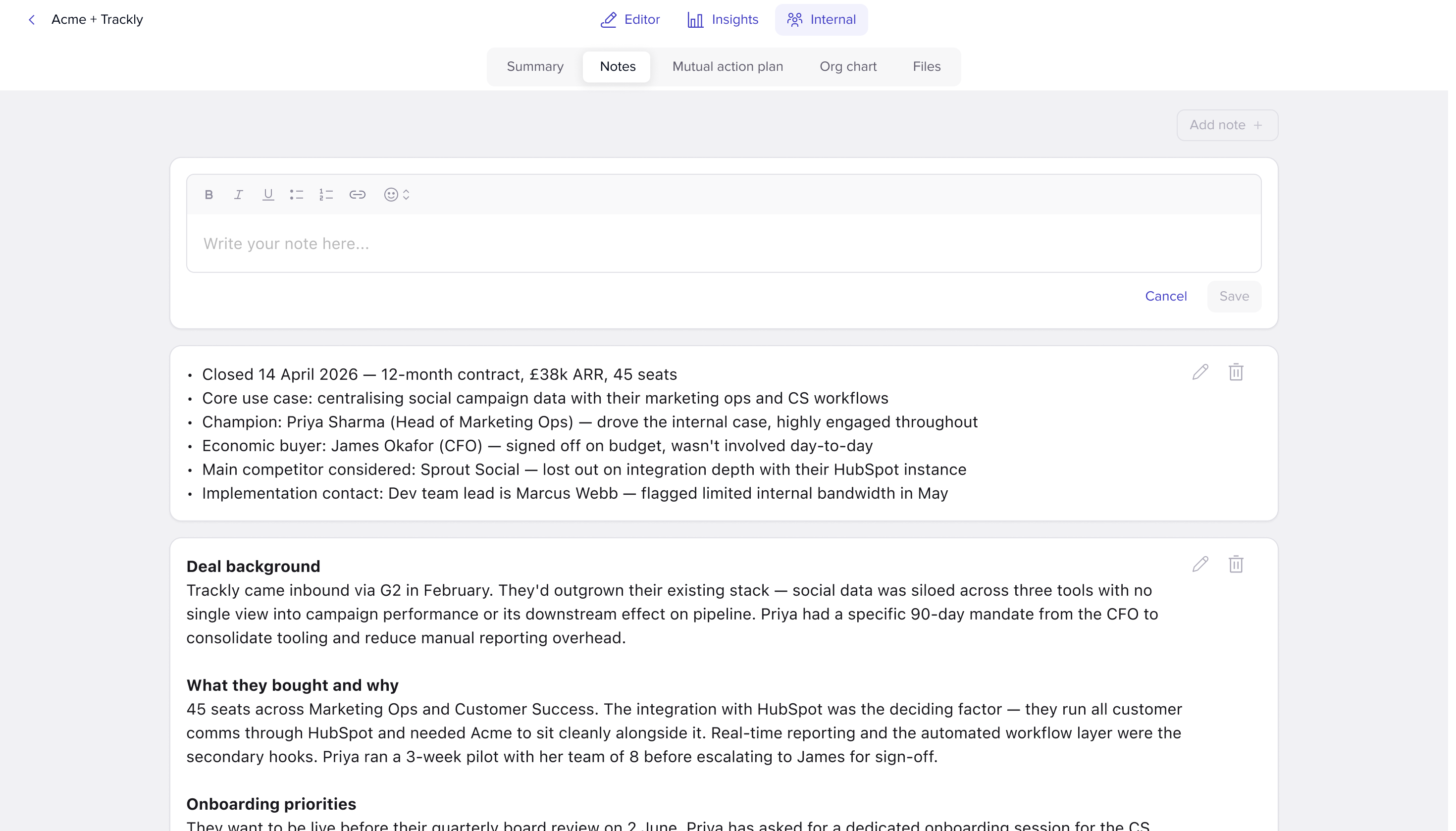
- Notes from your last call go in the Notes tab
- Internal strategy decks and prep material live in Files
- Stakeholders, owners, and deal status sit in the Summary
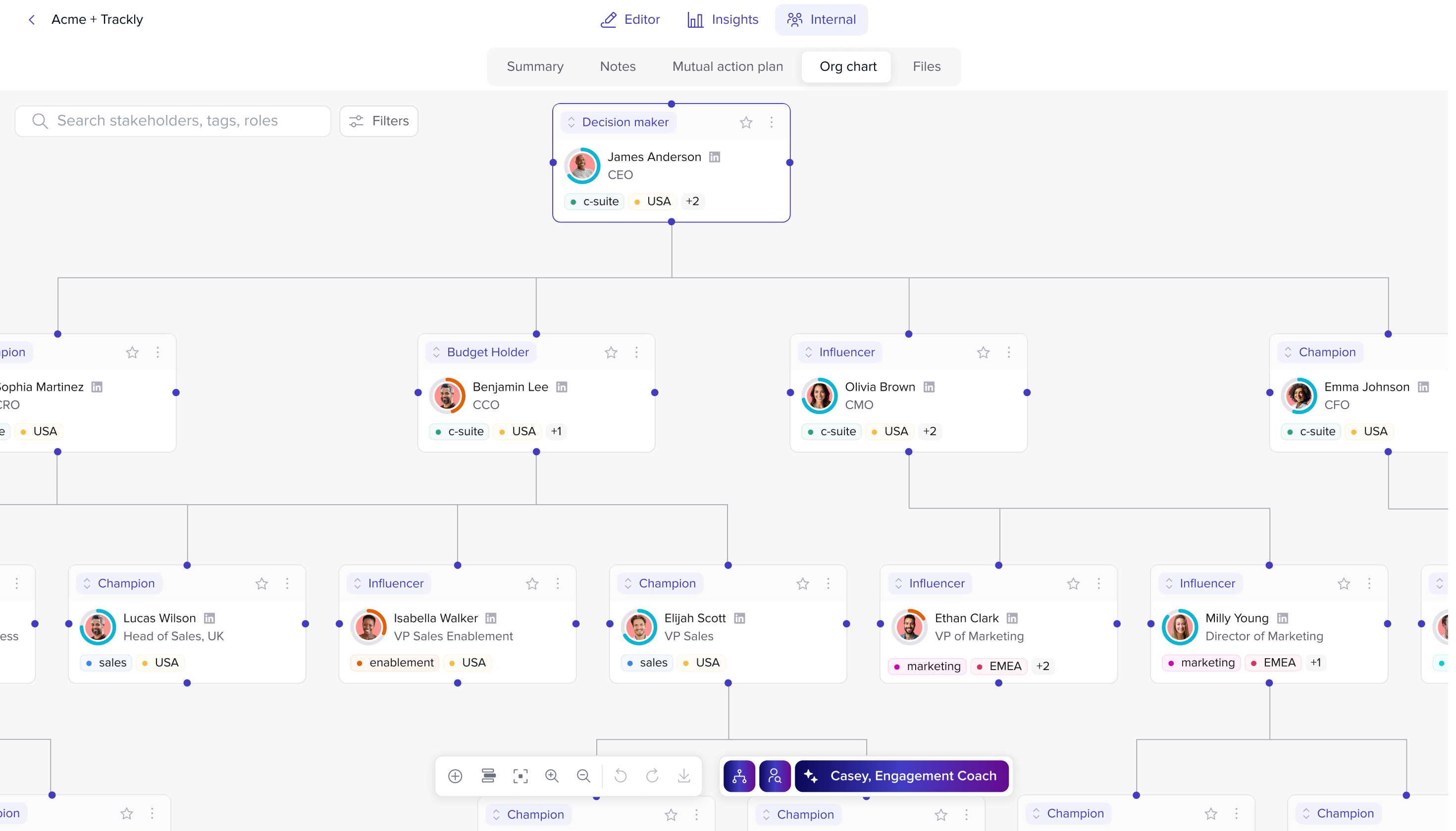
- The Org Chart is one click away
When you open the Pod, you see the buyer view. When you open Internal Pages, you see the team view. Nothing gets lost between them.
Using Internal MAPs to keep momentum
The Internal MAP is the one a lot of reps get most value from.
It uses the same structure as the customer-facing Mutual Action Plan, but it is private. You can map out your side of the deal, internal approvals, security review, legal, exec sponsor sign-off, without putting any of that in front of the buyer.
It also makes it obvious where a deal is actually stuck. If two of the last four internal steps are still open, the deal is not waiting on the buyer. It is waiting on you.

Coaching reps and collaborating across the deal team
For Sales leaders:
Internal Pages give managers a way to coach inside the deal, not around it. Drop a coaching note in the Notes tab, react to a stakeholder map in the Summary, or comment on what is sitting in the Internal MAP. The rep gets the context attached to the actual deal, not in a different doc they will never reopen.
Why this matters most on bigger and more complex deals
The bigger the deal, the more people involved, and the more places context can fall through. Internal Pages sit alongside your buyers experience. Internal Pages are where the team actually works the deal: the strategy, the notes, the prep, the back-and-forth that never ends up in a CRM field.
If you are running a six-month enterprise deal with twelve stakeholders, two product teams, and a manager who wants to coach you to the line, Internal Pages start earning their keep on day one.
Final thoughts
Internal Pages give Sales teams a private workspace that sits directly alongside the buyer experience. Strategy, stakeholder notes, coaching, approvals, prep work, and internal next steps all stay connected to the deal they belong to.
Instead of switching between Slack, docs, CRM notes, and internal trackers, the team works from one shared space inside the Pod itself.
You can find out more about how Customer Success teams use Internal Pages here, or head to the rInternal Pages introduction to see the full feature breakdown.
.png)

See what your buyers are doing between meetings
Build a Pod, share it with the buying committee and watch the signals roll in. Free to start.
.png)
.png)
.png)

.png)
.png)


![How to Get Started with Buyer Enablement [With Examples]](https://cdn.prod.website-files.com/65cf4fecbed2754c2236665d/65cf4fecbed2754c22366bdb_65a5af83e742f76e34ce06f3_Customer%2520Onboarding%2520_%2520Everything%2520you%2520need%2520(2).png)



.png)

.png)