



- It takes an average of 8 touch points to book an initial meeting, but most reps give up after two.
- Top performers book the same meeting in 5 touches by focusing on quality and personalisation, not volume.
- A structured 8-touch sequence across email, LinkedIn, and phone gives every prospect enough to make a decision.
- Without buyer visibility, follow-up is guesswork - a Digital Sales Room like trumpet shows you exactly what your prospect engaged with so every subsequent touch is informed.
- Your champion needs to be equipped to sell internally on your behalf, and a personalised Pod is the most effective tool for that.
“It takes an average of 8 touch points to get an initial meeting with a new prospect.” - RAIN Group, Top Performance in Sales Prospecting Research
Most sales reps give up after two.
That gap - between what it actually takes and what most people are willing to do, is where meetings get missed, pipeline dries up, and quota pressure builds.
The good news: persistence isn’t the answer. A system is.
This post breaks down what the 8-touch sequence looks like in practice, why most reps fall short, and how to make every touch feel intentional rather than desperate - including how a Digital Sales Room (DSR) like trumpet changes what’s possible in your outreach.
Where the 8-Touch Stat Comes From
The research comes from RAIN Group’s Top Performance in Sales Prospecting study, which surveyed 489 sellers who outbound prospect. The headline finding: it takes an average of 8 touch points to convert a prospect into an initial meeting.
But there’s a more important number buried in the data: top performers only need 5.
The difference isn’t volume - it’s quality. Top performers convert 52 out of every 100 target contacts into meetings. The rest convert 19, same number of touches, more than double the results.
That tells you something important: it’s not about doing more. It’s about doing each touch better.
Why Most Reps Stop at 2
The most common reason reps give up early isn’t laziness. It’s discomfort. After two unanswered emails, most people assume the prospect isn’t interested, they don’t want to be seen as pushy, so they move on.
The problem is that two touches rarely give a prospect enough to go on - they've seen your name twice, don't know you yet, and haven't had a reason to pay attention.
Research shows the majority of prospects who eventually convert don’t respond until touch 5, 6, or beyond. Stopping at 2 means walking away from most of your pipeline before it has a chance to develop.
The 8-Touch Sequence That Actually Works
Here’s a sequence that covers the right channels, the right order, and the right intent at each step.
Touch 1 — Personalised LinkedIn connection note (no pitch)
Keep it short. Reference something specific - a post they wrote, a company milestone, a mutual connection. No ask, just a genuine reason to connect.
Touch 2 — Email referencing something specific about their business
Not “I noticed you work at [Company]” anyone could write that. Reference a specific challenge, a recent announcement, or something about their market that shows you’ve done the work.
Touch 3 — LinkedIn voice note
Voice notes on LinkedIn have unusually high open rates because almost no one sends them. Keep it under 60 seconds. Be human. Reference your touch 2 email.
Touch 4 — Email with a relevant piece of content (not yours)
Send something genuinely useful — an article, a report, a framework, that maps to a challenge they’re likely facing. No pitch. Just value.
Touch 5 — Call with a voicemail that references touch 2
Leave a voicemail that connects back to your original email. “I sent you a note about [specific topic] a couple of weeks ago wanted to put a voice to the name.” Short. Specific. Human
Touch 6 — LinkedIn comment on something they posted
If they’ve posted anything recently, add a thoughtful comment. Not “Great post!” something that adds to the conversation. This keeps you visible without being in their inbox again.
Touch 7 — Email with a one-line ask
Short. Direct. “Would it be worth 15 minutes to explore whether [specific outcome] is something worth your time right now?” Nothing more.
Touch 8 — Breakup email that leaves the door open
“I’ll take your silence as a no for now but if the timing changes, I’m here.” Done well, breakup emails often generate more replies than any other touch. People respect the honesty.
The Problem with Most 8-Touch Sequences
The sequence above works. But most reps run into a structural problem: by touch 4 or 5, they’ve sent several emails, left a voicemail, and still have no idea whether the prospect has engaged with anything.
Are they opening the emails? Did they click the link in touch 4? Have they shared anything internally?
Without that visibility, follow-up becomes guesswork. You’re timing your outreach based on your calendar, not on the prospect’s behaviour.
Where trumpet Changes the Equation
This is where a Digital Sales Room shifts how the 8-touch sequence plays out in practice.
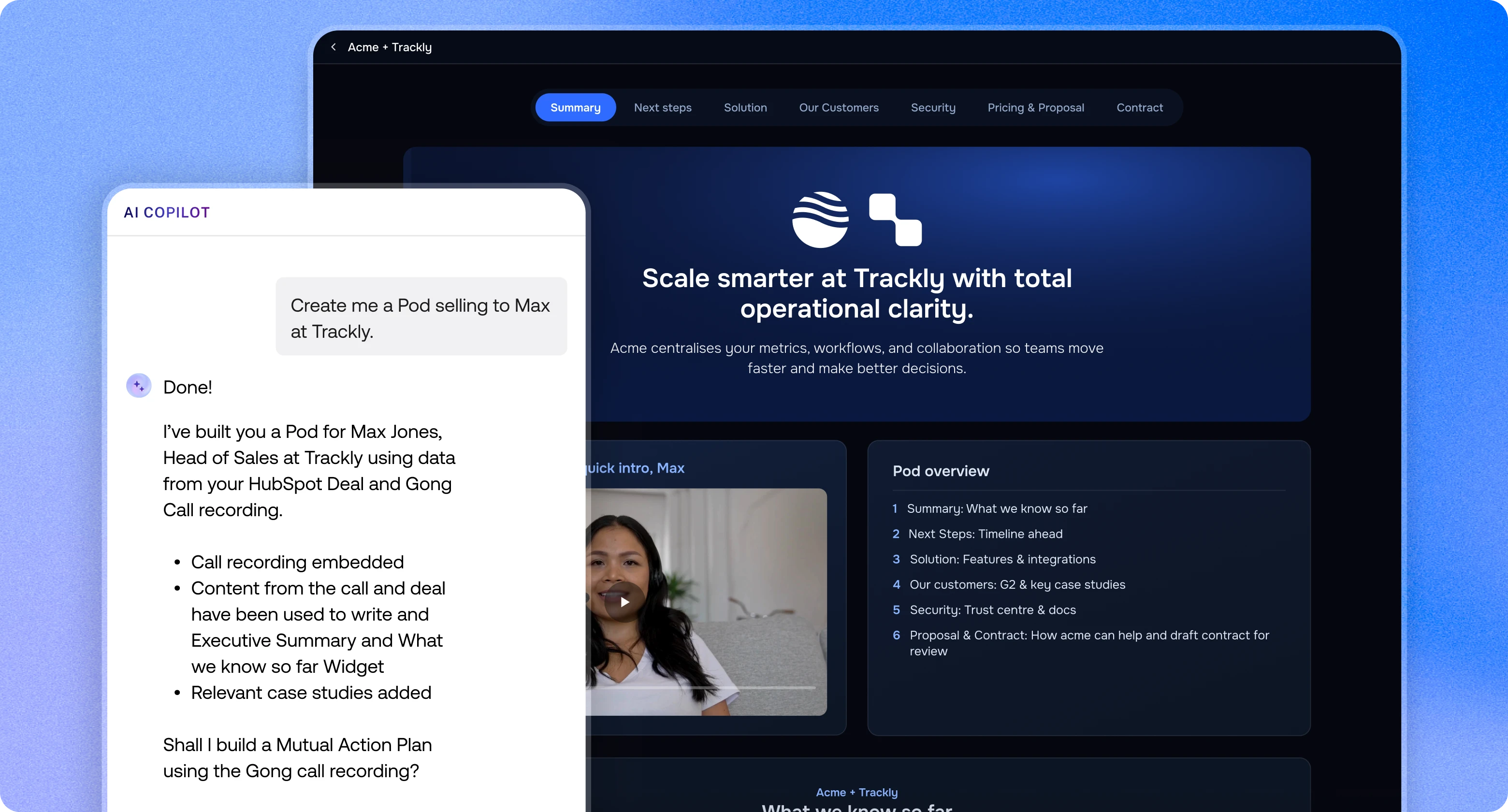
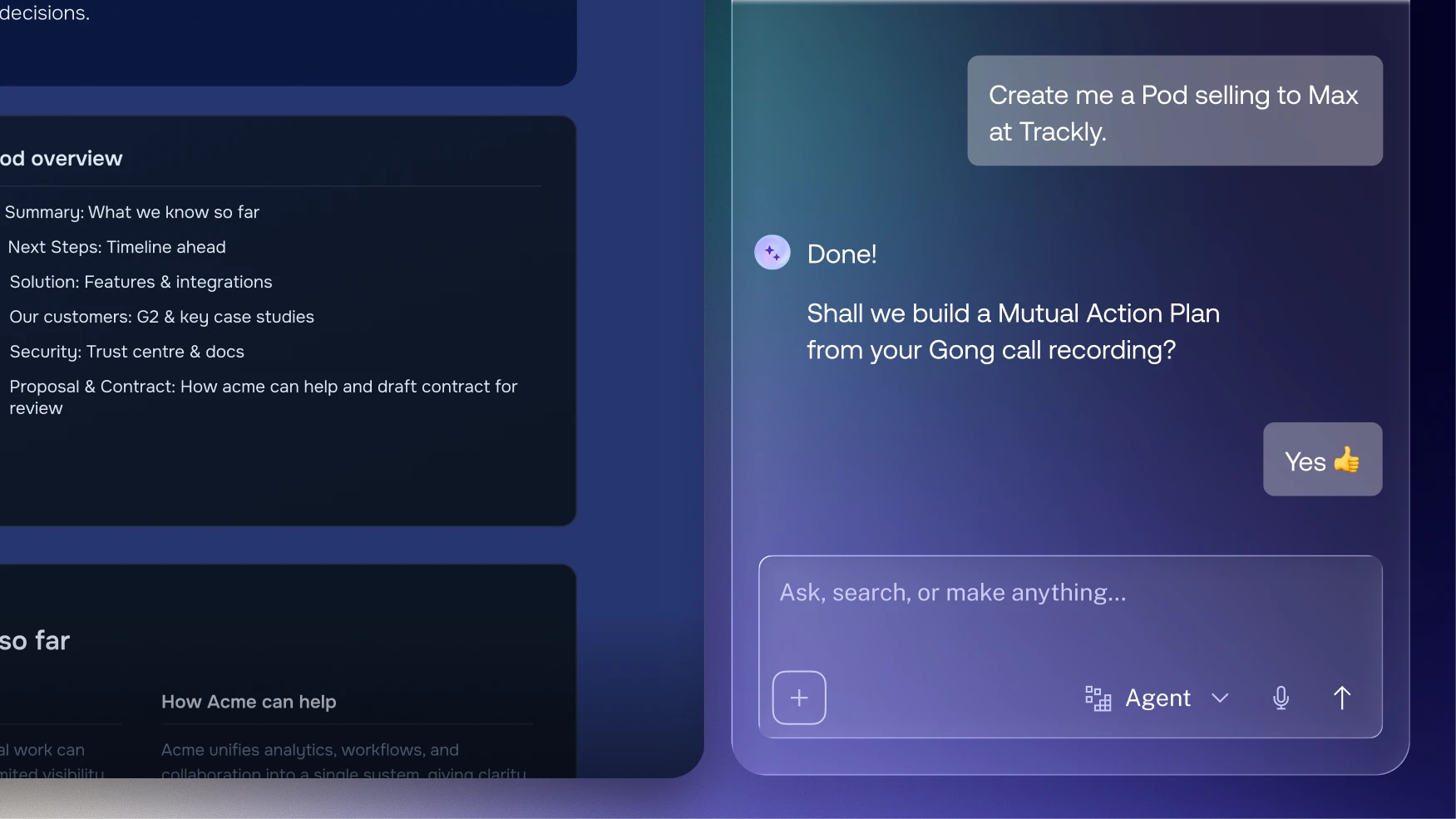
Instead of sending a PDF or a plain email link at touch 4 or 5, you send a personalised trumpet Pod, a fully personalised branded, interactive space that contains your relevant content, a short intro video, case studies that map to their situation, and a clear call to action.
What changes:
- You know exactly what they engaged with through trumpet insights. Which sections they viewed, how long they spent, which videos they watched, whether they shared it internally.
- Your follow-up stops being a guess. Touch 5 becomes: “I saw you spent time on the ROI section, happy to walk through the numbers together if that’s useful.”
- The Pod keeps working between touches. Your prospect can come back to it, share it with a colleague, revisit your case studies , all without you having to send another email.
- Your champion, if you have one, has something they can forward internally that looks professional and tells your story without you.
The goal of every touch point is to give the prospect a reason to say yes to a conversation. Trumpet gives you visibility into whether it’s working.
What This Looks Like in Practice
Take Isa Sher, Commercial Sales Manager at Cognism. His champion was bought in, but budget constraints capped the deal and the CRO had already rejected a meeting request. End of quarter. Door closed.
So instead of a 10th follow-up email, Isa built a hyper-personalised trumpet Pod for the CRO - a welcome video, ROI metrics with real trial results, competitor analysis, infosec documentation, and a Mutual Action Plan. All branded. All in one place.
Trumpet’s buyer tracking showed Isa exactly which sections the CRO was reading and what caught their attention. Armed with those insights, his champion got a five-minute call on the calendar.
That five-minute call turned into 40 minutes. The deal size quadrupled.
Read the full case study: When You’re Not in the Room with Power, You’re Leaving Money on the Table
The Takeaway
Eight touch points isn’t a magic number. It’s a benchmark that tells you something simple: most prospects need more than you’re currently giving them before they’re ready to say yes to a conversation.
The reps who get there aren’t working harder. They’re working with better information, knowing what their prospect cares about, what they’ve engaged with, and where the conversation should go next.
That’s the system. That’s the job.
Source: RAIN Group, Top Performance in Sales Prospecting Research. rainsalestraining.com
FAQs
How many touch points does it take to book a sales meeting?
According to RAIN Group's Top Performance in Sales Prospecting research, it takes an average of 8 touch points to secure an initial meeting with a new prospect, though top performers achieve this in around 5.
Why do most salespeople give up too early?
Most reps stop after one or two unanswered emails because they assume silence means disinterest, when in reality most prospects who convert don't respond until touch 5 or later.
.png)

See what your buyers are doing between meetings
Build a Pod, share it with the buying committee and watch the signals roll in. Free to start.


.png)






![How to Get Started with Buyer Enablement [With Examples]](https://cdn.prod.website-files.com/65cf4fecbed2754c2236665d/65cf4fecbed2754c22366bdb_65a5af83e742f76e34ce06f3_Customer%2520Onboarding%2520_%2520Everything%2520you%2520need%2520(2).png)
.png)


.png)


.png)


.png)

.png)
.png)

