








- Every deal and customer relationship in Trumpet lives in a shared Pod - one place for both sides
- Mutual action plans give buyers and sellers a shared timeline with co-owned milestones
- Huddles, live chat, voice notes, and video messages support both real-time and async collaboration
- Reps can see when buyers are active in the Pod, so follow-ups are always well-timed
- Sales-to-CS handoffs are seamless - the full context of the deal is already in the Pod
- CSMs get a permanent workspace for onboarding, QBRs, and renewal conversations
B2B deals involve a lot of people on both sides. Keeping everyone in sync- sharing the right materials, tracking next steps, having the right conversations - takes coordination.
How it works
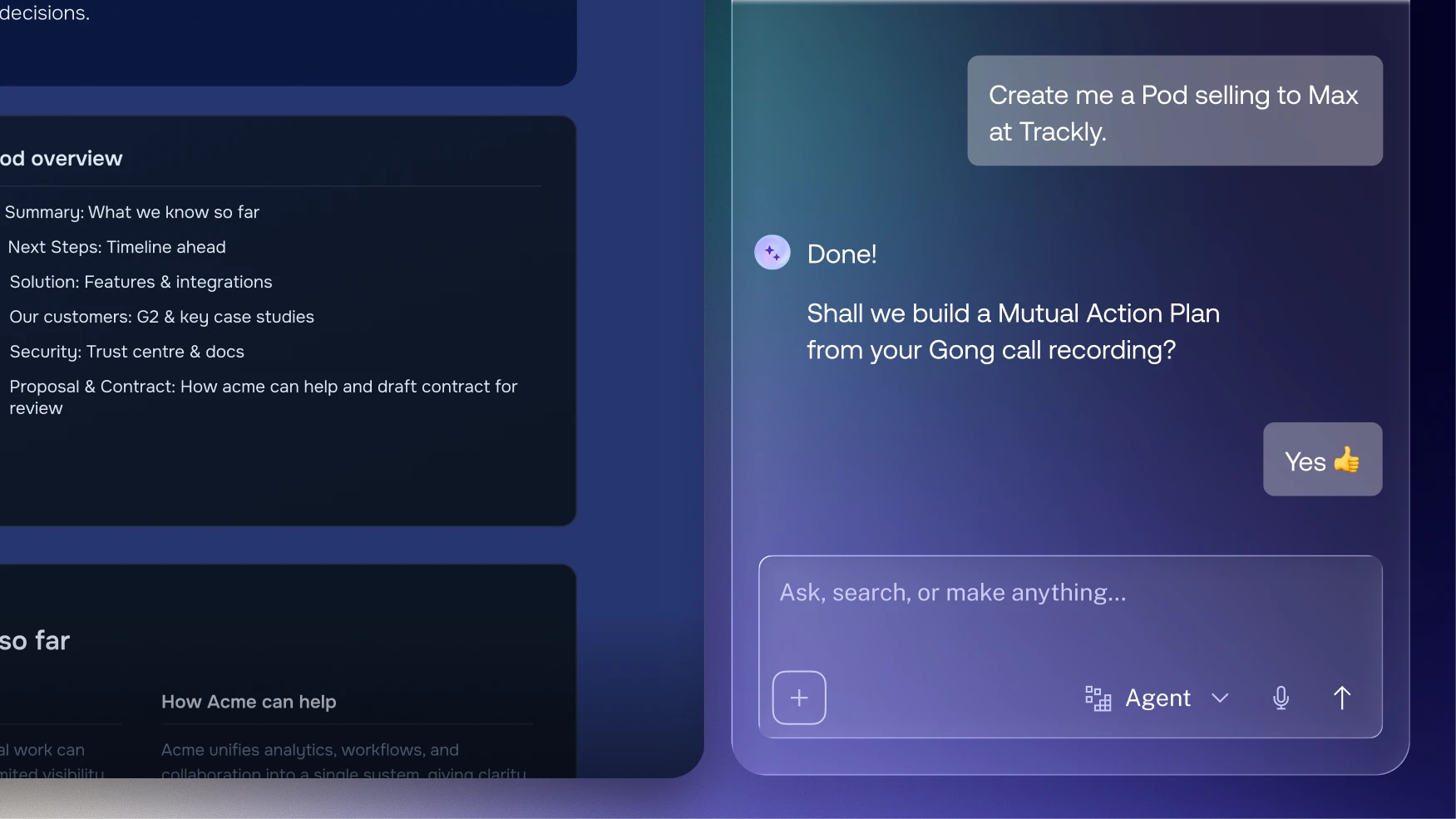
Every deal or customer relationship in trumpet lives in a Pod - a personalised, shared workspace that brings together everything relevant to that relationship:
- Mutual Action Plans - shared timelines with tasks and milestones both sides can see and update
- Live chat - real-time messaging inside the Pod, no email required
- Huddles - live video calls launched directly from the Pod
- Voice and video notes - async updates without scheduling a meeting
- Document sharing - proposals, contracts, resources, all in one place
- Screen sharing - during Huddles, for live walkthroughs
- Page annotation - buyers can comment directly on content with notes
- @mentions - tag stakeholders to bring them into a conversation
- Activity status - see when contacts are active in the Pod
Everything is centralised, searchable, and visible to everyone who needs it.
How it helps Sales
For sales teams, the collaborative workspace keeps deal momentum alive between meetings. Prospects can ask questions, review materials, and see exactly what the next steps are - all inside the Pod.
Mutual action plans are particularly powerful. When buyers co-own the timeline, they're more invested in hitting it. You also have full visibility into their activity, so you always know where things stand.
Handoffs are seamless too. When a deal closes, everything the CS team needs - every conversation, document, and note - is already in the Pod.
How it helps Customer Success
For CS, the workspace becomes the home for the entire customer relationship. Onboarding plans, training resources, QBRs, renewal conversations - all in one place the customer can access anytime.
Async tools like voice notes and video messages mean CSMs can stay closely in touch without filling every week with calls. It's a genuine two-way relationship that runs through the Pod.
At renewal time, the Pod is a full record of everything you've built together - which makes the value conversation straightforward.
FAQs
What is a collaborative workspace in sales?
A collaborative workspace is a shared digital space also known as a Digital Sales Room or as we call them a trumpet Pod, this is where buyers and sellers can communicate, share documents, and track progress together. Trumpet's Pods are purpose-built for this, replacing scattered email threads and file storage with one centralised space.
What is a Mutual Action Plan?
A Mutual Action Plan (MAP) is a shared timeline that both the buyer and seller agree on, with tasks and milestones assigned to each side. When buyers co-own the plan, deals move faster because both parties are accountable for the same timeline.
What are Huddles in trumpet?
Huddles are live video calls launched directly from within a Pod, with screen sharing built in. They keep conversations in context alongside the deal content rather than happening separately in a different tool.
How does trumpet help with the sales-to-CS handoff?
Because the entire deal - every conversation, document, and note - lives in the Pod, there's nothing to transfer. When a deal closes, the CSM has full context immediately, with no handoff notes or recap calls needed.
Can customers access the Pod without a trumpet account?
Yes. Buyers and customers can access their Pod without needing to sign up, making it easy for any stakeholder to engage.








![How to Get Started with Buyer Enablement [With Examples]](https://cdn.prod.website-files.com/65cf4fecbed2754c2236665d/65cf4fecbed2754c22366bdb_65a5af83e742f76e34ce06f3_Customer%2520Onboarding%2520_%2520Everything%2520you%2520need%2520(2).png)
.png)


.png)


.png)


.png)

.png)

.png)
.png)





