


Updated 30 September 2026
A champion's internal selling kit is the set of assets your contact needs to win the deal for you when you're not in the room: a one-page business case, an ROI summary, a short exec summary video, security docs, a Mutual Action Plan, pricing and FAQs for common objections. Each item answers one stakeholder's question. Put them all in one Pod, and your champion forwards a single link instead of a stack of attachments.
Most of the time, the person on your calls isn't the person who signs. Your champion has to sell your solution to a finance lead, an IT team, procurement and an executive sponsor. If they go into those conversations empty-handed, the deal stalls. This guide gives you the kit as a checklist, then shows how to package it.
Why your champion needs a kit, not a brochure
Hannah Ajikawo, CEO and Founder of Revenue Funnel, describes the moment most sellers know well. A contact tells you they're not the decision maker, just there to gather facts. Her answer is to tell them the facts their boss will care about:
"It is gonna be these four or five things."
She is just as clear on what doesn't work: "I can send you five brochures. I guarantee they don't want that." Decision makers want answers to their own questions. So before you build anything, ask your champion three things:
- What has your boss asked you to find out?
- Who else has to approve this, and what does each of them care about?
- What has killed a purchase like this before?
The answers tell you which items in the kit matter most, and which stakeholders you haven't met yet. If you're still working out who is in the buying group, start with our guide to mapping every stakeholder.
The champion's internal selling kit: a checklist
Use this as your checklist. Every item has one reader in mind and a format that suits how that person reads.
| Kit item | Who it's for | Format |
|---|---|---|
| One-page business case | Executive sponsor, Economic Buyer | One page: problem, cost of doing nothing, outcome |
| ROI or value summary | Finance, Economic Buyer | Short table with their own numbers |
| Exec summary video | Executives who missed the calls | 2 to 3 minute recording, with transcript |
| Security docs | IT and security | Certifications, Trust Center link, DPA |
| Mutual Action Plan | Champion, procurement, everyone | Shared plan with owners and due dates |
| Pricing | Finance, procurement | Proposal or quote, ready to sign |
| FAQs for objections | Anyone with doubts, including legal | 5 to 8 short questions and answers |
1. A one-page business case
This is the item your champion will use most. Keep it to one page and write it in the buyer's words, not yours. Cover the problem they told you about, what it costs them to leave it alone, what changes after they buy, and why now. If the executive sponsor reads nothing else, they should still understand why the deal matters.
2. An ROI or value summary
Finance wants numbers they recognise. Build the summary from figures your champion gave you, such as team size, deal volume or hours lost to admin, and show your working. A short table beats a long model. If you can't get their numbers, say what you've assumed so finance can change it.
3. An exec summary video
Executives rarely watch a full demo recording. A short video, two or three minutes, that recaps the problem, the proposed solution and the next step does far more. In trumpet, you can record your screen, camera or both, or upload an existing video, and add it to the Pod. One recording can be versioned into an exec summary, a procurement clip or an onboarding walkthrough, according to the video recording page. Every video is transcribed, stakeholders can leave timestamped comments, and you can switch off downloads on sensitive videos such as pricing walkthroughs. You get an alert when someone presses play, and you can see completion rates and time spent.
4. Security docs
IT and security reviews are where many deals lose weeks. Give your champion everything up front: certifications, where data is hosted, how it's deleted, your DPA and a link to your Trust Center. If you're selling trumpet itself, that means SOC 2 Type II, ISO 27001 and GDPR compliance, hosting on AWS in Ireland (EU), customer data deleted within 30 days of termination, and the trumpet Trust Center. More detail sits on the enterprise-grade setup page.
5. A Mutual Action Plan
The plan turns "we'll get back to you" into dated steps with owners on both sides: security review, legal review, budget sign-off, signature. It also tells your champion exactly what to chase internally and by when. In trumpet's own data, cited in our Mutual Action Plan software guide, deals with an active Mutual Action Plan are linked to double the win rate. That's a correlation, not proof of cause. If you need a starting point, use our ready-to-use Mutual Action Plan Templates, and see the Mutual Action Plans product page for how they work in a Pod.
6. Pricing
Your champion will be asked "what does it cost?" in every meeting. Don't make them dig through an old email for the number. Put a clear proposal or quote in the kit, with what's included and how long it's valid. In trumpet, Proposals & Quotes and e-signature sit inside the Pod, so the buyer can review and sign in the same place.
7. FAQs for objections
Write down the objections your champion will hear and answer each one in a sentence or two. Common ones are "we already have a tool for this", "the timing is wrong", "who else uses it?" and "what happens if it doesn't work out?". A short FAQ lets your champion handle pushback without needing you on the call.
How to package the kit in one Pod your champion can forward
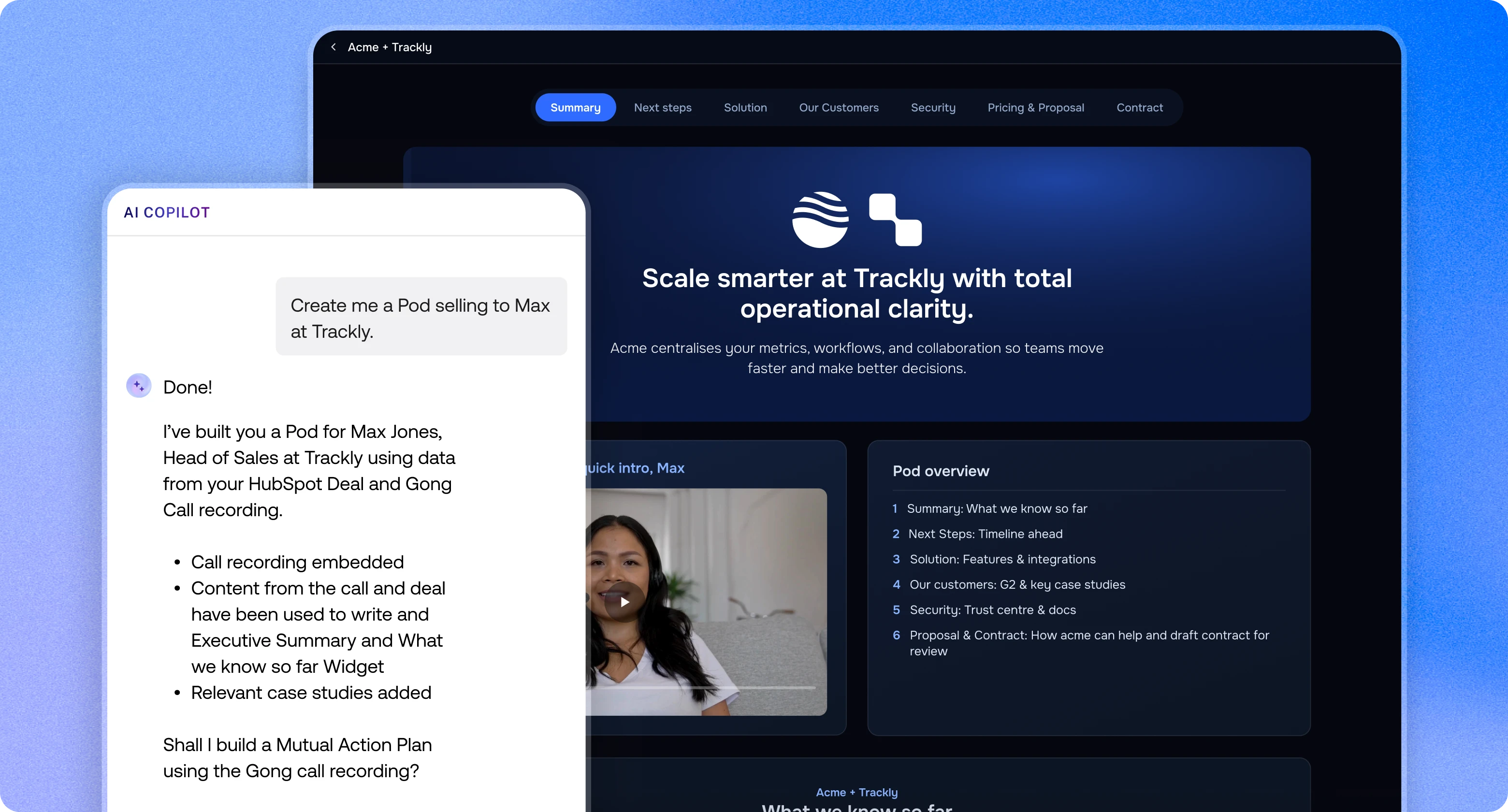
Seven attachments in an email thread get lost, forwarded out of date or never opened. A Pod keeps the whole kit in one branded, website-style space that auto-brands from the buyer's domain. Your champion forwards one link, and every stakeholder opens it with no login.

Here is how to set it up:
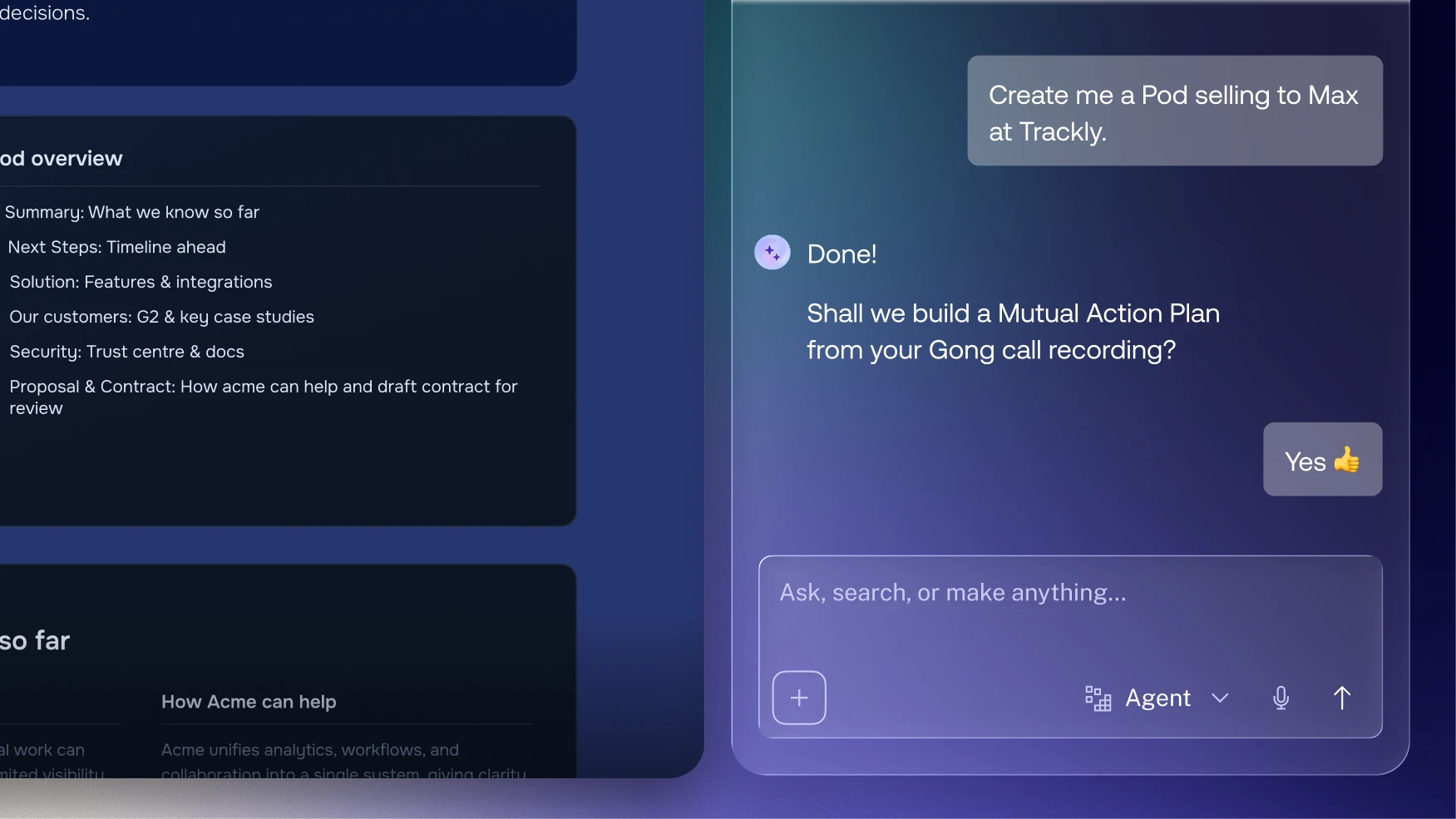
- Start from a Template. Build the kit once as a Template, then create a new Pod for each deal. Trumpet's AI agents can also build a Pod from a URL or CRM record, and draft the Mutual Action Plan for you.
- Give each stakeholder a section. Lay the Pod out by reader: a section for the executive sponsor (business case and video), one for finance (ROI and pricing), one for IT (security docs) and one for procurement and legal (Mutual Action Plan and FAQs).
- Keep content live. Pull approved assets from your Content Library so the champion never forwards an outdated deck.
- Hand the link to your champion. Tell them which section to point each colleague to. They don't need to rewrite anything.
- Watch who opens what. Every viewer gets an Engagement Score, and Slack and email alerts tell you when someone new opens the Pod. With the HubSpot or Salesforce integration, new viewers are added to your CRM as contacts.
- Fill the gaps. The AI Org Chart maps buying roles such as Decision Maker and Economic Buyer, and spots stakeholders who are missing. If finance hasn't opened the ROI summary, you know who to ask your champion about next.
James Smith, Senior VP EMEA at ThoughtSpot, puts it simply on our Digital Sales Room page: "It gives our champions a single workspace to sell internally." For more on keeping several stakeholders engaged at once, read our guide to multi-threading in enterprise sales.
The kit doesn't stop at signature
Pods carry on after the contract is signed. The Mutual Action Plan becomes the onboarding plan, and the same link moves into onboarding, renewal and expansion. That matters for Revenue Teams across sales and customer success: your champion's internal case at renewal is the same one they made to buy, with real results added. When a new buyer or customer stakeholder joins, they can catch up from the same Pod.
Coach your champion, don't just send things
A kit only works if your champion knows how to use it. Hannah's advice is direct: "We just have to coach them. We really do." In practice, that means:
- Walk your champion through the Pod before they forward it.
- Agree who they'll send it to, and when.
- Replace long demo recordings with short summaries they can actually share.
- Check the Mutual Action Plan together each week and update the dates.
You can try this on trumpet's Free plan, which includes 10 Pods and unlimited users. See the full plan details on the pricing page.
Frequently asked questions
What should a champion's internal selling kit include?
A one-page business case, an ROI or value summary, a short exec summary video, security docs, a Mutual Action Plan, pricing and FAQs for common objections. Each one answers a specific stakeholder's question.
How long should the business case be?
One page. Cover the problem, the cost of doing nothing, the expected outcome and why the buyer should act now, in the buyer's own words.
Is an exec summary video worth making?
Yes, if it's short. A two or three minute recap reaches executives who missed the calls, and in trumpet you can see who watched it and for how long.
How should my champion share the kit internally?
Through one link to a Pod. Stakeholders open it with no login, each goes to their own section, and you see who has engaged.
How do I know if the kit is working?
Track who opens it. In trumpet, every viewer gets an Engagement Score, and new viewers trigger Slack or email alerts, so you can spot stakeholders who haven't engaged yet.
What happens to the kit after the deal closes?
It keeps working. The Pod carries on into onboarding, and the Mutual Action Plan becomes the onboarding plan.


See what your buyers are doing between meetings
Build a Pod, share it with the buying committee and watch the signals roll in. Free to start.